Extensions
Zapier | OCR – AI | CardDAV | 3CX | Google Places | HR (Personio) | API & WebHooks | Credit CardsZapier
Settings > Extensions > Zapier
Activating in the settings under "Extensions" generates the account-specific API key required by Zapier. With Zapier, other web-based business tools can be integrated, and simple workflows can be created without programming knowledge.
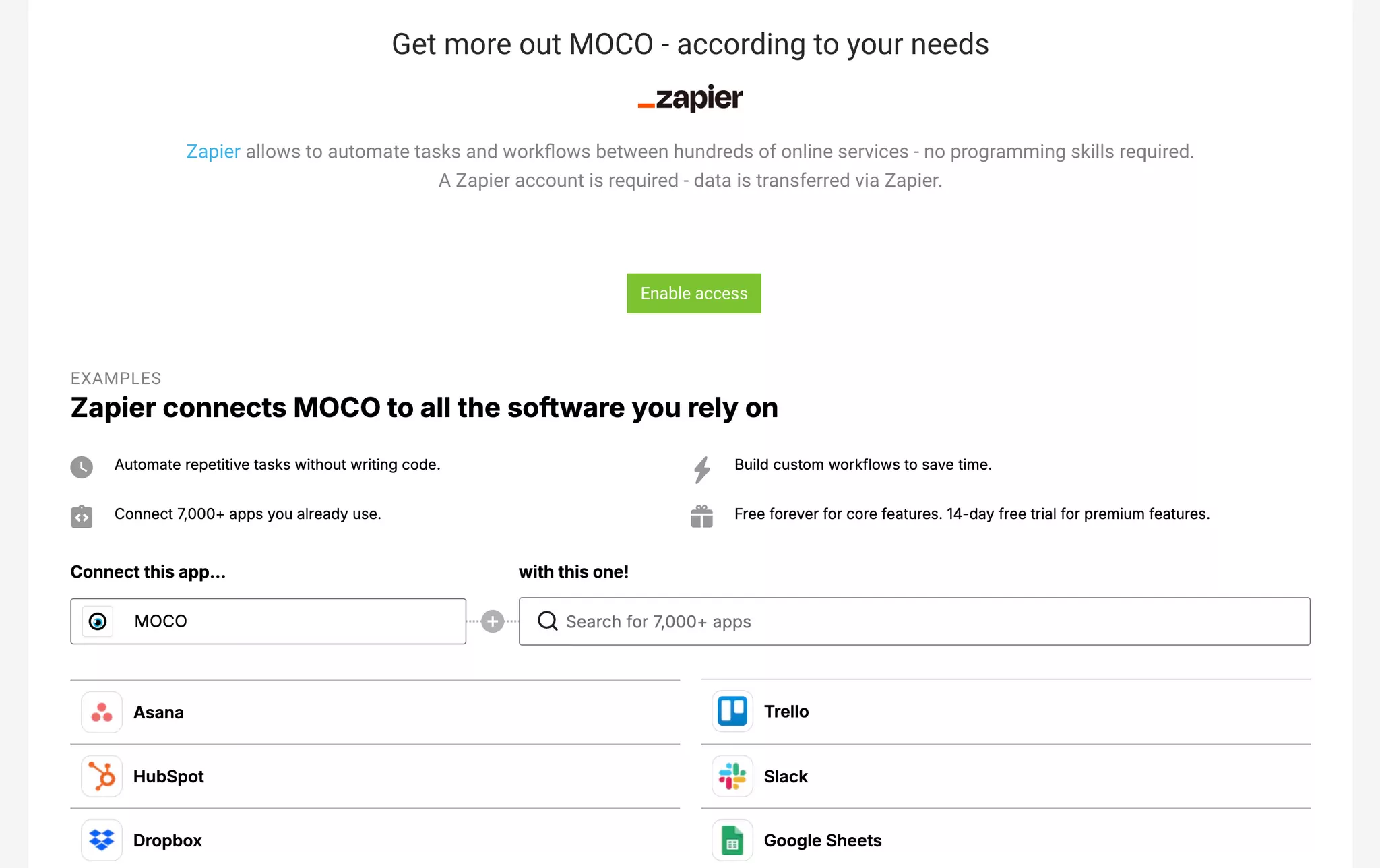
Activating in the settings under "Extensions" generates the account-specific API key required by Zapier. With Zapier, other web-based business tools can be integrated, and simple workflows can be created without programming knowledge.
OCR – AI
Settings > Extensions > OCR
 (English image not yet available)
(English image not yet available)Speed Up Invoice Entry – Save Time
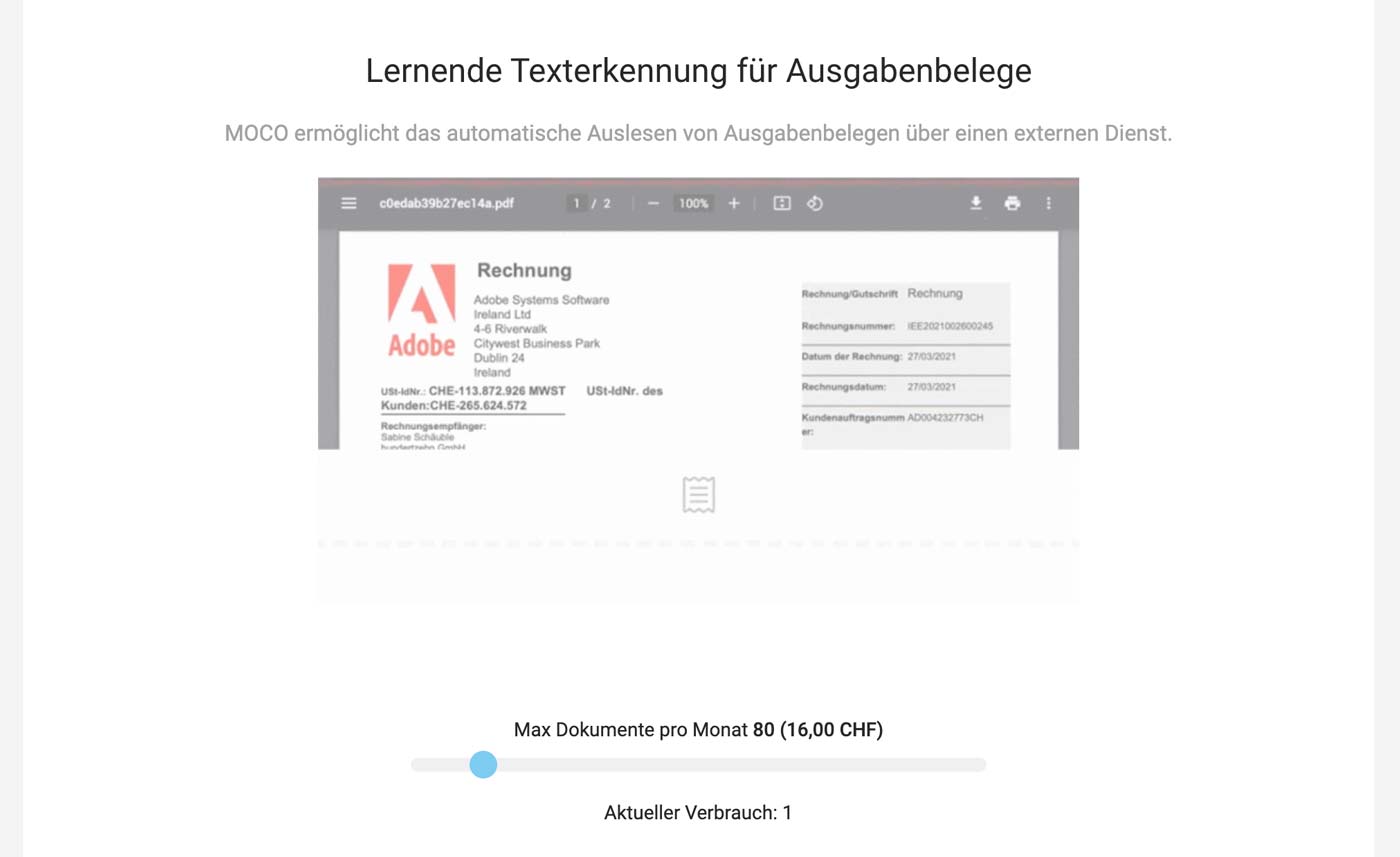
MOCO can directly read documents using intelligent text recognition.
- Reduce Copy-Pasting: Most data is reliably filled in automatically.
- Targeted Completion: All automatically filled data is highlighted in yellow for quick identification.
- OCR Learns: With each subsequent document from the same supplier, the reading accuracy improves.
- Preview: Amounts are displayed even in draft status.
- Single or Total Position: The output can be read as a whole position or as individual positions.
Tips for Optimal Use of Intelligent Text Recognition
Pay attention to supplier assignment, especially at the start: Create new suppliers directly in the expenditures form using the quick entry option. This usually ensures future supplier assignment.
Add foreign currencies in the settings (Account > Currency & Account) in advance, for which you expect to receive invoices.
 (English image not yet available)
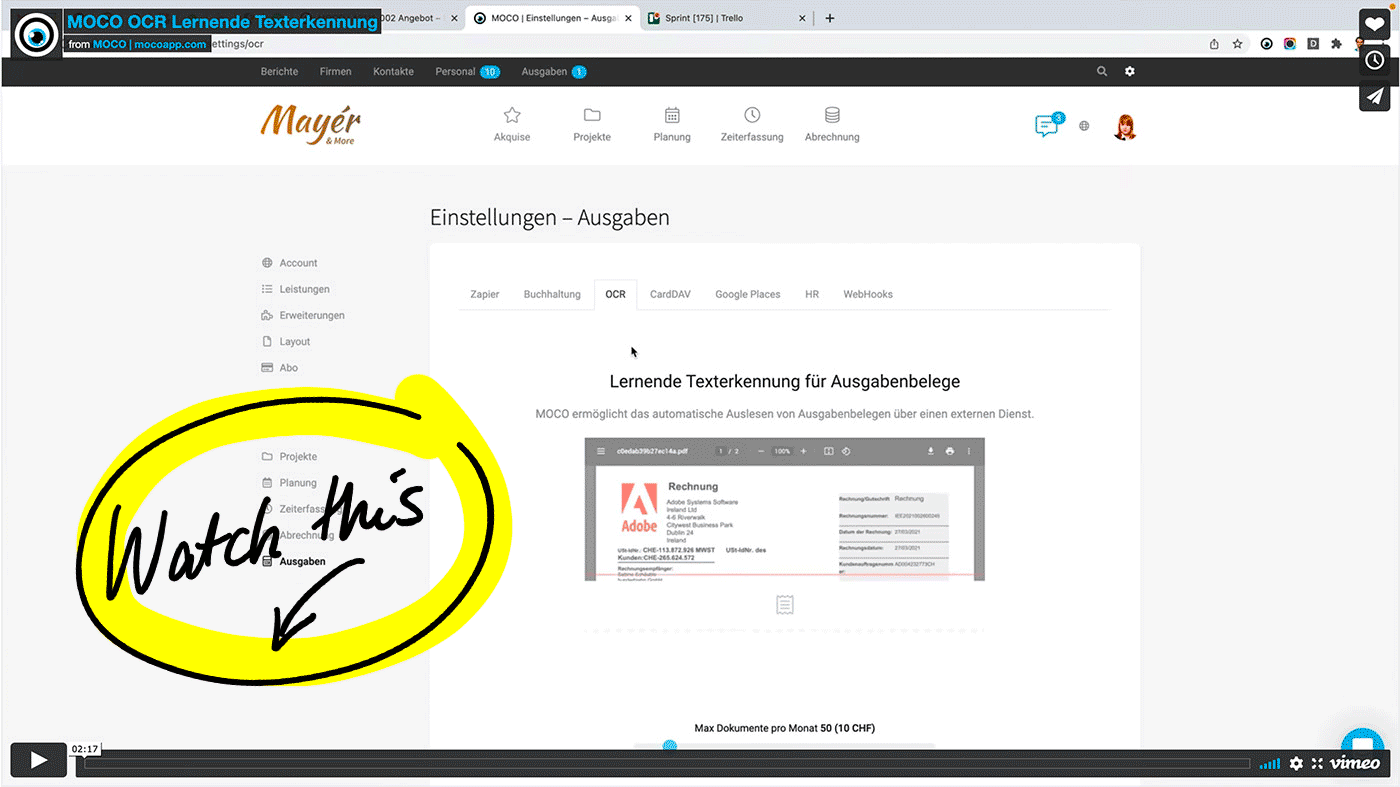
VIDEO: How to Activate and Use OCR (2:17)
Add foreign currencies in the settings (Account > Currency & Account) in advance, for which you expect to receive invoices.
(English image not yet available)VIDEO: How to Activate and Use OCR (2:17)
Costs
E-invoices (DE) are recognized directly and do not require OCR.
For other read documents, a charge of 0.25 CHF/0.20 EUR each applies automatically. These are the usage-based costs of an external service. There are no basic fees. A monthly budget allows for easy cost control. If the budget is exhausted, MOCO notifies the account holder and also displays a corresponding notice directly in the expenditures. The service can be stopped at any time without cancellation periods.
For other read documents, a charge of 0.25 CHF/0.20 EUR each applies automatically. These are the usage-based costs of an external service. There are no basic fees. A monthly budget allows for easy cost control. If the budget is exhausted, MOCO notifies the account holder and also displays a corresponding notice directly in the expenditures. The service can be stopped at any time without cancellation periods.
CardDAV
Settings > Extensions > CardDAV
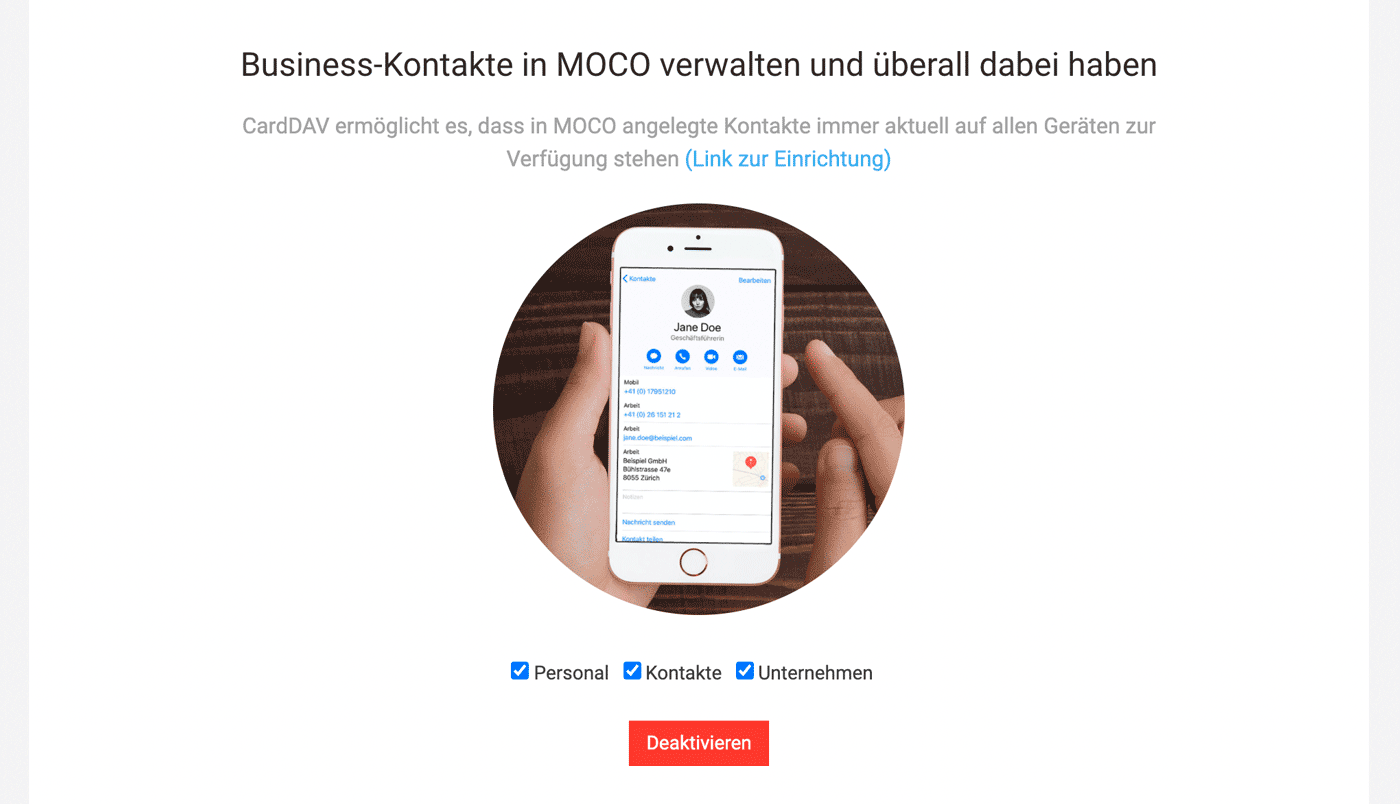
CardDAV allows you to retrieve business contact details for companies, staff, and contacts from MOCO. The data is centrally managed in MOCO and synchronised on the devices where the contacts were added.
 (English image not yet available)
» More information in the Contact Management chapter
» Activation information
CardDAV allows you to retrieve business contact details for companies, staff, and contacts from MOCO. The data is centrally managed in MOCO and synchronised on the devices where the contacts were added.
(English image not yet available)» More information in the Contact Management chapter
» Activation information
3CX
Settings > Extensions > 3CX
Connect your 3CX VoIP softphone or 3CX phone system with MOCO
All Info: What is 3CX, Functionality and Benefits
How to set up the connection
1. Download the configuration file in MOCO (Settings > Extensions > Phone System)
2. In the 3CX software, select "None" under "CRM Integrations" in the dropdown and upload the MOCO configuration file via Add.
3. Select "Always" for "Query CRM"
4. Enter the MOCO API key (Profile > Integrations)
5.Install the softphone
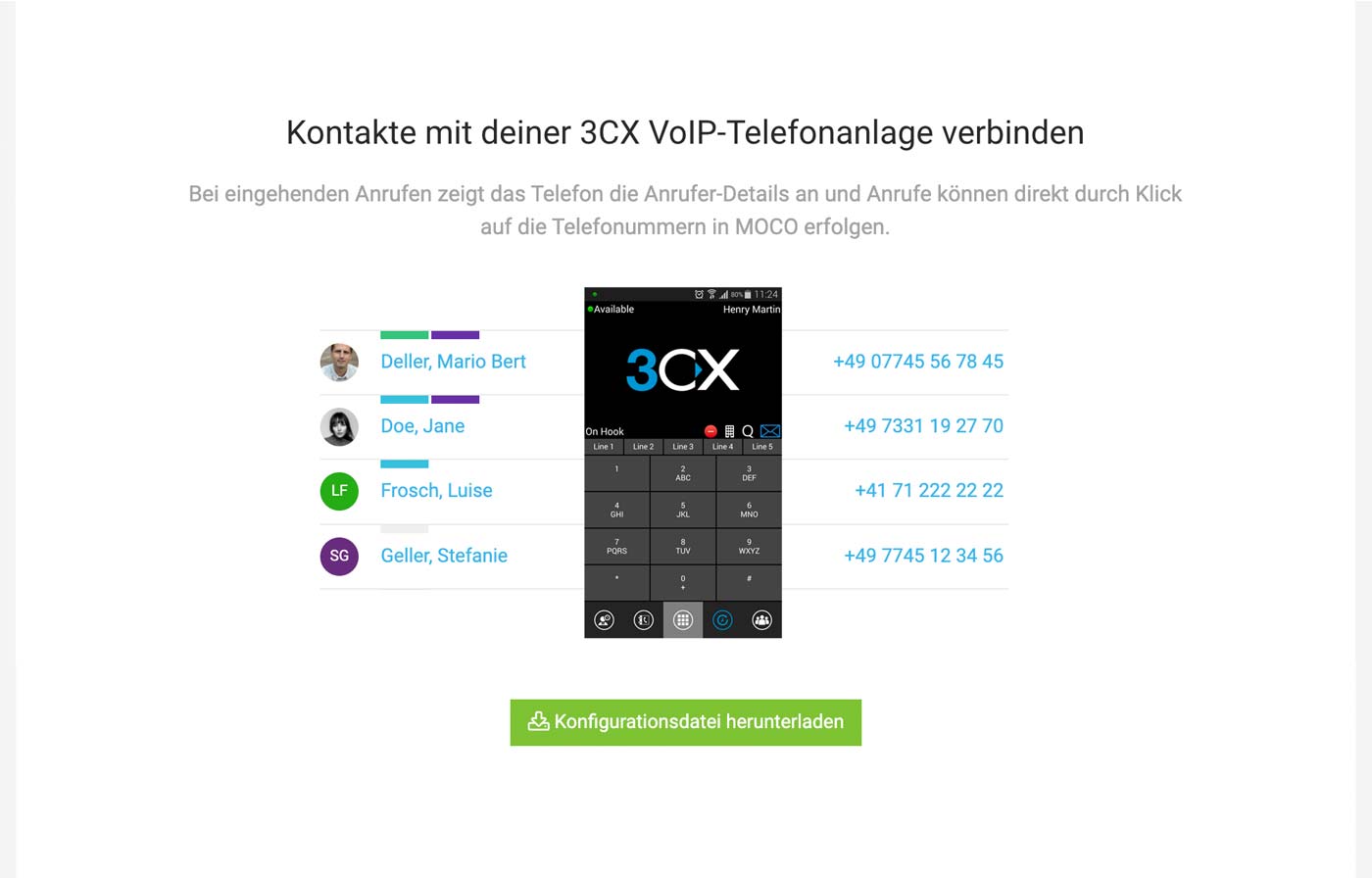 (English image not yet available)
Connect your 3CX VoIP softphone or 3CX phone system with MOCO
All Info: What is 3CX, Functionality and Benefits
How to set up the connection
1. Download the configuration file in MOCO (Settings > Extensions > Phone System)
2. In the 3CX software, select "None" under "CRM Integrations" in the dropdown and upload the MOCO configuration file via Add.
3. Select "Always" for "Query CRM"
4. Enter the MOCO API key (Profile > Integrations)
5.Install the softphone
(English image not yet available)Google Places
Settings > Extensions > Google Places
This MOCO extension automatically populates the form with address, country, standard tax rate, tax ID (if available), phone number when creating a new company.
This MOCO extension automatically populates the form with address, country, standard tax rate, tax ID (if available), phone number when creating a new company.
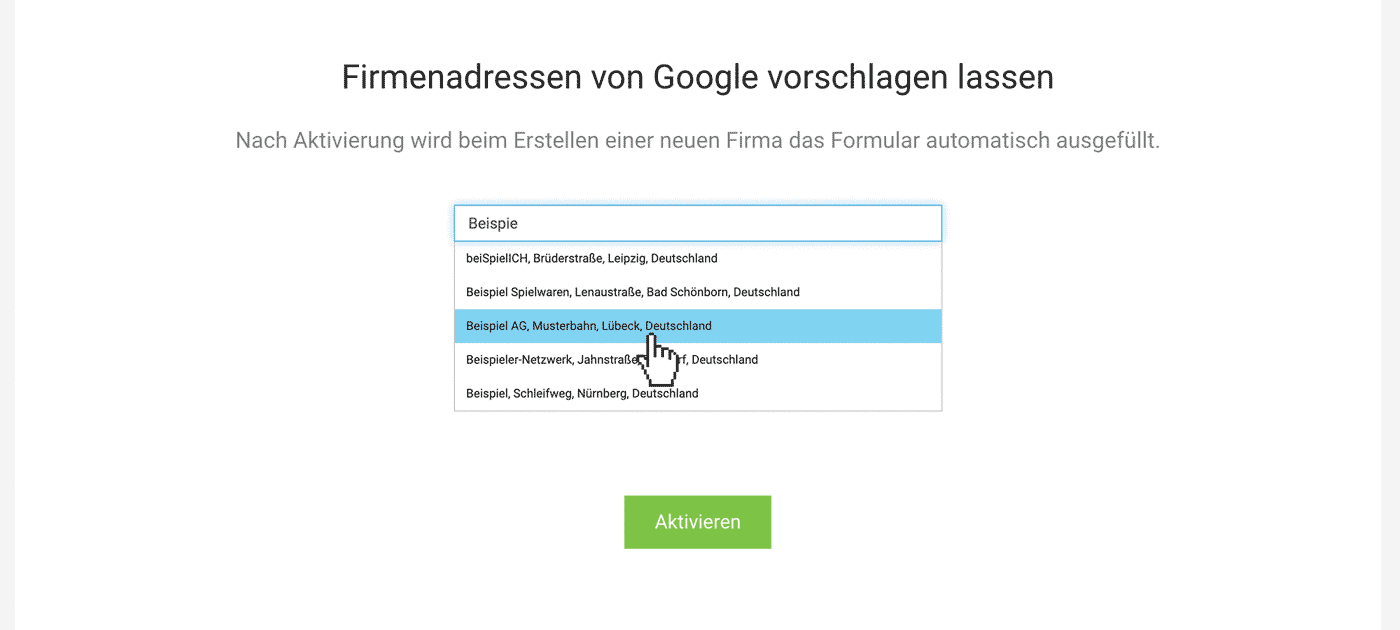 (English image not yet available)
How to Enable the Option
Simply activate it in the settings under "Extensions" > "Google Places".
Cost
MOCO provides the integration free of charge.
HR (Personio)
Settings > Extensions > HR
For advanced HR functionalities such as recruiting, MOCO can be integrated with Personio HR software to automate the transfer of selected data.
How the integration works
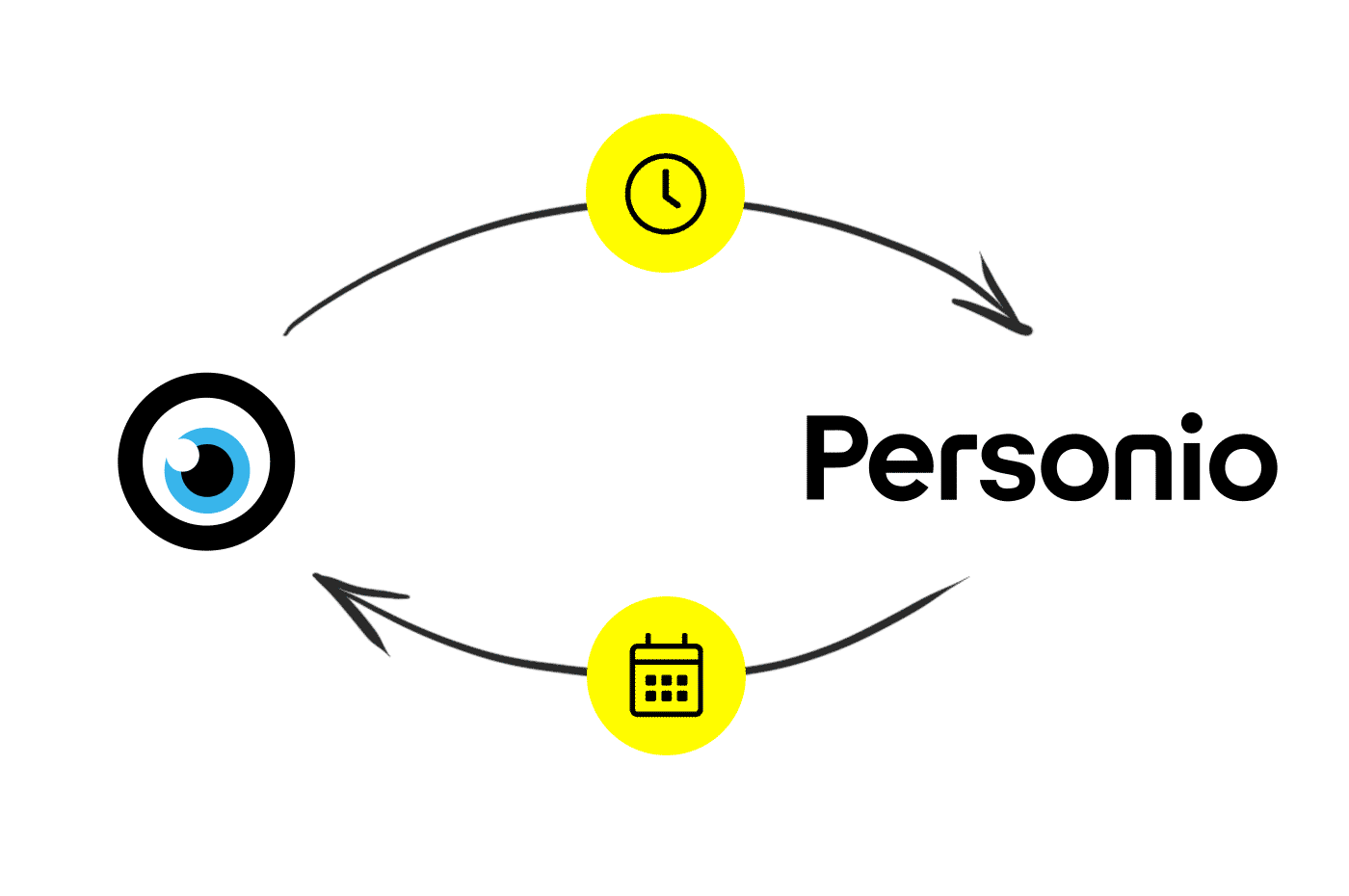 (English image not yet available)
For advanced HR functionalities such as recruiting, MOCO can be integrated with Personio HR software to automate the transfer of selected data.
How the integration works
(English image not yet available)Setting up the Connection
1. Settings in Personio (see illustration)
a) Enter MOCO under "API Access Data" in the settings
b) Select the checkboxes for personal data as shown in the screenshot.
c) Choose Email under "Attributes to be transferred". User identification on both sides is done via the email address with which the user is registered in both systems!
Personio will then automatically generate an ID and Secret.
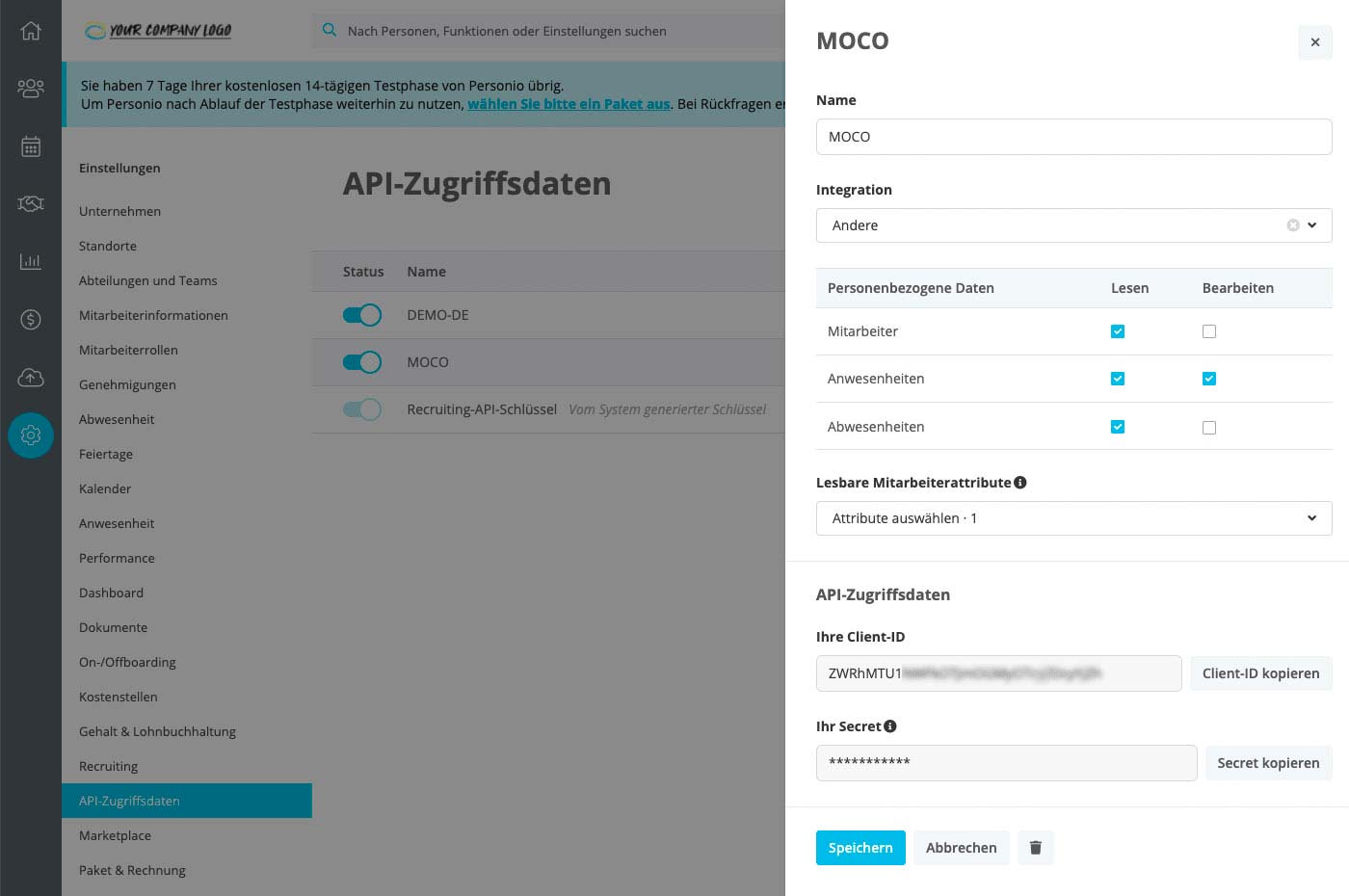 (English image not yet available)
2. Settings in MOCO
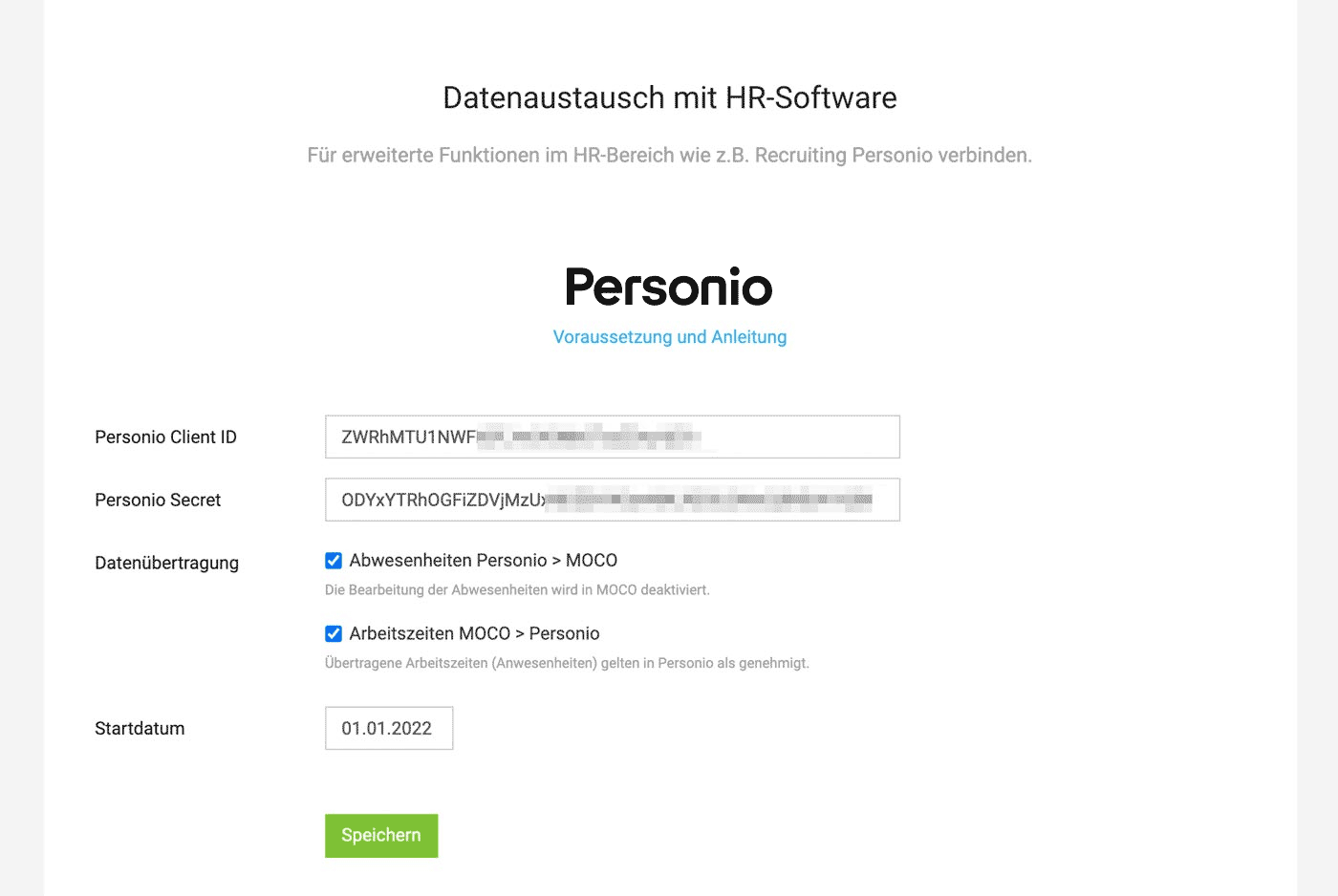
Enter the Personio Client ID, Secret, and start date under "Extensions" > "HR" in the settings.
 (English image not yet available)
a) Enter MOCO under "API Access Data" in the settings
b) Select the checkboxes for personal data as shown in the screenshot.
c) Choose Email under "Attributes to be transferred". User identification on both sides is done via the email address with which the user is registered in both systems!
Personio will then automatically generate an ID and Secret.
(English image not yet available)2. Settings in MOCO
Enter the Personio Client ID, Secret, and start date under "Extensions" > "HR" in the settings.
(English image not yet available)Absence Mapping Overview
If you have activated the absence sync to MOCO, the Personio categories will be mapped to the following MOCO absences.
 (English image not yet available)
Holiday
(English image not yet available)Holiday
- Paid Leave (1) – Paid time off for rest and relaxation.
Unplanned
- Unpaid Leave (3) – Unpaid time off for rest and relaxation.
- Strike (illegal) – Illegal refusal to work, organized by a workforce representation.
- Unexcused Absence (unpaid) – Absence from work without further explanation or notification.
Illness
- Sickness – Paid leave for health treatment.
Neutral Absence
- Paid leave due to child's illness – Leave from work to care for one's own children under 12 years in case of illness. Compensation is regulated by the employment contract.
- Parental Leave (2) – Unpaid leave allowing employees to care for their child.
- Voluntary Military Service – Leave from work for voluntary military service.
- Individual Employment Ban (Pregnancy) – Additional protection period for pregnant employees to avert dangers to mother and child.
- Maternity Protection Period – General protection period for pregnant or breastfeeding employees.
- Short-term Care Leave for Relatives – Paid, short-term leave for up to 10 days for planning and reorientation in an acute care situation of a family member.
- Long-term Care Leave for Relatives – Full or partial exit from work for up to six months to care for a dependent close relative at home. See also §§ 3, 4 PflegeZG.
- Rehabilitation Measures – Measures and treatments for medical and occupational rehabilitation and social reintegration.
- Strike (legal) – Legal refusal to work, organized by a workforce representation.
- Unpaid leave due to child's illness – Unpaid leave from work to care for one's own children under 12 years in case of illness.
- Other Paid Leave – Any absence not fitting into the predefined categories. Applicable, for example, to business trips, training, compensatory time off, educational leave, special leave.
- Temporary reduction in normal working hours under a government-subsidized scheme.
Not Supported (Ignored)
- Home Office - The employee works remotely rather than on-site. Recorded in MOCO via time tracking
- Public holidays cannot currently be transferred and must be entered in MOCO manually.
API & WebHooks
Extensions > API & Webhooks > API Key
 (English image not yet available)
(English image not yet available)API Key
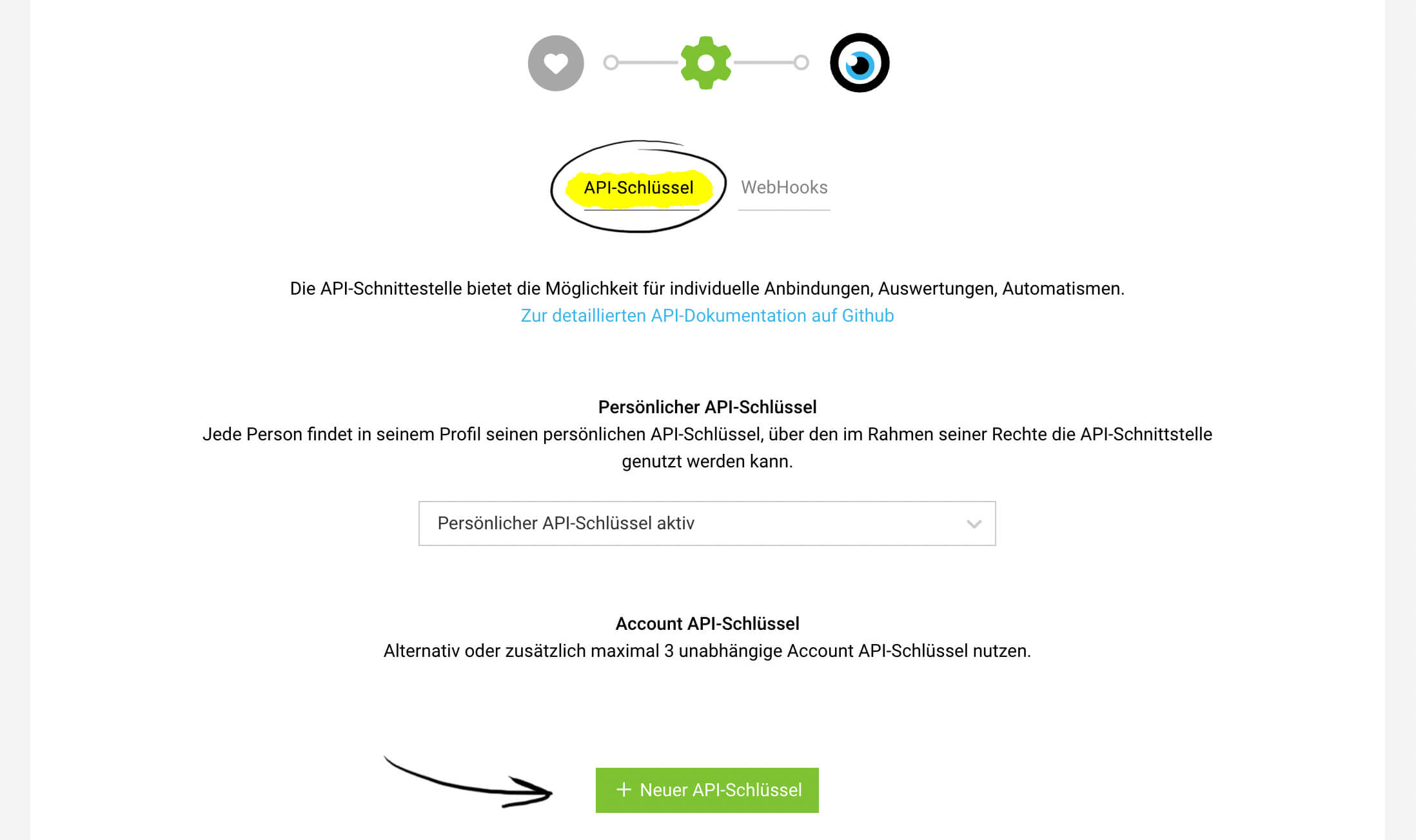
To connect systems, an API key is required. With API keys, you can automate data retrieval (read) or write to MOCO. Programming knowledge is necessary.
Personal API Key
In the user profile (click on the profile picture at the top right) > "Integrations" you can access your personal key.
Account API Key
In addition to personal API keys, you can alternatively or additionally create up to three account API keys.
All information about the API & API Documentation
All information about the API & API Documentation
Webhooks
With WebHooks, events in MOCO can be easily and in real-time transferred to other systems. Up to 39 events can be defined (Settings > Extensions > WebHooks).
More information about Webhooks
More information about Webhooks
Credit Cards
Settings > Extensions > Credit Cards
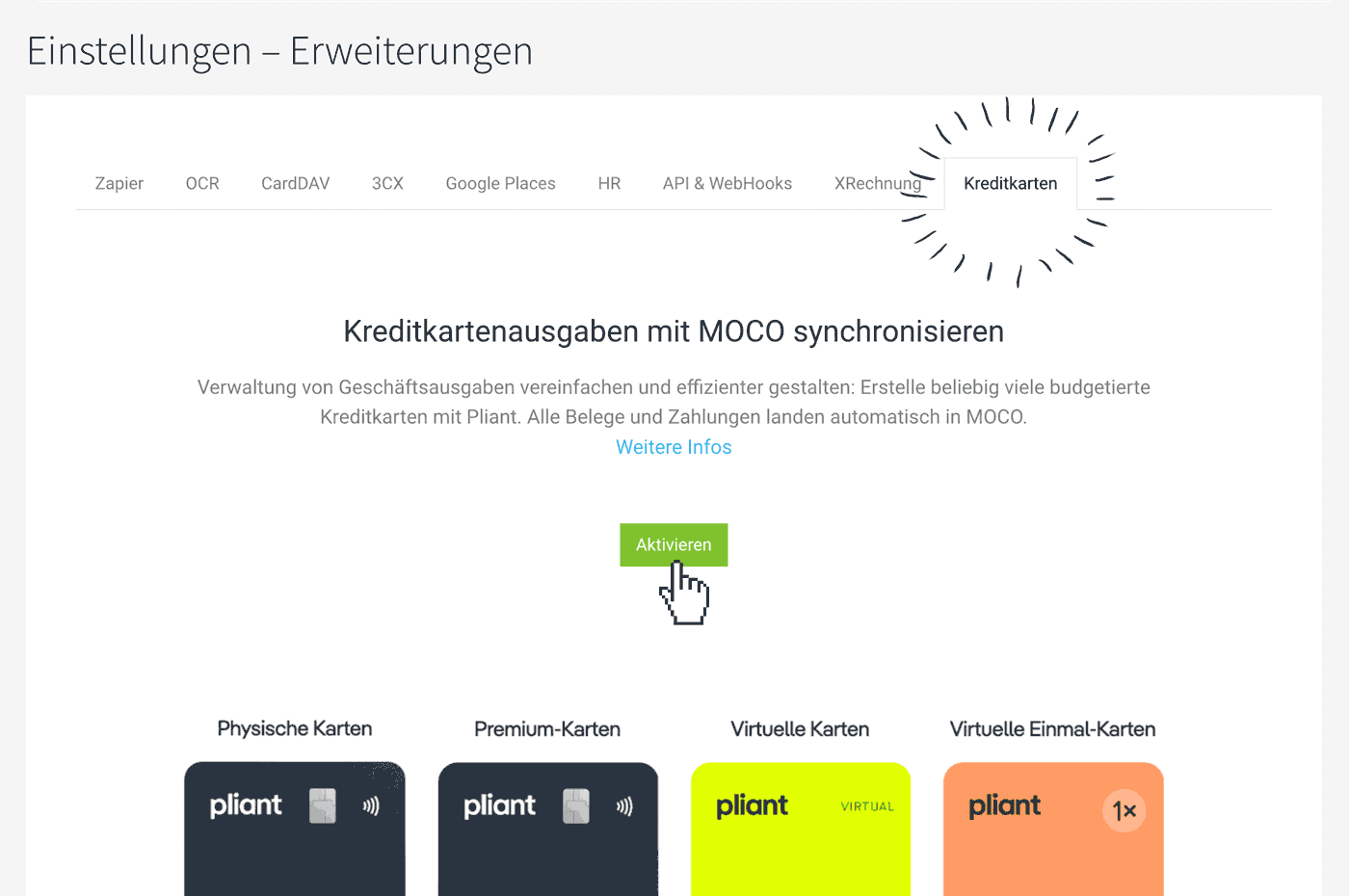
Enable the connection here if you want to use the full integration for Pliant's credit card solution. This eliminates the need to reconcile incoming receipts with the credit card invoice and greatly simplifies the management of business expenditures.
Once the payments from Pliant are recorded, MOCO automatically captures the expenditure draft and the payment. The receipts are synced. More information on the integration
 (English image not yet available)
Accounting Note: Accounting is disabled in Pliant because preliminary accounting is handled through MOCO. Accounting in MOCO
Link to the blog post from 9 April 2024
Enable the connection here if you want to use the full integration for Pliant's credit card solution. This eliminates the need to reconcile incoming receipts with the credit card invoice and greatly simplifies the management of business expenditures.
Once the payments from Pliant are recorded, MOCO automatically captures the expenditure draft and the payment. The receipts are synced. More information on the integration
(English image not yet available)Accounting Note: Accounting is disabled in Pliant because preliminary accounting is handled through MOCO. Accounting in MOCO
Link to the blog post from 9 April 2024








