
-------
.png)
MOCO + Webhooks
Send events to other systems easily and in real time
Create Your Own Real-Time Workflows with Other Apps
Webhooks enable real-time, event-based communication between two applications via the API – similar to Zapier.
MOCO Webhooks let you respond to events in MOCO, such as a project update, a new time entry, or the deletion of a contact. They are an alternative to solutions such as Zapier and Make, and allow you to implement these processes on your own infrastructure. Webhooks are also a useful complement to the REST API, enabling you to react directly to events. For each event, an endpoint of your choice is called (HTTP POST). It contains the data for the relevant entity and, in most cases, lets you respond without needing to call the MOCO API.
MOCO Webhooks let you respond to events in MOCO, such as a project update, a new time entry, or the deletion of a contact. They are an alternative to solutions such as Zapier and Make, and allow you to implement these processes on your own infrastructure. Webhooks are also a useful complement to the REST API, enabling you to react directly to events. For each event, an endpoint of your choice is called (HTTP POST). It contains the data for the relevant entity and, in most cases, lets you respond without needing to call the MOCO API.
Example Use Cases
Project > create
=> a new folder is created in cloud storage
=> a new board is created in project management
Contact > create / update
=> the contact is created/updated in the central database.
You can implement workflows like those shown for Zapier, as long as the goal is to create/update/delete something (=> create/update/delete). Exceptions include budget triggers or specific triggers such as a changed invoice status, but you can replicate these using an update.
=> a new folder is created in cloud storage
=> a new board is created in project management
Contact > create / update
=> the contact is created/updated in the central database.
You can implement workflows like those shown for Zapier, as long as the goal is to create/update/delete something (=> create/update/delete). Exceptions include budget triggers or specific triggers such as a changed invoice status, but you can replicate these using an update.
Set Up the Connection
You can set up webhooks under Settings > Extensions > API & WebHooks
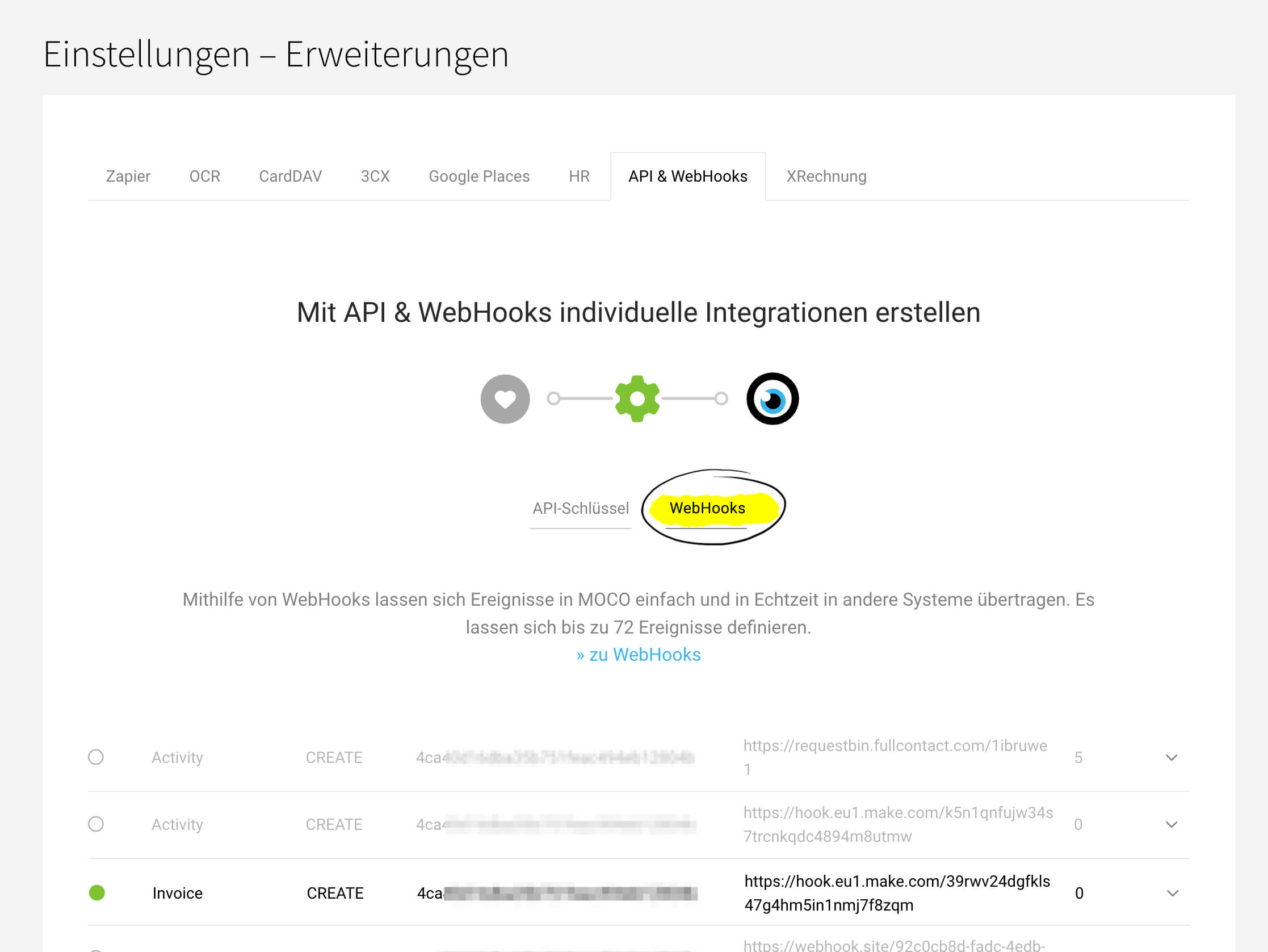 (English image not yet available)







