Get Started Successfully with MOCO.
Overview in 35 Minutes
In the » Webinar on demand MOCO Product Manager Tobias guides you through the software:
Want to quickly check whether a specific feature exists? » All Features at a Glance
Set Up in 15 Minutes
Have you just created a MOCO account? After the following three steps (expandable), you’ll be familiar with the settings, and your team can start tracking time. Or use the » “Set Up” video tutorial.
As the account owner, you have access to the general settings. Go through them once and set up the account to suit your needs.
» Detailed Information on the Settings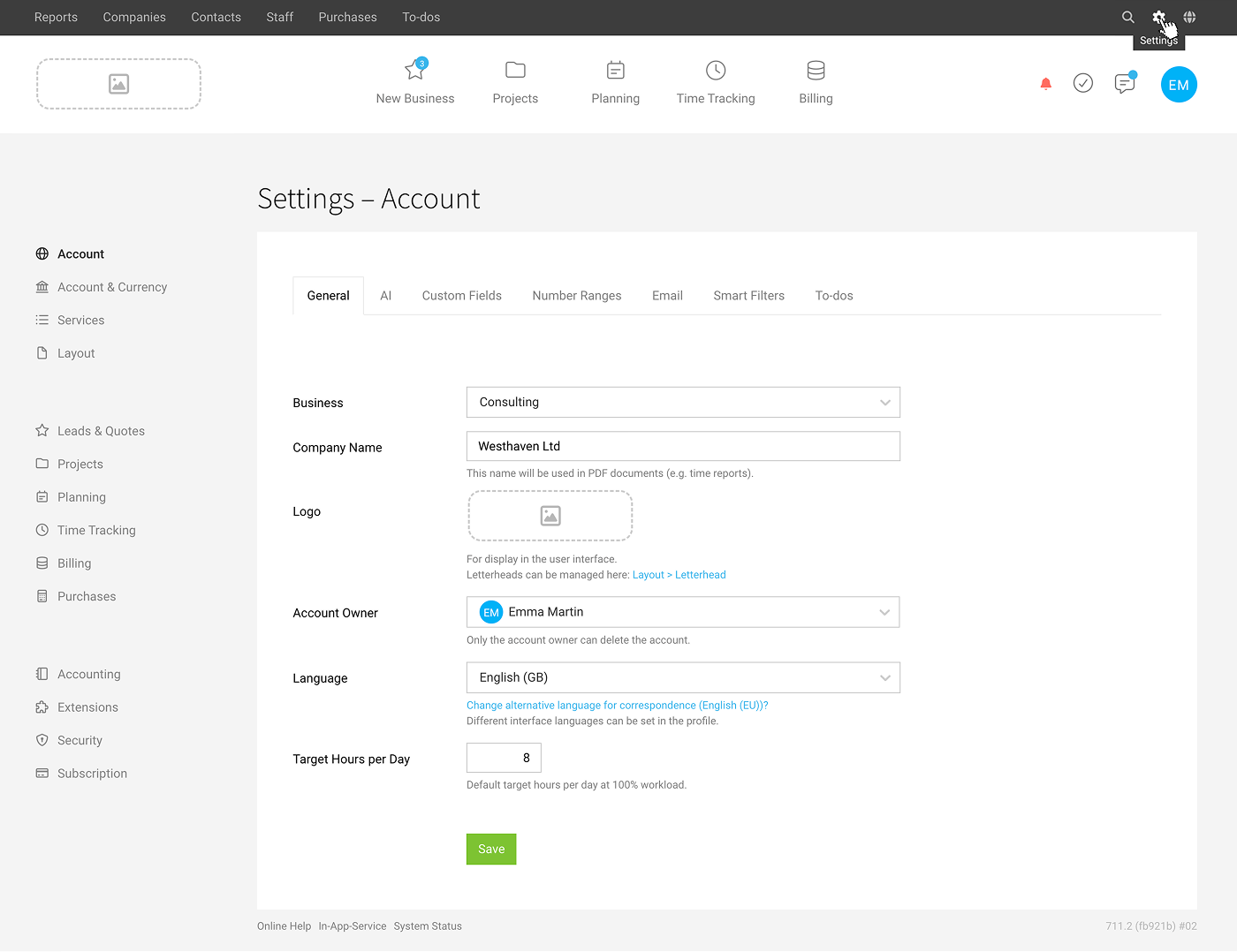
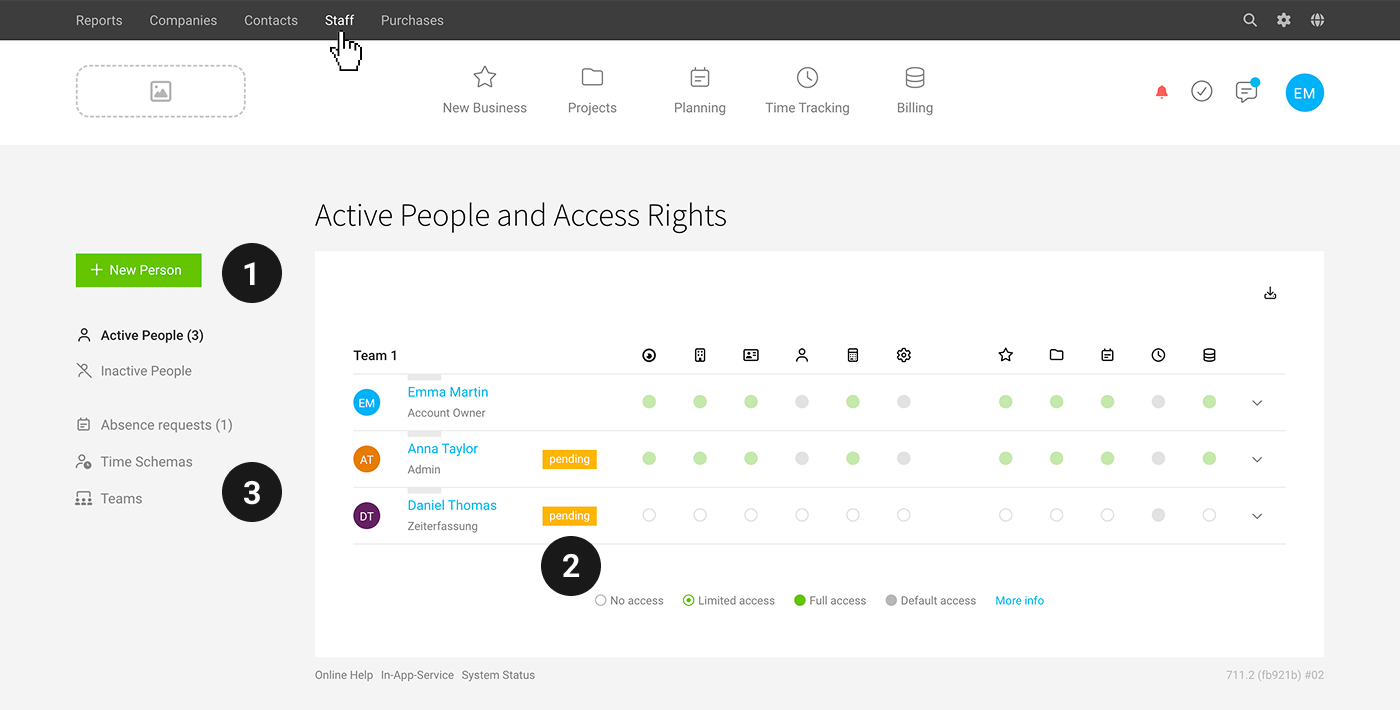
You can add additional users under “People” via “+ New Person” (1). They will receive an email invitation. If a user has never logged in, they will be shown as “pending” (2) in the list. Clicking it sends the invitation again. Alternatively, the user can select “Reset password” when logging in.
Employees have defined target hours (weekly model) and a holiday balance. Adjust the target hours for part-time employees directly after saving (or centrally under “People” > “Target Hours”) (3). Record the holiday allowance for the person under “Holiday”.
Access rights for individual functional areas can be assigned per role or individually. » An Overview of Access Rights
Custom fields for additional employee data can be set up in Settings under > “Account” > » Define Custom Fields
» More Information on People Management
Add clients under “Companies”. By default, your own company is already there for internal projects.
» Import options
Add client projects in the main menu item “Projects” (1). Don’t forget to assign services and people for time tracking after saving.
For internal projects (e.g. with internal services such as meetings, new business, HR, work on your own website, etc.), select your own company as the client (2).
» More Information on Project Types, Control Options, etc.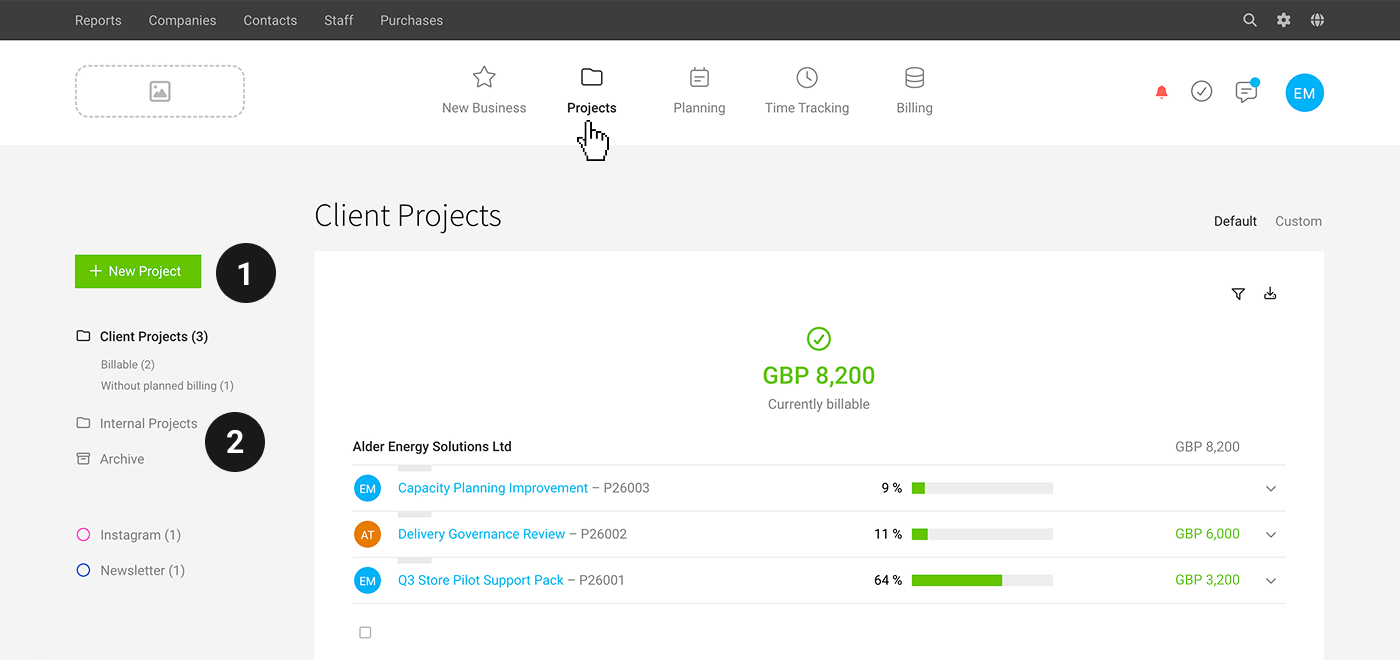
Get Started with Purpose
Video Tutorials
Video tutorials are available for a range of topics (in German), such as going from quote to invoice, and accounting. » Overview of All Tutorials.

Online Manual
The detailed, illustrated user manual under “Features” answers general questions about functions and workflows. Tip: Use the keyword search. » Go to the Online Manual
Clear Up Any Remaining Questions
Send any remaining questions to our product team via the in-app service (a detailed description and/or screenshot helps us resolve things quickly), or email support(at)mocoapp.com.
Online Session
You can also book an individual online Q&A session. If needed, ask about it directly via the in-app service.
» Further Information on Support Options








