MOCO FAQs
Costs
How does daily pro-rata Billing work?
On the smallest plan, one user costs EUR/CHF 15 per month (tiered pricing from 50 users). Users include everyone listed under "Active People". If people are added or deactivated mid-month, MOCO charges a pro-rata amount calculated by day. This is why the stated number of users or the amount on the Invoice may look uneven.
Do costs depend on user roles?
Costs are independent of the features used. You can reduce or expand access rights yourself at any time.
Cost control for freelancers / external staff?
Users can be deactivated at any time. For example, freelancers can be activated only for the periods they are working, and MOCO will only charge for that active time.
Support
How does Support work at MOCO?
MOCO is software-as-a-service (SaaS) with more than 50,000 users. Via personal in-app support, we take care of your questions and requests. This approach has proven itself for the following reasons:
- Ensuring the best possible service quality.
- Issues and suggestions reach us directly (development closely aligned with general needs).
- Subscription costs can be kept low for everyone.
The In-App Service
Users can contact us via the in-app service at the bottom left in MOCO. We respond promptly. Tip: Describe your request clearly and include a screenshot — in our experience, that’s the most efficient way to resolve a question for both sides.
Browser plugins (e.g. ad blockers) can cause the service to be blocked. Alternatively, you can also send us your request via the » Contact Form .
Is there an online demo?
The free webinar
» An Introduction
provides a solid overview and can be accessed at any time.
On request, we also offer an online Q&A. This builds on the basic knowledge you’ve already worked through (videos, docs, test account) and is intended for any remaining questions, which we then look at directly in the software.
Are training sessions possible?
Yes. On request, we offer individual online sessions.
Resources
Where can I find a kind of "manual"?
On the website under » Features all areas and topics are illustrated and described.
Do you have videos as well?
On our » Vimeo video portal you’ll find tutorials on various topics (updated regularly).
Payment Options
Can I take out a subscription without a credit card?
Yes, MOCO can also be subscribed to via SEPA direct debit. This option is only available to euro countries. Please note: if a payment is reversed, penalty fees apply, which we pass on.
Where can I access my subscription Invoices?
All Invoices are available to download in Settings under "Subscription". If you also add an email address to the billing address, MOCO will automatically send the Invoice to that email address as well.
Security & Operations
Do I have access to backups?
At least two backups are created daily. Each account can also regularly use its own export options. If very important data has been deleted by a user by mistake, an audit log is available, and deleted documents remain available for some time. On request, an earlier version can also be restored from the backups.
» More information on Security & Operations
How can I take my data with me or access it later?
A "MOCO archive" can be maintained by keeping the account owner in place and continuing the subscription at minimal cost. Backups, hosting, technical upgrades, etc. are then ensured, and you can access your data as usual.
Alternatively, you can take your data with you by exporting the data you need. Then delete the account, which ends the subscription.
Will I be informed about ongoing development (included in the subscription)?
In the app, always click the bell icon at the top right when it turns red.
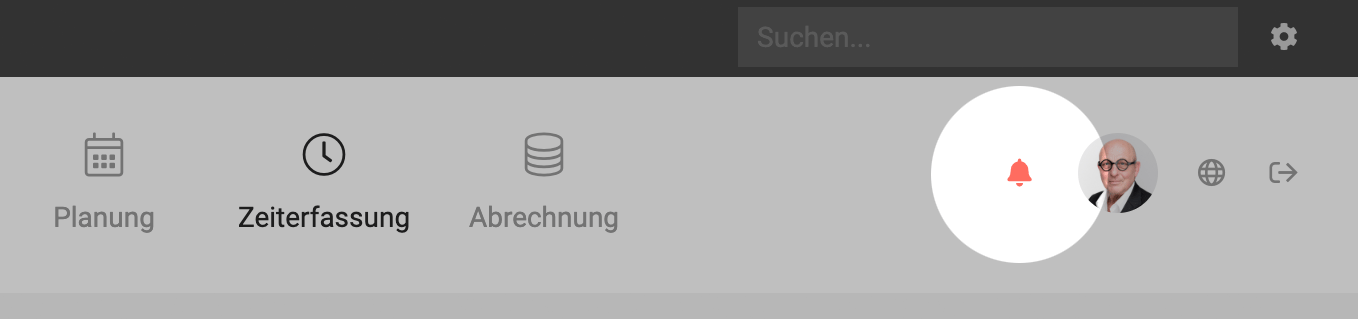
In addition, we send the account owner an overview of the latest updates four times a year.
Can I manage two companies within one account?
If the companies are legally separate, or you need a separate Invoice number range and separate reports, we recommend creating one account per company. If people are logged in with the same email address, they can easily switch between accounts at the top right (globe icon).








