Manage Proposals
All Quotes in One Place & Filterable | Reassigning/Allocating Proposals | Live Notification for Concurrently Opened ProposalsAll Quotes in One Place & Filterable
 (English image not yet available)
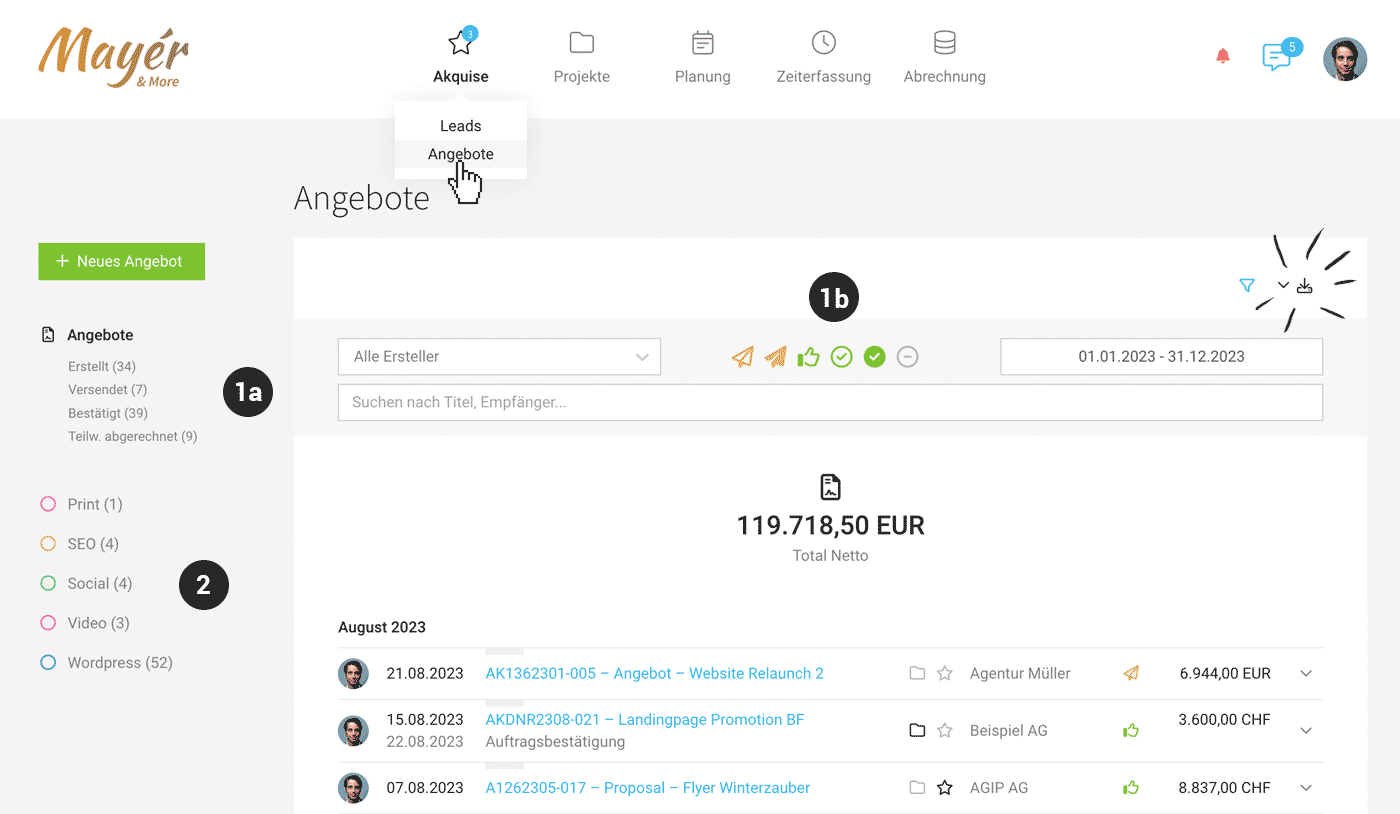
Under "Sales" > "Quotes", all quotes are listed.
In the top right, you can export them (Excel and documents).
In the top right, you can export them (Excel and documents).
Quick Filtering
Quickly filter open quotes by status using the Smart Filters (1a).
The filter panel (1b) offers various filter options. With the keyboard shortcut "Q", you can filter directly to your own quotes.
The filter panel (1b) offers various filter options. With the keyboard shortcut "Q", you can filter directly to your own quotes.
Status: "Ignored"
The default filtering ignores the "Ignored" status. "Ignored" is a general status meaning "quote no longer relevant". For example, you set it manually to "Ignored" if it was an alternative version of a quote or the client declined (if needed, you can also add a comment with the reason under "Comments" below – if enabled, also via voice input). Unbilled quotes are automatically set to "Ignored" when a project is archived.
You can also use the global search (magnifying glass at the top right or the "/" keyboard shortcut) to find quotes from anywhere by entering the quote number.
Categorise & Tag
Quotes can be tagged or categorised using Labels (2).
Bulk Actions
On the left, above the avatar, you can select multiple quotes at once and assign a shared status or a shared label.
Reassigning/Allocating Proposals
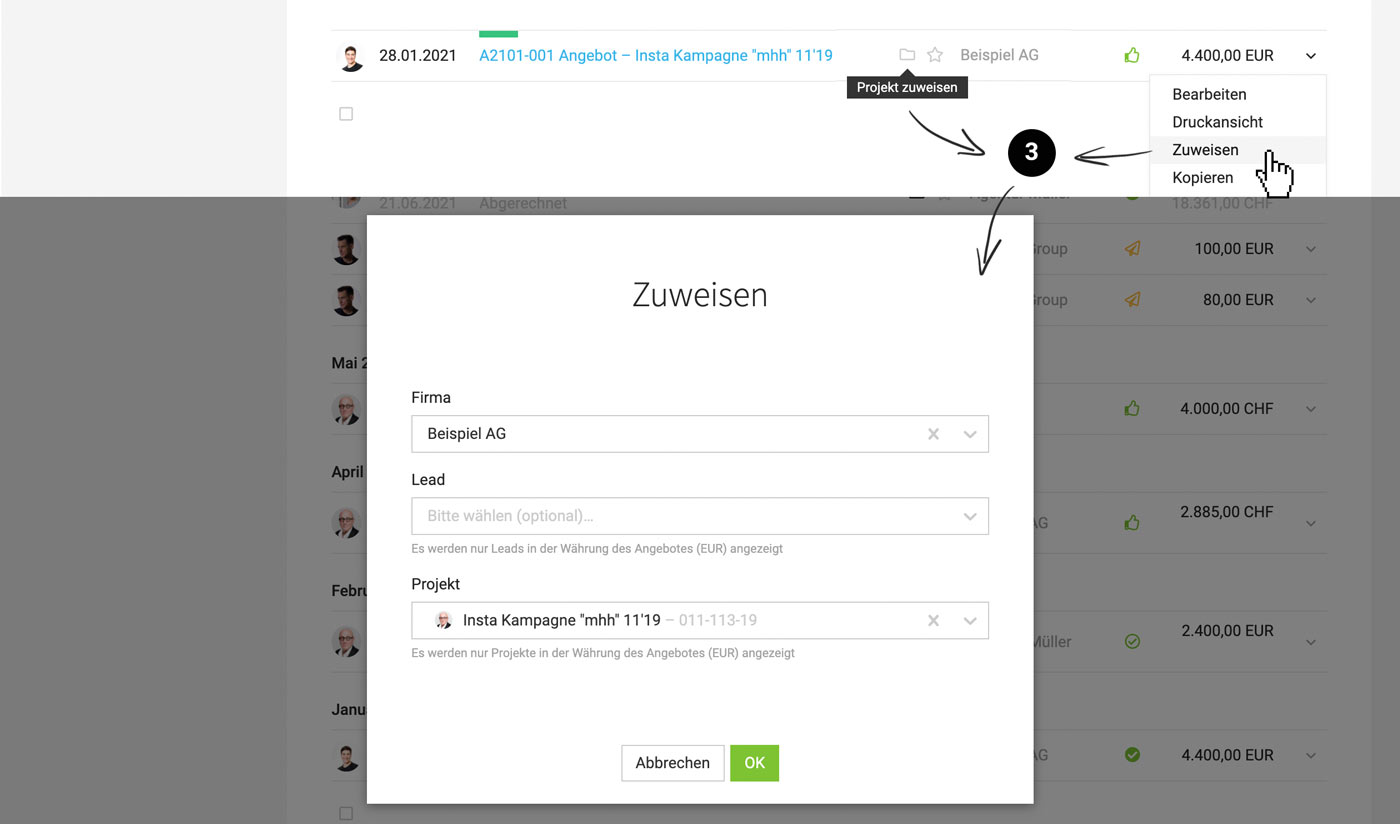
Assign a Proposal to a (different) Company, Lead, or Project
Use the icons in the central proposal list or the actions on the right in the dropdown (3)
 (English image not yet available)
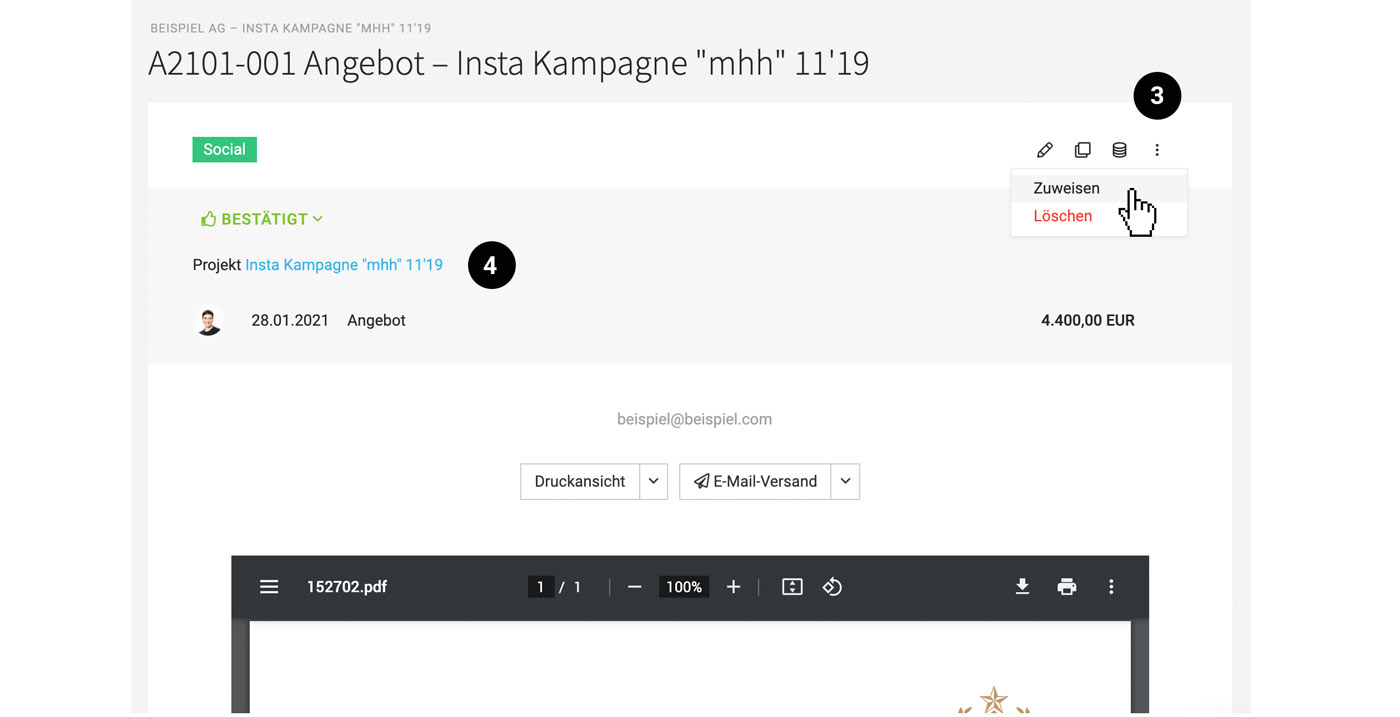
– alternatively, on the proposal detail page at the top right (3). The assignment can also be tracked on the detail page (4):
 (English image not yet available)
If you create a project directly from the proposal (without a lead), the proposal is automatically assigned to the project.
Assign to an Existing Lead, Project, or Client
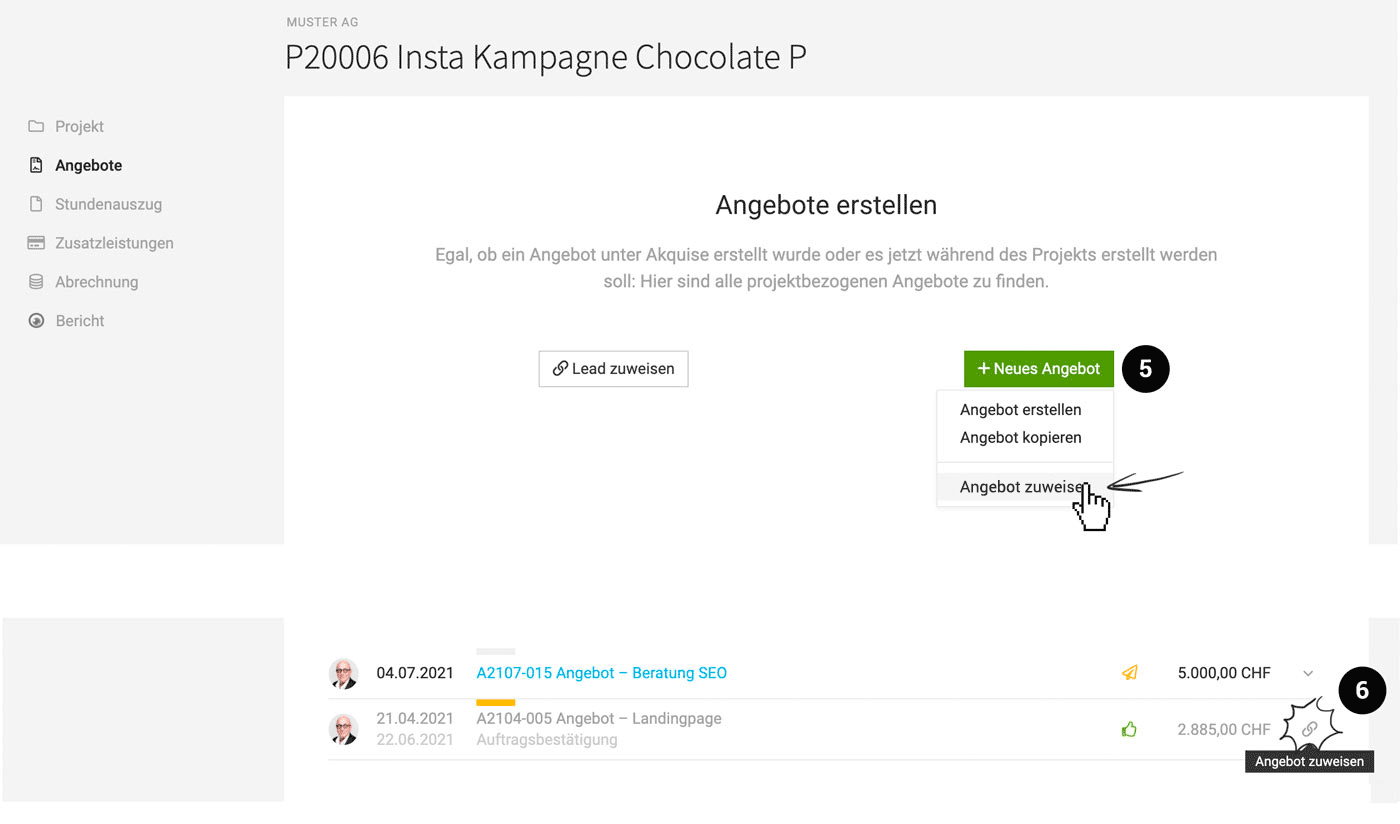
Existing proposals can be brought into the lead, project, or client via "Assign Proposal" (5).
 (English image not yet available)
(English image not yet available)Select Only Certain Proposals from a Lead for the Project
All proposals not yet assigned to projects are automatically assigned to the project when creating a project from the lead. Proposals can be assigned in the list (link icon) (6) or removed (via the dropdown).
Transfer Proposal Details to the Project
Details from assigned proposals are offered for transfer to the project (e.g., budget, services, additional services).
Process Proposal → Project
Process Proposal → Project
Live Notification for Concurrently Opened Proposals
 (English image not yet available)
MOCO notifies you directly within the proposal or invoice if someone else has the same document open in edit mode. This helps your team coordinate better and avoid accidental overwriting.








