Article from
Import + AI: Import Companies Easily – No Template Needed.
With Intelligent Import, you can migrate your clients and suppliers to MOCO with ease. The alternative AI feature complements the classic template-based import.
 (English image not yet available)
Intelligent Import for Companies
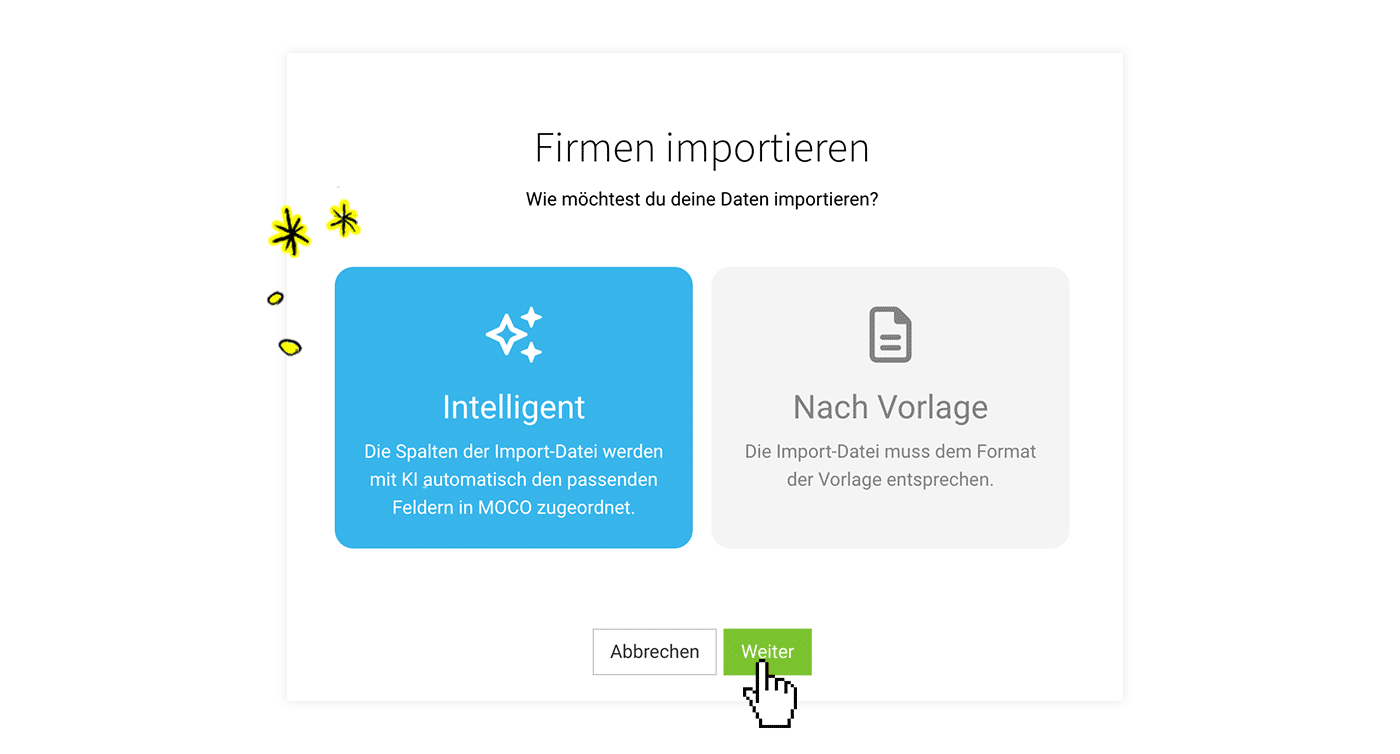
If you want to import existing clients, suppliers, or other companies, until now you had to use the classic import based on our template. With the new AI feature, you can skip the data preparation: upload your data in whatever format you already have. The AI automatically matches the rows to the right fields in MOCO – with no template required.
Enable
Enable the AI feature in Settings under Account > AI.
Import
Under Companies, click "Import" and choose the "Intelligent" option, then upload your data as an XLSX file. MOCO uses AI to analyse the column names and assigns them to the relevant data fields (1). Finally, review the mapping and start the import.
Incorrect data
If some records could not be imported, you will be offered an XLSX file to download (2). You can check and fix the error for each record there, then import the file again.
.png "MOCO KI Import Anleitung") (English image not yet available)
(English image not yet available)
Incorrect data
If some records could not be imported, you will be offered an XLSX file to download (2). You can check and fix the error for each record there, then import the file again.
(English image not yet available)Review & Finish
MOCO creates a matching label (3) for the import. You can review all imported companies via the label. If needed, you can use the bulk action to delete multiple imported companies with a single click. Once everything looks right, you can delete the import label.
AI in MOCO
All AI features are optional (opt-in). You decide whether and how you use them. During the beta phase, you can try the new features for free.








