Companies & Contacts
Clients | Suppliers | Other Companies | ContactsClients
Clients (= commissioning parties) can be companies or private individuals. To create an Invoice, you always need a Client.
Adding Clients
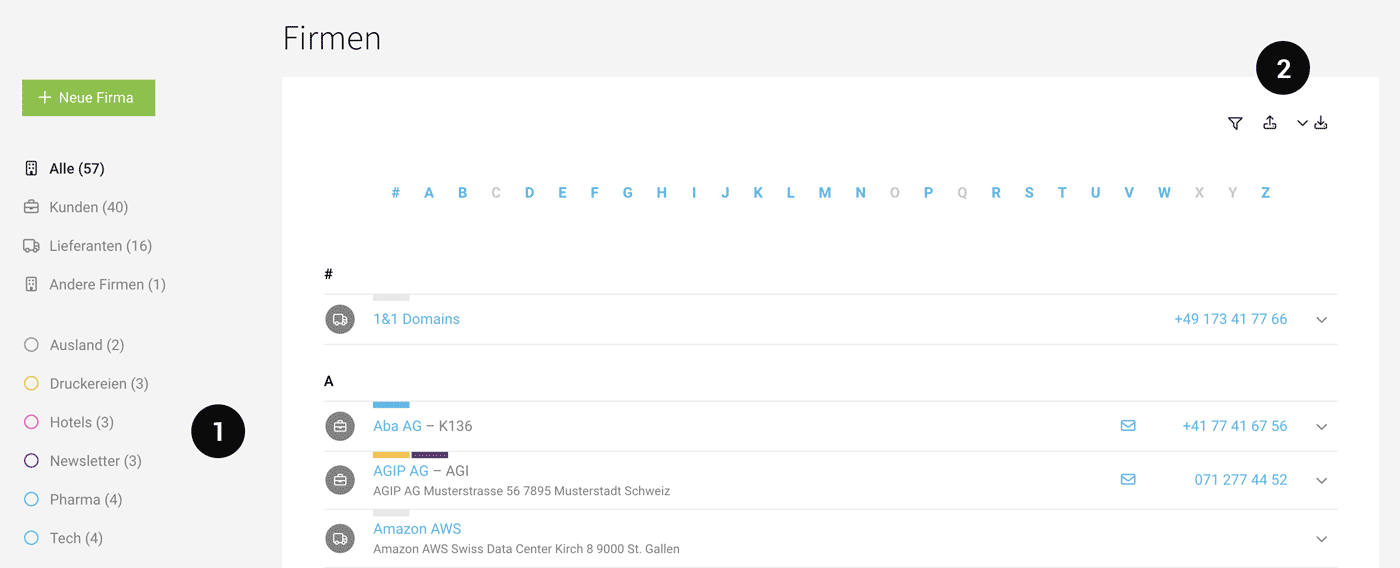
Clients are added under "Companies" or imported in bulk when you start with MOCO (2).
The optional Google extension lets you add companies more quickly.
 (English image not yet available)
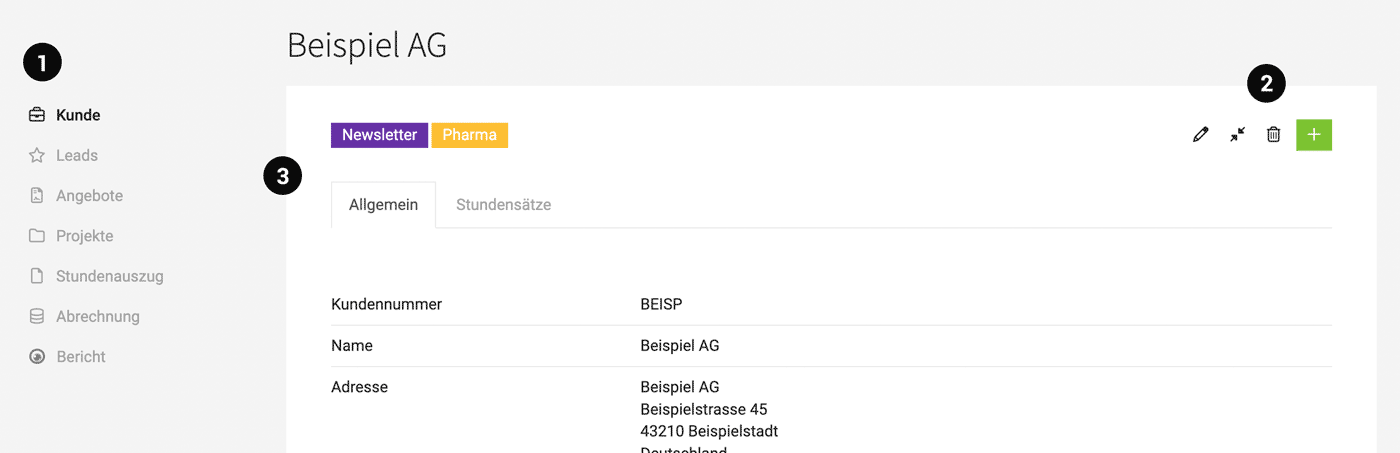
In the Client submenu (1) you will find all relevant lists and overviews.
Managing Addresses
The Client master data is designed for Billing. So the address and email you enter for the Client should be the billing address. This is because Invoices usually go to a fixed address and are not personalised. The billing address at Client level can be overridden in the project under "Billing" or in the Invoice itself. Postal addresses are less important within MOCO and can be stored in the "Additional Info" field or added as a data extension via a custom field.
For Quotes you select the contact as the recipient at the top right. The contact’s address and email are then set automatically. Within a single Client, Quotes often go to different contacts.
Comments
Below the Client details, you can store information and files (e.g. a contract) under "Comments" for traceability. This creates a history. Tip: Enable the AI voice input option
"More Options" in the Client form (Edit – 2) are worth noting – this is where you’ll find advanced details and settings that are less relevant when adding a Client for the first time. For example: discount, early payment discount, a custom footer text, different hourly rates (depending on your selection, the new tab appears – 3), Billing note, debtor number, etc.
Adding Data, Labels (Tags)
With Custom Fields, you can add to or extend the master data to suit your needs. With Labels (1), you can categorise or mark items. You can also find examples in this topic area under Organisation.
Tagging/adding labels can be done per company, or in bulk after selecting multiple companies.
Labels and Custom Fields are also included in exports and are useful for further, tailored reporting.
 (English image not yet available)
Tagging/adding labels can be done per company, or in bulk after selecting multiple companies.
Labels and Custom Fields are also included in exports and are useful for further, tailored reporting.
(English image not yet available)Report
The Client report shows recorded hours, additional services, profitability, revenue, etc.
Export
Clients can be exported (2) as an Excel file via the relevant icon at the top right.
Archiving
Clients can be archived via the dropdown or on the details page. The Client can then no longer be selected for new projects, Quotes, or leads. Clients with active projects or leads, and suppliers with Purchase drafts, cannot be archived.
Suppliers
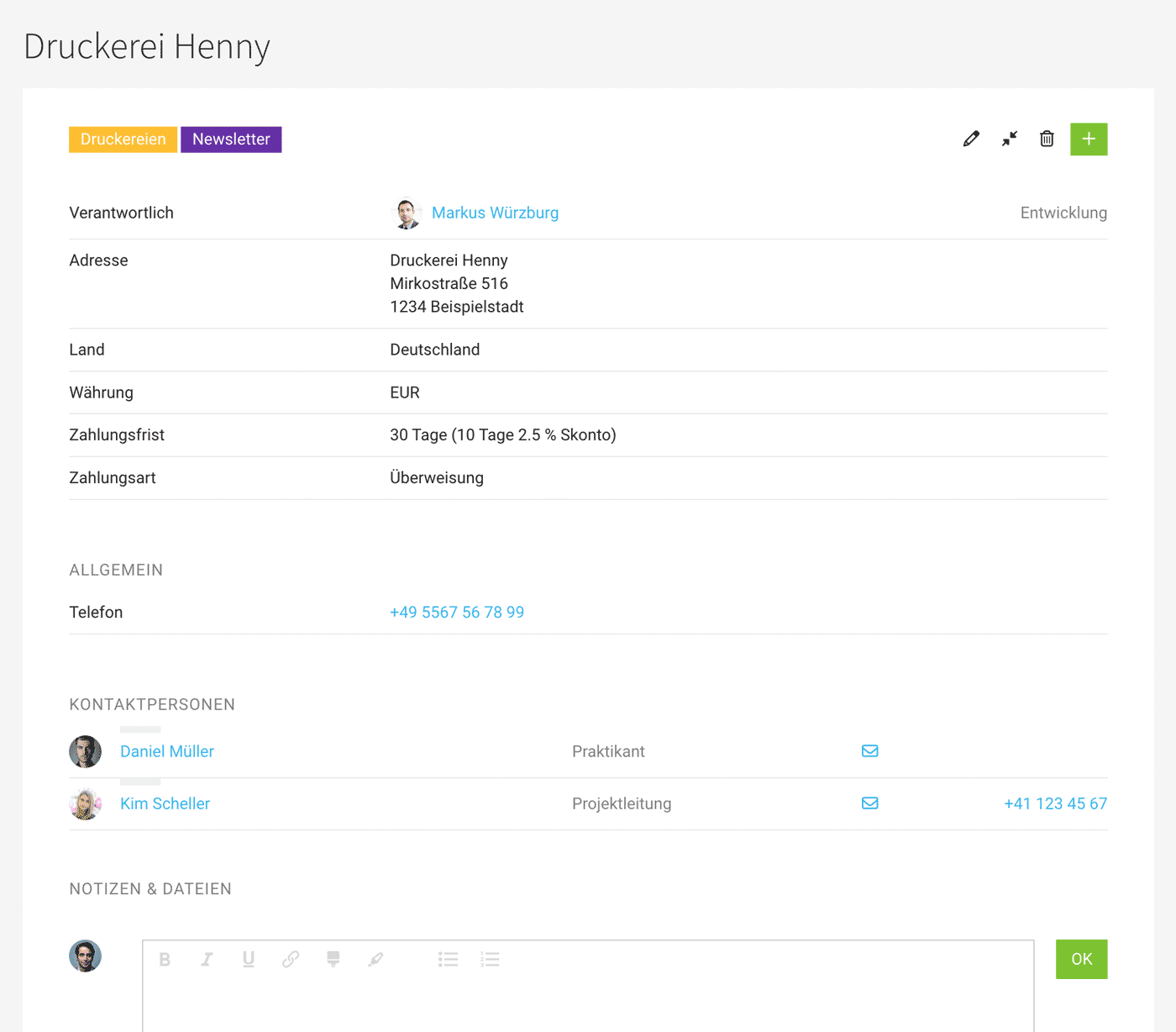
Suppliers include, for example, printers, hosting providers, translation agencies, and freelancers. If you use MOCO’s incoming invoice feature, the supplier will show a list of the incoming invoices assigned to them.
Adding Suppliers
Suppliers are added under "Companies" or imported.
Note "More Options" in the supplier form – this contains advanced details and settings that are less relevant when you first add a supplier, such as bank details, payment method, creditor number, etc.
Add Data, Tag
With Custom Fields, you can add to or extend the master data to suit your needs. With Labels (1), you can categorise or mark suppliers. You can also find examples of how to use this in this section under Organisation.
Client = Supplier?
If a company is both a client and a supplier, you currently need to create two separate company records in MOCO.
 (English image not yet available)
Automatically Importing the VAT ID from E-Invoices
If you select a supplier for an incoming invoice (e-invoice format) and no VAT ID has been saved for that supplier yet, MOCO automatically stores the VAT ID from the invoice data in the supplier record.
Report
The Supplier Report relates to incoming invoices recorded for that supplier.
Export
You can export (2) suppliers as an Excel file via the relevant icon at the top right.
Labels and Custom Fields are included in the export, which is useful for bespoke reporting.
Archiving
Suppliers can be archived via the dropdown or on the detail page. The supplier can then no longer be selected for new projects, quotes, or leads.
Other Companies
In MOCO, a company that is not yet a Client or a supplier is referred to as an "Other Company". For example, this could be a company you are already in touch with about an enquiry, but where no project has been confirmed yet.
Other Companies are recorded under "Companies" or imported.
If you want to "sort out" Clients, you can change them from "Client" back to "Other Company". All Invoices and archived projects remain in place.
Contacts
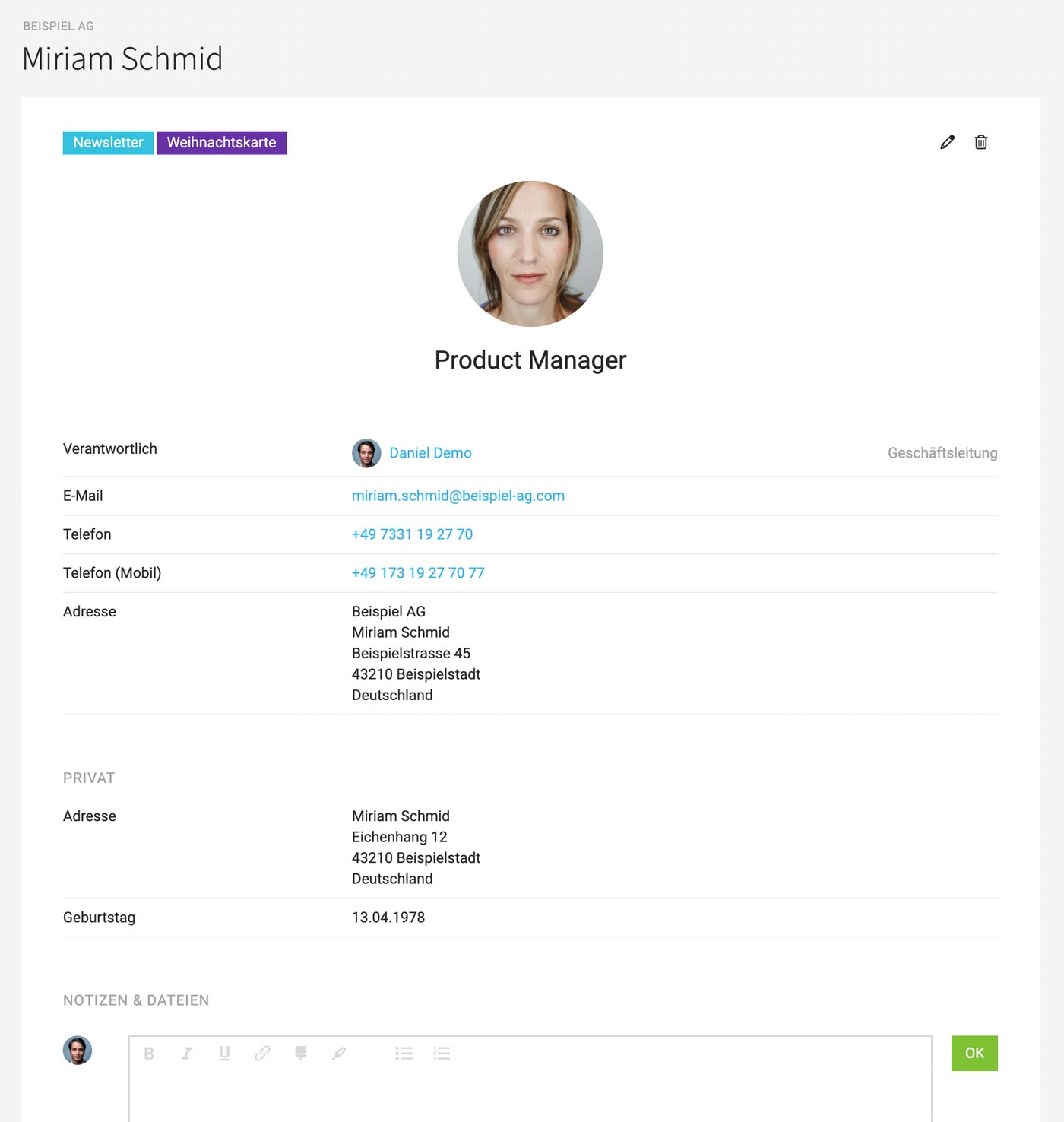
Under "Contacts," all individuals are recorded and listed. These individuals may (but do not have to) be associated with a company.
All individuals registered as users under "Personnel" are also displayed here for completeness.
- The contact is automatically listed with labels under the client or company.
- The address of the associated company is adopted (in the background) unless a different one is specified directly for the person. The name is inserted on the second line (unless otherwise preset for the client – see the small blue link below the address field).
- Automatically assigned to groups like "Clients," "Supplier," etc.
Personalisation
Contacts can be assigned to quotes and invoices. The recipient's address, email, and salutation are then taken from the contact. All information on personalisation
 (English image not yet available)
Contacts can be assigned to quotes and invoices. The recipient's address, email, and salutation are then taken from the contact. All information on personalisation
(English image not yet available)







