Organisation
Grouping and Tagging | Search by Features | Comments, Files, History | Extend Master Data – Reminder | Merging CompaniesGrouping and Tagging
Group, categorise, and tag companies and contacts with labels
To group companies or contacts, create and assign what are known as labels (= tags).
Create and assign labels
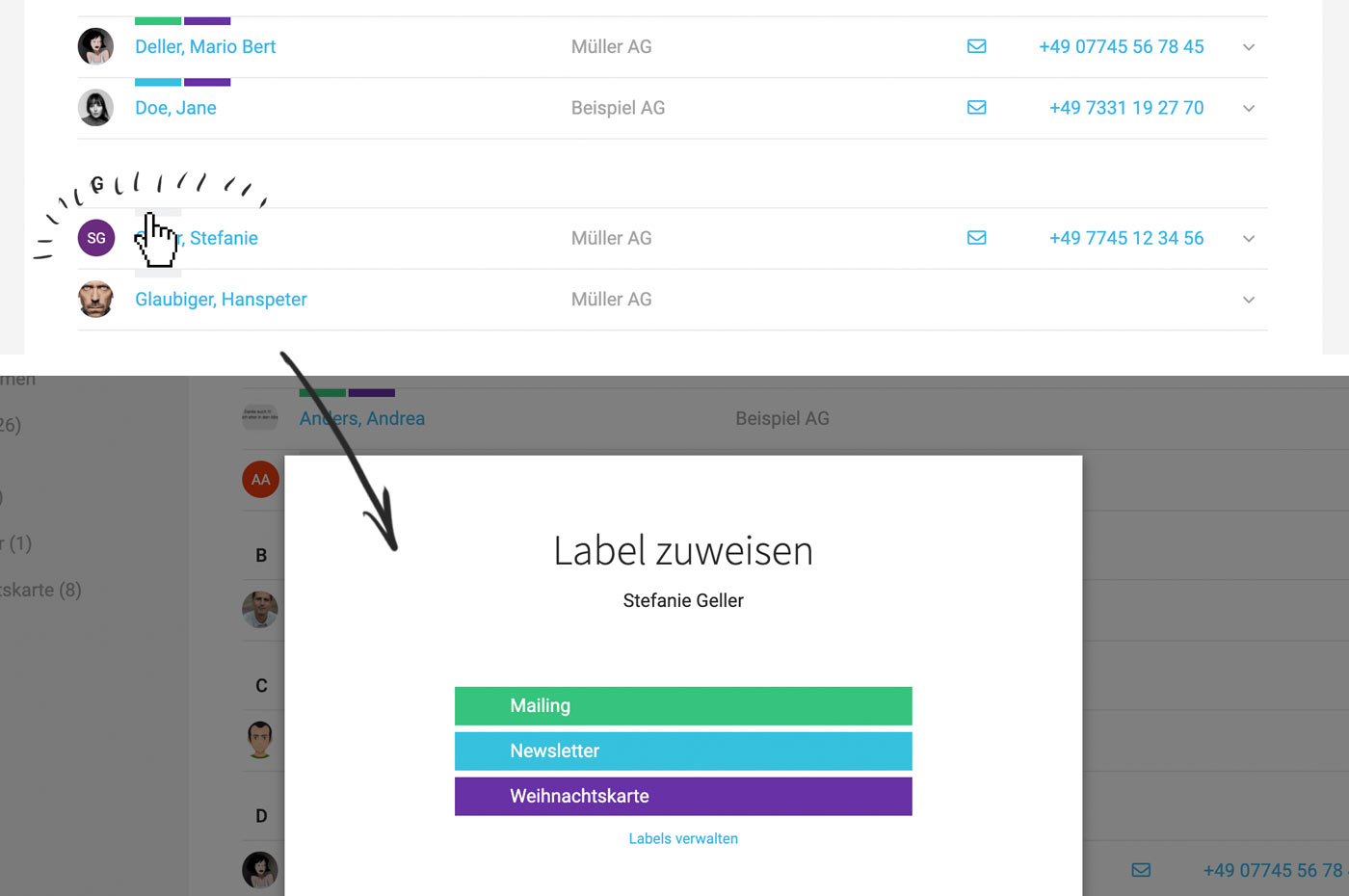
Click on the small light grey bar in the list – or in the detail view on "Assign label" – (see illustration).
 (English image not yet available)
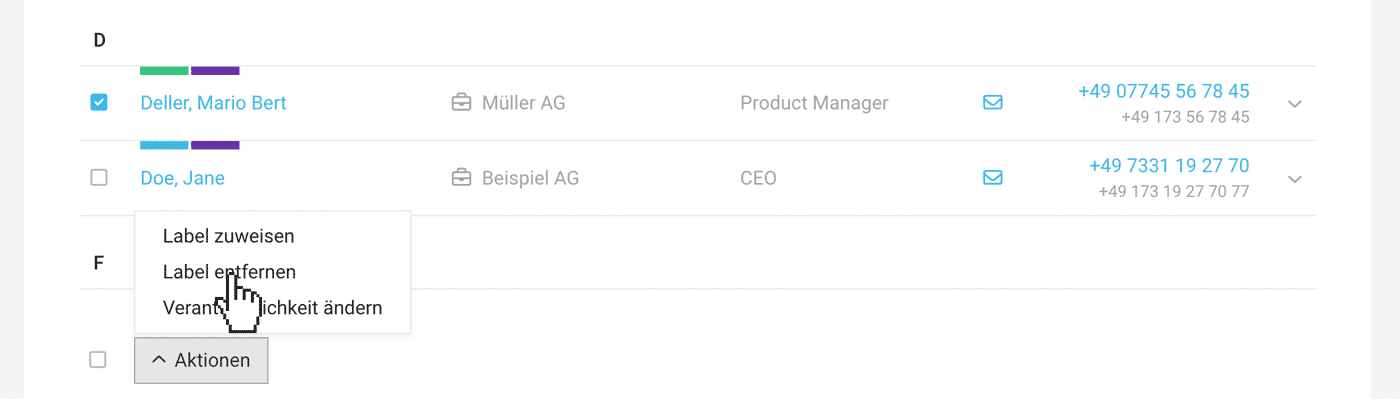
Labels can be freely added to and removed from companies and contacts. You can also assign or remove a label in bulk by selecting the contacts or companies and applying the corresponding bulk action (see illustration):
 (English image not yet available)
To group companies or contacts, create and assign what are known as labels (= tags).
Create and assign labels
Click on the small light grey bar in the list – or in the detail view on "Assign label" – (see illustration).
(English image not yet available)Labels can be freely added to and removed from companies and contacts. You can also assign or remove a label in bulk by selecting the contacts or companies and applying the corresponding bulk action (see illustration):
(English image not yet available)Benefits
In the list view, you can filter by one or more labels simultaneously. For example, an address list for a newsletter distribution can be specifically exported. Labels are also part of exports and filter options in reports.
Search by Features
With Custom Fields, you can enhance company and contact data and use the entries as search terms.
Example Application
You want to display all clients who have attended SEO workshops.
1. Create a Custom Field "Workshops" for clients with the type "Multiple Choice" and specify the labels.
2. This selection will then be available in the client form.
Example Application
You want to display all clients who have attended SEO workshops.
1. Create a Custom Field "Workshops" for clients with the type "Multiple Choice" and specify the labels.
2. This selection will then be available in the client form.
3. By entering the label in the global search (magnifying glass or Shift + 7), MOCO finds the corresponding clients.
The custom fields are also part of the Excel export, allowing you to filter clients accordingly.
Comments, Files, History
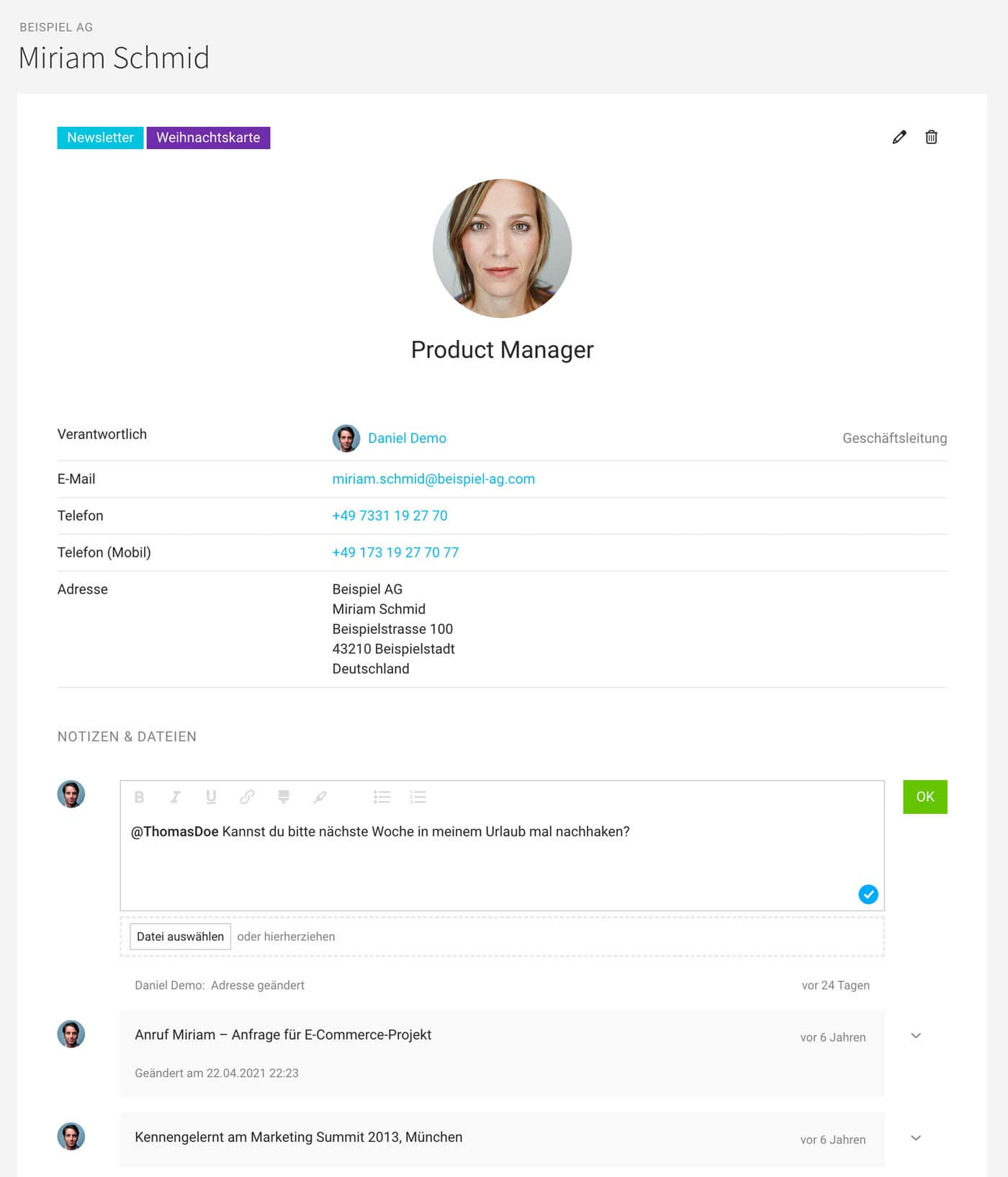
Under "Comments", you can add notes and upload files for companies and contacts. Together, they form your contact history. Tip: Enable the AI voice input option
 (English image not yet available)
If you use clinq, a note is created automatically for every call.
(English image not yet available)If you use clinq, a note is created automatically for every call.
Extend Master Data – Reminder
You can define Custom Fields for companies and contacts to individually expand or supplement the master data. These attributes can then be searched using the search function (magnifying glass top right or Shift + 7).
Using a custom "Date" field, you can also set a next appointment or similar - and you can receive notifications about it.
Using a custom "Date" field, you can also set a next appointment or similar - and you can receive notifications about it.
Merging Companies
If a company has been accidentally created twice, you can merge the companies. Any associated projects, invoices, etc., will be carried over.
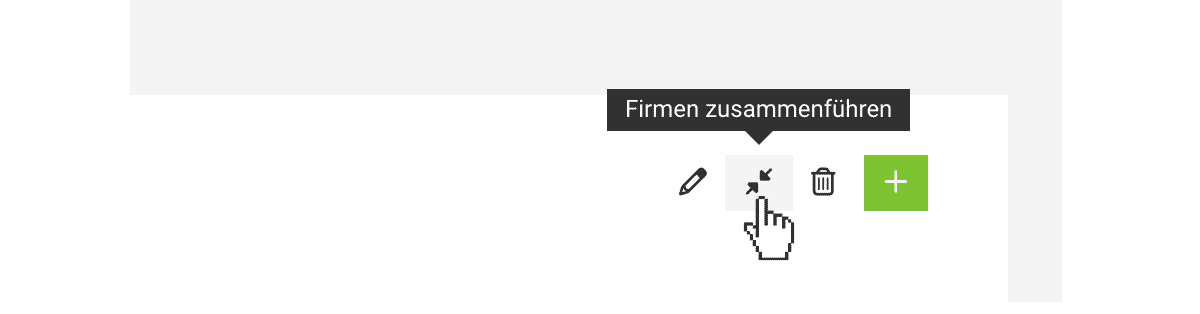
To do this, select "Merge Companies" at the top right of one of the companies:
 (English image not yet available)
To do this, select "Merge Companies" at the top right of one of the companies:
(English image not yet available)







