Alter News-Artikel!
» Hier geht's zur aktuellen Online-Hilfe
Article from
Further Enhancements for Invoicing.
Add Descriptions to Invoicing Plan
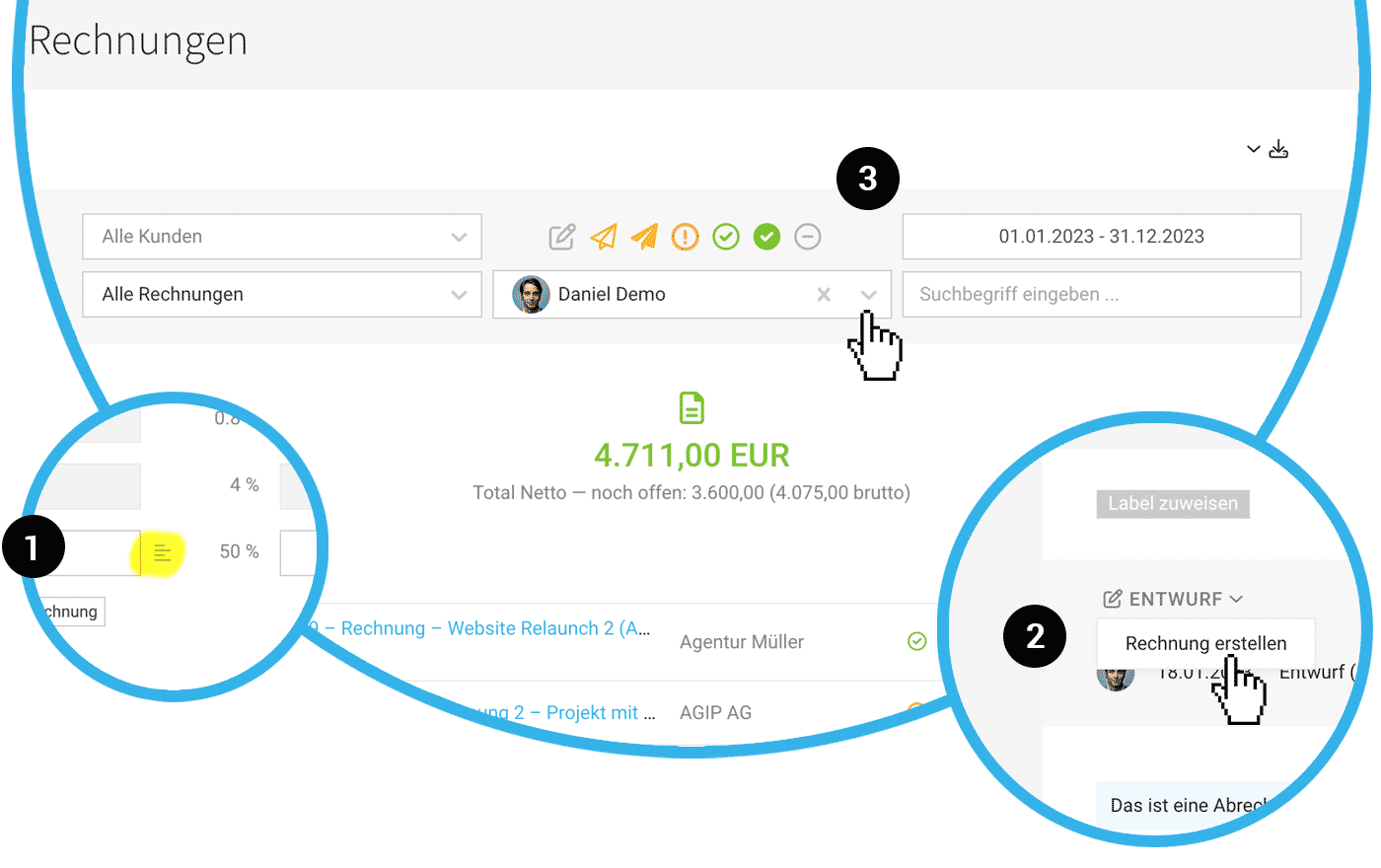
The invoicing plan for fixed-rate invoicing highlights billable amounts and serves as a revenue forecast. You can use it as a checklist or directly create an invoice from the items. In the latter case, you can now add a description alongside the invoicing date and title (1).
 (English image not yet available)
(English image not yet available)Change Draft to "Created" After Review
You can now change a draft to a created invoice without reopening and saving it again.
Simply change the status at the top left of the draft directly (2). MOCO will briefly ask if the invoice date should be updated. Only with the "Created" status does MOCO assign an invoice number. More on Draft & Approval
Simply change the status at the top left of the draft directly (2). MOCO will briefly ask if the invoice date should be updated. Only with the "Created" status does MOCO assign an invoice number. More on Draft & Approval
Filter Technically Updated
The "Invoicing" > "Invoices" page has been technically revamped, and the filter area now works without needing to click the "Show" button.
New Filter Option "Creator"
Invoices can be filtered by creator (3). Using the keyboard shortcut "Q," you can quickly filter for invoices created by YOU, just like in other lists.
Terms Invoice and Proposal Overwritable
Would you prefer to generally name your MOCO proposals as "Estimate"? You can overwrite the automatically filled terms in the Settings > Layout > Labels.








