Alter News-Artikel!
» Hier geht's zur aktuellen Online-Hilfe
Article from
Quick Wins around Personal Expenses & Accounting.
Faster Personal Expenses Reimbursement
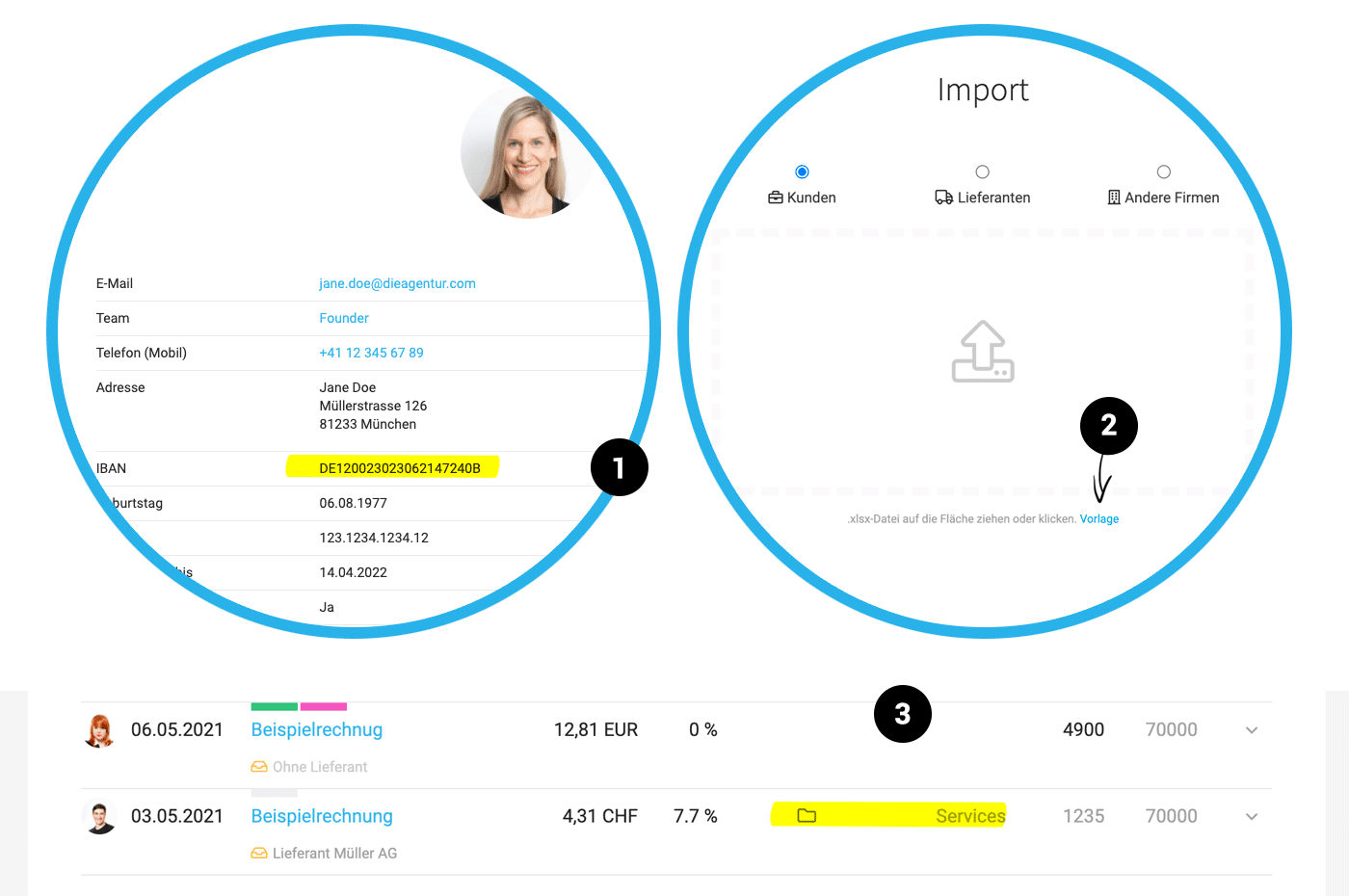
The bank account details (IBAN) for personal expenses reimbursement are displayed on the expense report - and are automatically pre-filled during the expenditure process. The prerequisite is that the IBAN is entered under "Personnel" for the individual (1) . An option for bank transfer will follow with further development.
 (English image not yet available)
Import Option for Debtor and Creditor Numbers
During the client and supplier import, debtor and creditor numbers can be directly imported. The import template (2) has been adjusted for this purpose.
Enter Debtor and Creditor Numbers Directly at the Company
The creditor number can also be entered or changed directly with the supplier in addition to management under "Accounts". The fallback remains the defined standard account as before. The same applies to the debtor number for the client.
Expenditure List Enriched with More Info for Accounting Export
The list for accounting export expenditures now also shows whether the expenditure has been assigned to a project and if a receipt is available (3).
CSV Accounting Export Includes File Names
When using the CSV accounting export, the invoice file name is included – making it easier to match the appropriate receipt.
MOCO Helps Organize Invoice Receipt
After the accounting export, the corresponding expenditures can optionally be automatically moved to the archive. This is traceable via the automatic comment on the expenditure.
Filter Related Expenditures via Payments
Companies that only submit paid receipts to accounting monthly can now select the corresponding receipts directly via the payment list. Mark all payments and choose "Accounting" from the dropdown at the bottom.
The bank account details (IBAN) for personal expenses reimbursement are displayed on the expense report - and are automatically pre-filled during the expenditure process. The prerequisite is that the IBAN is entered under "Personnel" for the individual (1) . An option for bank transfer will follow with further development.
(English image not yet available)Import Option for Debtor and Creditor Numbers
During the client and supplier import, debtor and creditor numbers can be directly imported. The import template (2) has been adjusted for this purpose.
Enter Debtor and Creditor Numbers Directly at the Company
The creditor number can also be entered or changed directly with the supplier in addition to management under "Accounts". The fallback remains the defined standard account as before. The same applies to the debtor number for the client.
Expenditure List Enriched with More Info for Accounting Export
The list for accounting export expenditures now also shows whether the expenditure has been assigned to a project and if a receipt is available (3).
CSV Accounting Export Includes File Names
When using the CSV accounting export, the invoice file name is included – making it easier to match the appropriate receipt.
MOCO Helps Organize Invoice Receipt
After the accounting export, the corresponding expenditures can optionally be automatically moved to the archive. This is traceable via the automatic comment on the expenditure.
Filter Related Expenditures via Payments
Companies that only submit paid receipts to accounting monthly can now select the corresponding receipts directly via the payment list. Mark all payments and choose "Accounting" from the dropdown at the bottom.








