Evaluation & Report
Completed | Activity | Report | ExportsCompleted
Acquisition > Leads > Completed
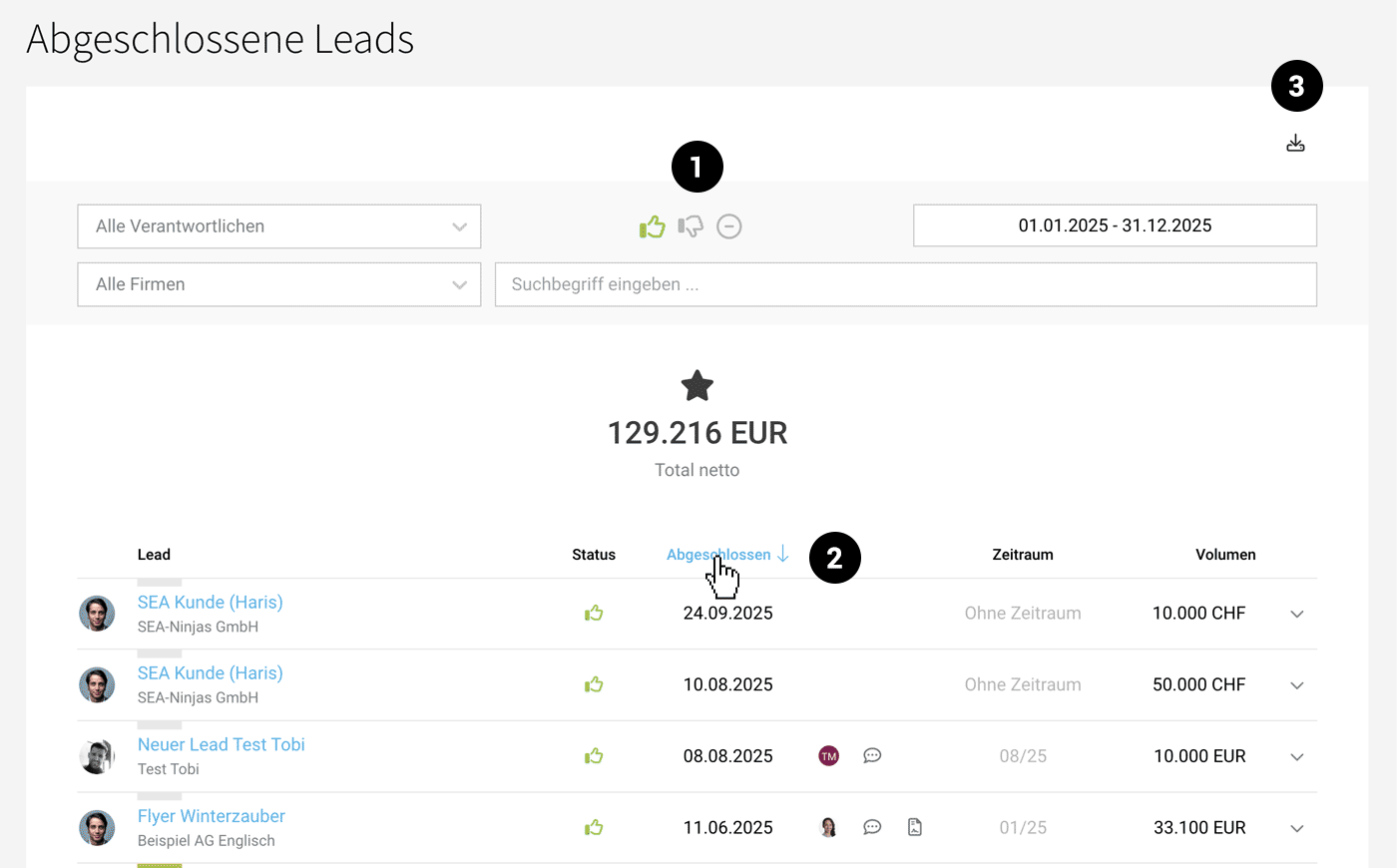
"Completed" lists all won, lost, and cancelled leads. By using filters and exports, you can track totals by period, company, or responsible party and conduct further analyses through exports.
 (English image not yet available)
Use the filter options to sort completed leads by various criteria. By default, MOCO filters for won leads (1). You can also sort the columns in ascending or descending order (2). Export filtered leads from the top right using the appropriate action (3).
Completion Date
The completed leads are listed by default according to the completion date. The completion date is set when the lead is closed – it can be adjusted later via "Edit" in the form if necessary.
Activity
Acquisition > Leads > Activity
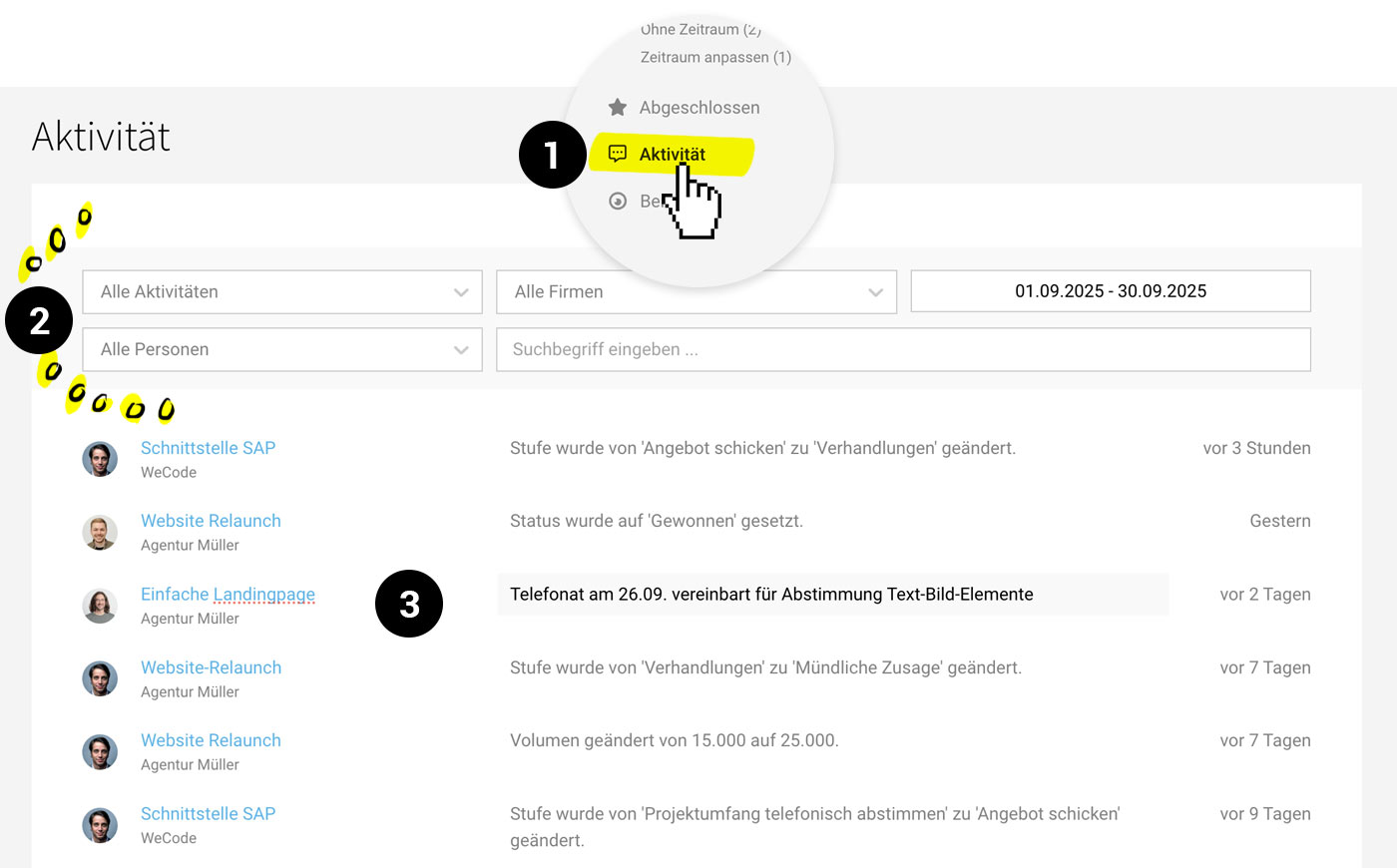
The "Activity" overview lists comments, changes, and status updates of all leads, offering targeted filtering options, such as by keyword or responsible person.
 (English image not yet available)
- You can find the report in the side navigation under "Activity" (1).
- Use the filter (2) to quickly check specific activities.
- Comments are distinct from other logged changes as seen under "Comments" (3).
Report
Acquisition > Leads > Report
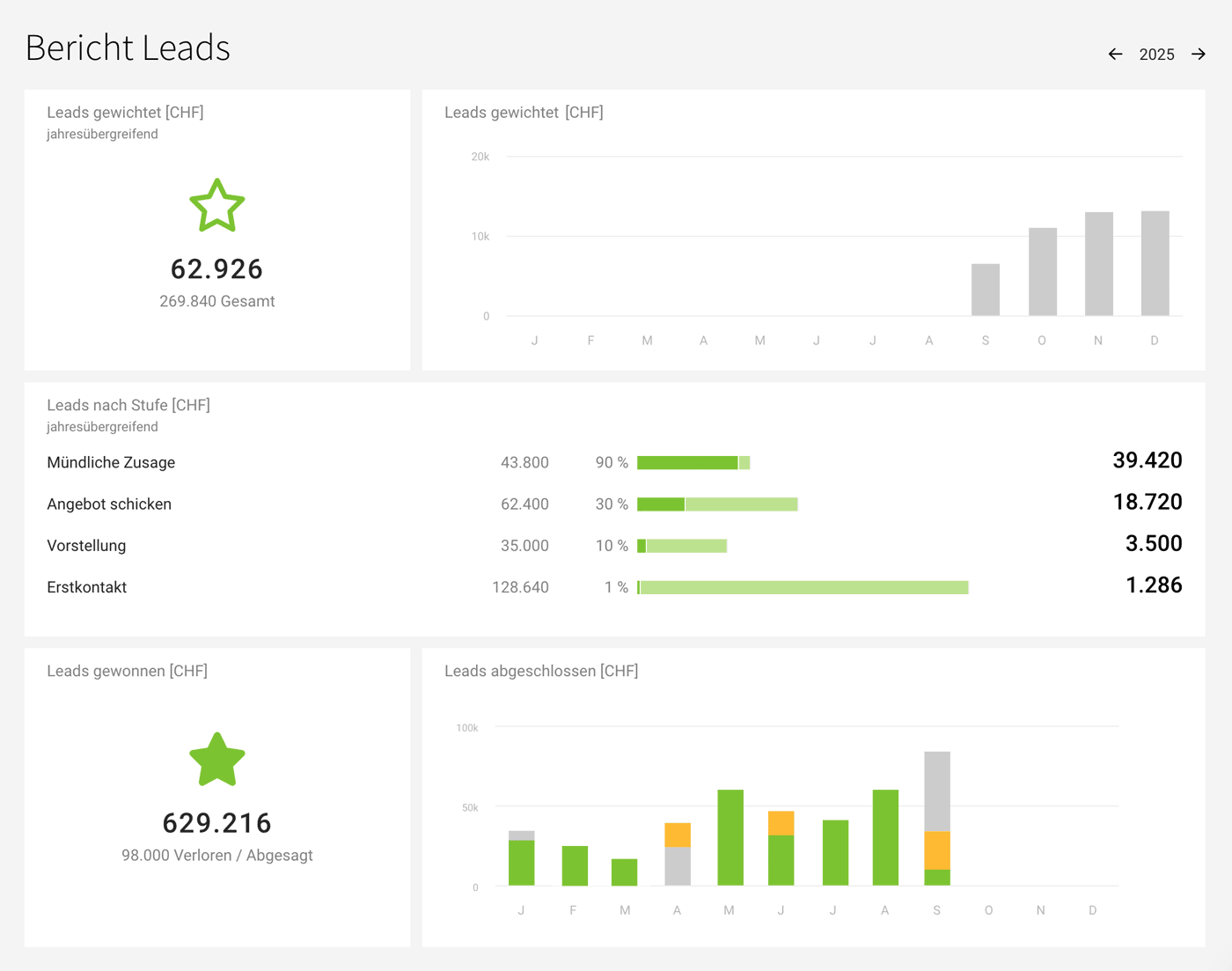
Keep an eye on the volume of ongoing and completed leads.
 (English image not yet available)
Weighted leads total and monthly
Leads by stage shown as a sales funnel
Leads won won vs lost or declined
Leads completed shows the monthly breakdown of won, lost, and declined
You can also display how the weighted lead volume of active leads is spread over the next 18 months directly under "Leads".
Leads in the Financial Forecast
Leads with an assigned time period are also shown in the financial report as potential future income, based on their weighted volume.
Go to the Financial Report
Go to the Financial Report
Exports
Use the exports under "Contact Potential", "Leads", and "Completed" if you wish to create additional analyses. Labels and Custom Fields are always included in the exports.








