To-dos
To-Dos | Notifications | Keep Track of Assigned To-dos | Personal To-dosTo-Dos
Anything that is not organised in a task management system can quickly get missed. With MOCO To-Dos, you can easily manage admin tasks, milestones, and reminders.
Enable/Disable
Enable or disable To-Dos for the areas you need (Projects, Leads, Staff, Companies, Contacts) in Settings.
To-Dos for Projects, Leads, Companies, Staff, etc.
Create
Create To-Dos directly from the detail page (1) or the list (2) as a checklist.
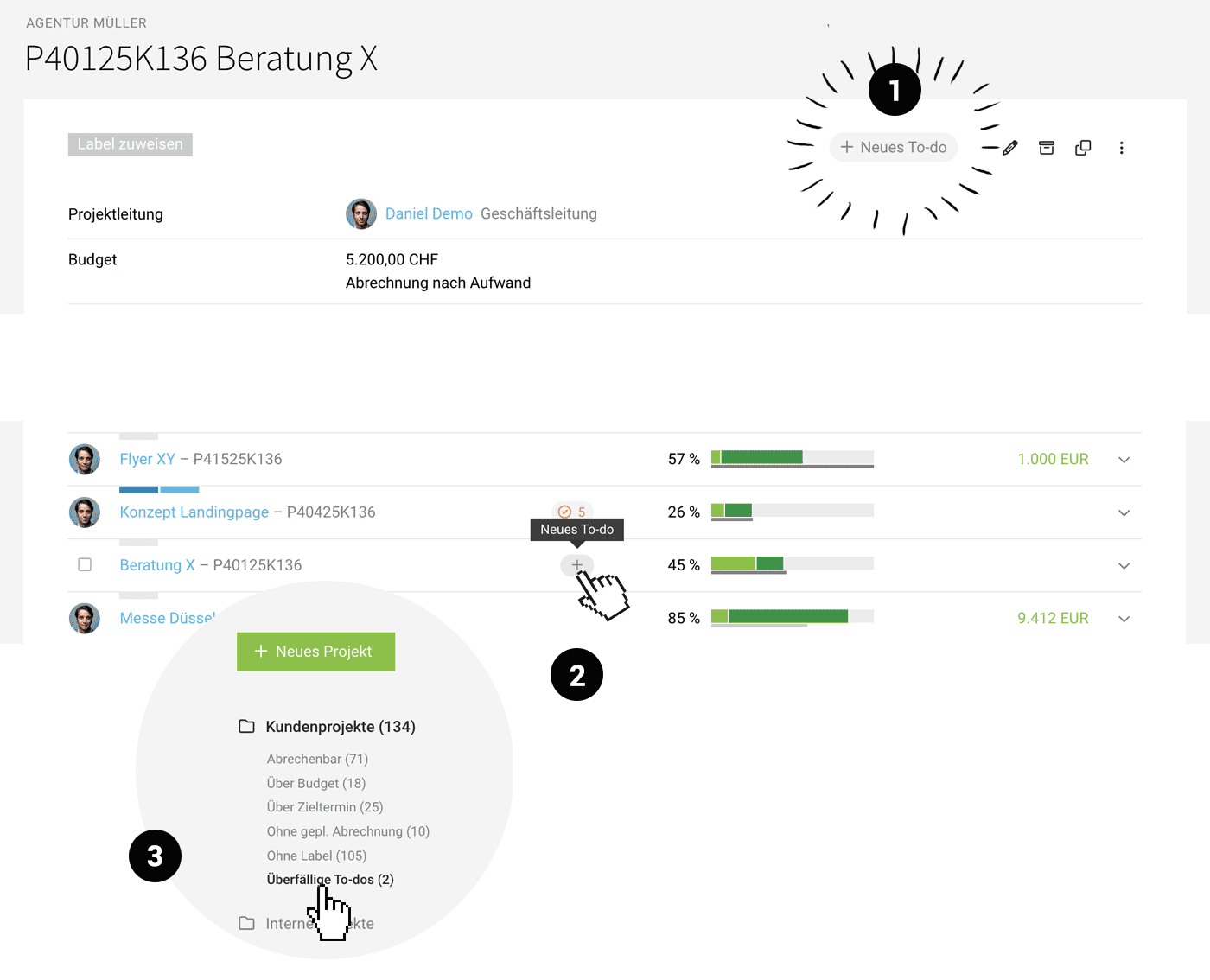 (English image not yet available)
See projects with overdue To-Dos at a glance, in one click
In the Leads and Projects list views, you can use the Smart Filter “Overdue To-Dos” (3) to filter for relevant entries in a single click.
Create To-Dos directly from the detail page (1) or the list (2) as a checklist.
(English image not yet available)See projects with overdue To-Dos at a glance, in one click
In the Leads and Projects list views, you can use the Smart Filter “Overdue To-Dos” (3) to filter for relevant entries in a single click.
Notifications
Responsible Person Notified Upon Due Date
If tasks become overdue, the responsible individuals (such as project managers or lead persons) are informed, provided no one is assigned to the task.
Optional Notification Upon Assignment
MOCO notifies the individual when a task is assigned to them. This notification can be disabled in their profile under Notifications.
If tasks become overdue, the responsible individuals (such as project managers or lead persons) are informed, provided no one is assigned to the task.
Optional Notification Upon Assignment
MOCO notifies the individual when a task is assigned to them. This notification can be disabled in their profile under Notifications.
Keep Track of Assigned To-dos
In the top right menu under "To-dos," each user can access their assigned tasks as well as their personally recorded ones.
Action Required Notification
MOCO indicates currently overdue personal or assigned to-dos with a blue dot.
 (English image not yet available)
 The list is sorted by due date by default. This way, you can keep an eye on the most urgent tasks and quickly see what's coming up in the next few days.
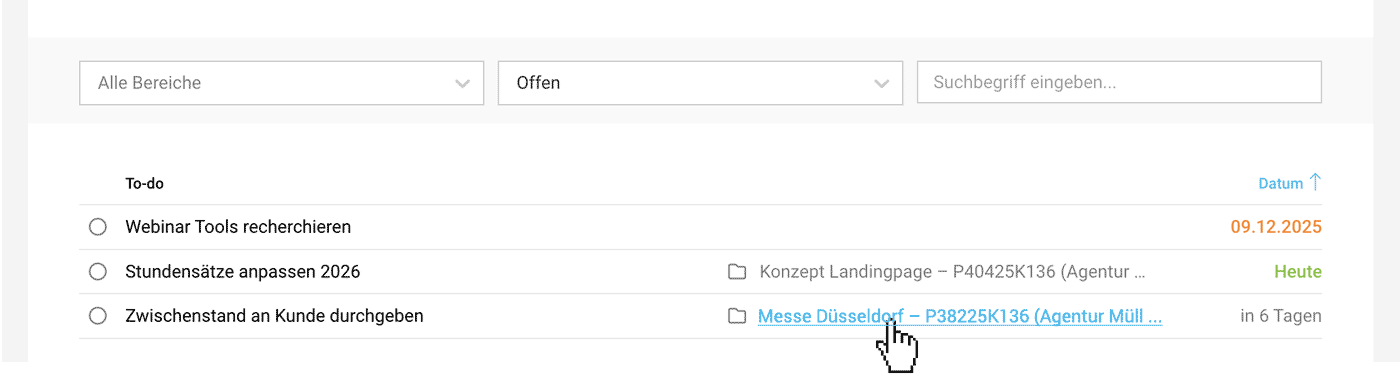 (English image not yet available)
Complete
As expected with to-dos, they can be completed or checked off. Completed tasks can be revisited anytime using the filter.
Filter
Filter the list by categories if you want to narrow down specific to-dos, or use the search for specific keywords.
Stay Informed on the Go & Record Personal To-dos
Stay informed on the go: To-dos are part of the MOCO iPhone App.
Personal To-dos
Each user can record their personal to-dos in MOCO.
Simply click on the new to-do icon at the top right of the main menu, right next to notifications, to get started. Personal to-dos are only visible in the profile of the respective person.
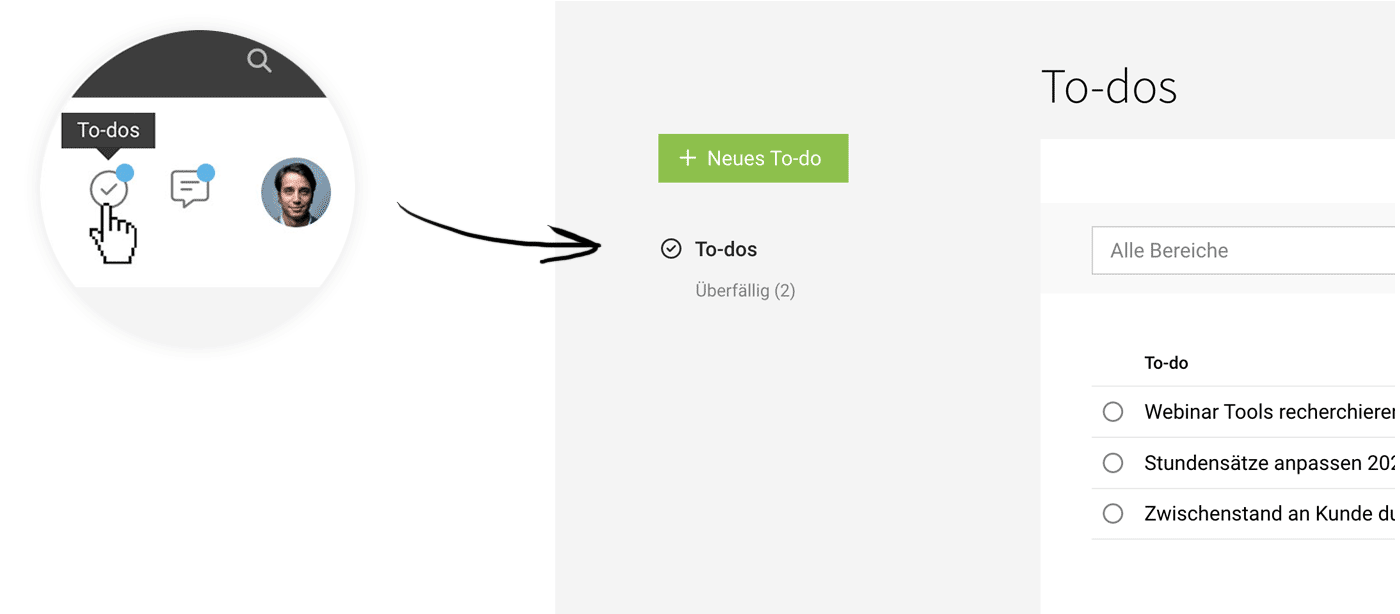 (English image not yet available)
... or easily record personal to-dos on the go using the iPhone app:
 (English image not yet available)