Alter News-Artikel!
» Hier geht's zur aktuellen Online-Hilfe
Article from
Planning: Schedule Services.
In addition to the previous broad project planning, you can now select a specific service. This offers two major benefits: more accurate calculations and optimized time tracking.
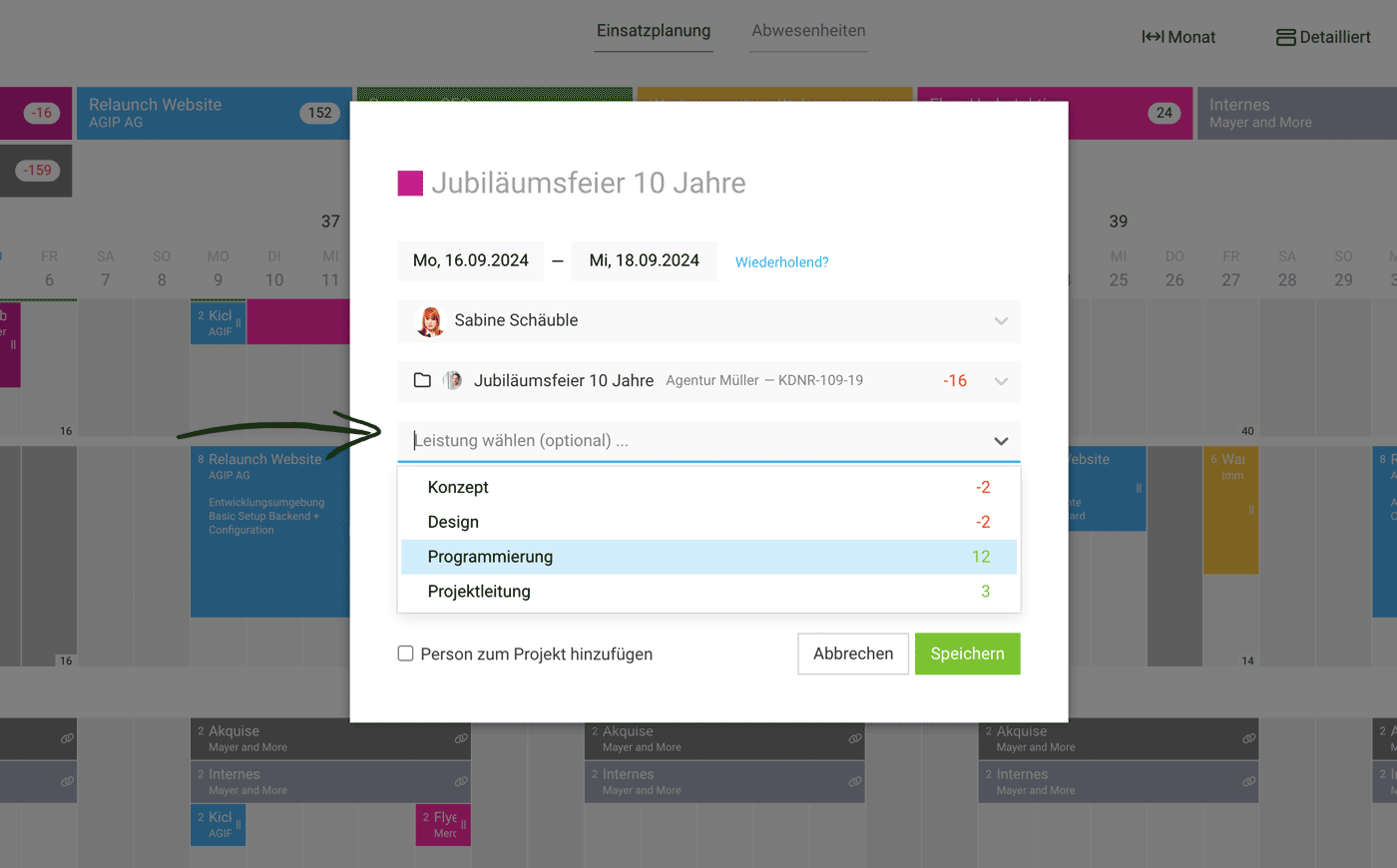 (English image not yet available)
More Accurate Calculations
If an hourly rate per service is defined within the project (choosing hourly rate by service), MOCO can use the new service selection to more precisely calculate the planned revenue for effort-based projects and the available remaining hours that can be scheduled.
When selecting a service, the remaining hours that can still be scheduled are also displayed, provided the service is budgeted.
When selecting a service, the remaining hours that can still be scheduled are also displayed, provided the service is budgeted.
One-Click Time Tracking
The offered entry in time tracking directly selects the correct service – and with one click, you can start the stopwatch.
Tasks/Planned Projects in Time Tracking
Tasks/Planned Projects in Time Tracking
Display in Planning
The service is displayed on the planning entry. Use the new detailed view.








