Alter News-Artikel!
» Hier geht's zur aktuellen Online-Hilfe
Article from
Automatic Revenue Forecast for Hourly Quotas.
For time and material projects with a monthly budget, the revenue forecast is now automatically calculated. We explain the basis and how it can be tracked here.
Previously, the revenue forecast for projects billed on a time and material basis was done through capacity planning.
New for time and material projects with a monthly budget (ideal for hourly quotas like maintenance contracts), the forecast is automatically calculated based on inputs such as the monthly budget amount and duration.
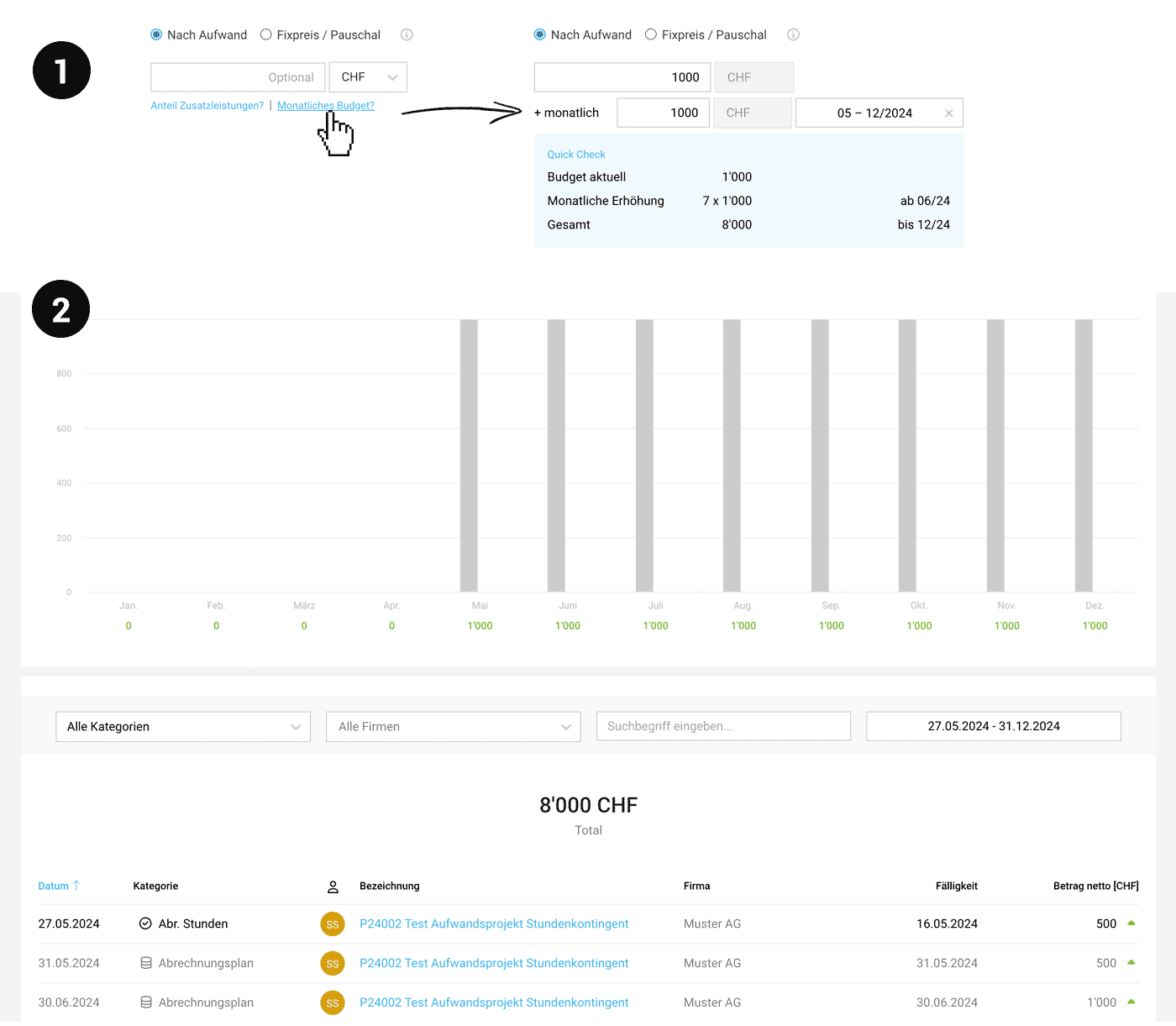 (English image not yet available)
Traceability in the Project
Once "Time and Material" and "Monthly Budget" are selected in the project (1), the forecast information is displayed under "Invoicing" in the project (similar to the invoicing plan in fixed-price projects).
Inclusion in Financial Reports
The planned revenues are also shown in the reports ...
1. ... under "Finance" > "Overview" as the planned invoice amount (net according to document date)
2. ... under "Cashflow" as the payment amount (gross considering the payment term).
3. ... in the "Invoiced & Billable" tile (Invoicing > Report and customizable company overview)
Calculation for the Current Month
If billable services are recorded in the current month, MOCO continues to assume the entire monthly budget for the forecast (proportional calculation "Invoicing Plan" see in the illustration under (2) the detailed breakdown). Once the month is over, only the actually billable services count.
The figures are also included in the exports accordingly.
Further Links:
1. ... under "Finance" > "Overview" as the planned invoice amount (net according to document date)
2. ... under "Cashflow" as the payment amount (gross considering the payment term).
3. ... in the "Invoiced & Billable" tile (Invoicing > Report and customizable company overview)
Calculation for the Current Month
If billable services are recorded in the current month, MOCO continues to assume the entire monthly budget for the forecast (proportional calculation "Invoicing Plan" see in the illustration under (2) the detailed breakdown). Once the month is over, only the actually billable services count.
The figures are also included in the exports accordingly.
Further Links:








