Alter News-Artikel!
» Hier geht's zur aktuellen Online-Hilfe
Article from
Updates on Payments & Cashflow.
Paid Date in the Invoice List
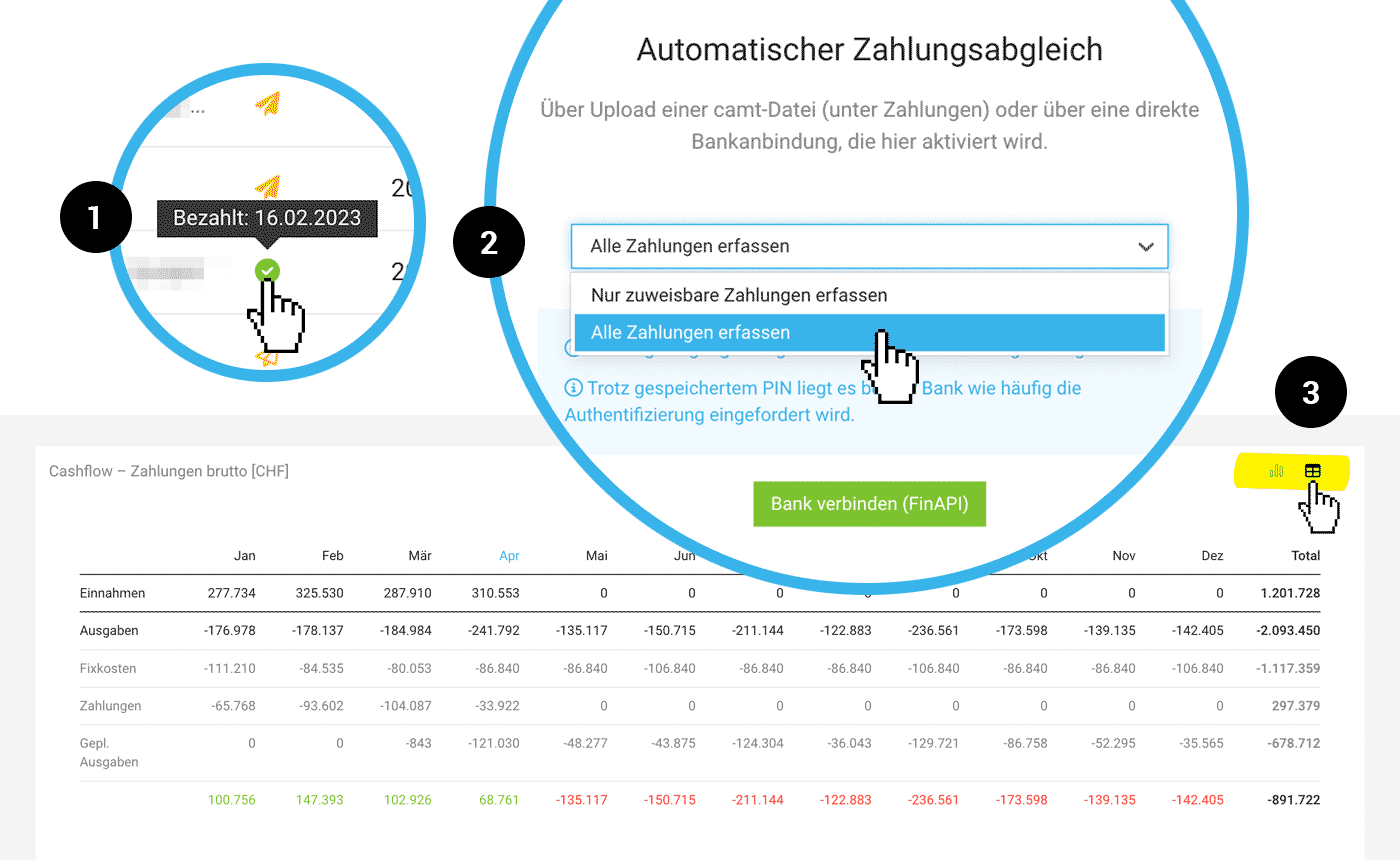
The Paid Date in the list under "Invoicing" > "Invoices" is now displayed directly via the tooltip (1)
 (English image not yet available)
(English image not yet available)Enhanced Payment Matching
Also via CAMT Matching record all payments
With the CAMT Payment Matching, you can now record not only assignable payments but all payments (2). Unassigned payments can be manually assigned, similar to bank integration.
With the CAMT Payment Matching, you can now record not only assignable payments but all payments (2). Unassigned payments can be manually assigned, similar to bank integration.
Improved Matching for Input Variants
Clients sometimes record the invoice number differently for transfers. MOCO now directly focuses on the numbers and can recognize, for example, that R2301047 is the same as R2301-047.
Clients sometimes record the invoice number differently for transfers. MOCO now directly focuses on the numbers and can recognize, for example, that R2301047 is the same as R2301-047.
Cashflow
New Table under "Reports" > "Finance"
In addition to the graphical view of Cashflow, MOCO now also provides a tabular view. This makes it easier to read the composition. Figures are directly linked to detailed payment lists. You can switch the view using the icon at the top right (3).
In addition to the graphical view of Cashflow, MOCO now also provides a tabular view. This makes it easier to read the composition. Figures are directly linked to detailed payment lists. You can switch the view using the icon at the top right (3).








