Alter News-Artikel!
» Hier geht's zur aktuellen Online-Hilfe
Article from
iPhone App Update: Notifications.
Your messages from colleagues and notifications from MOCO are now directly accessible via the iPhone app.
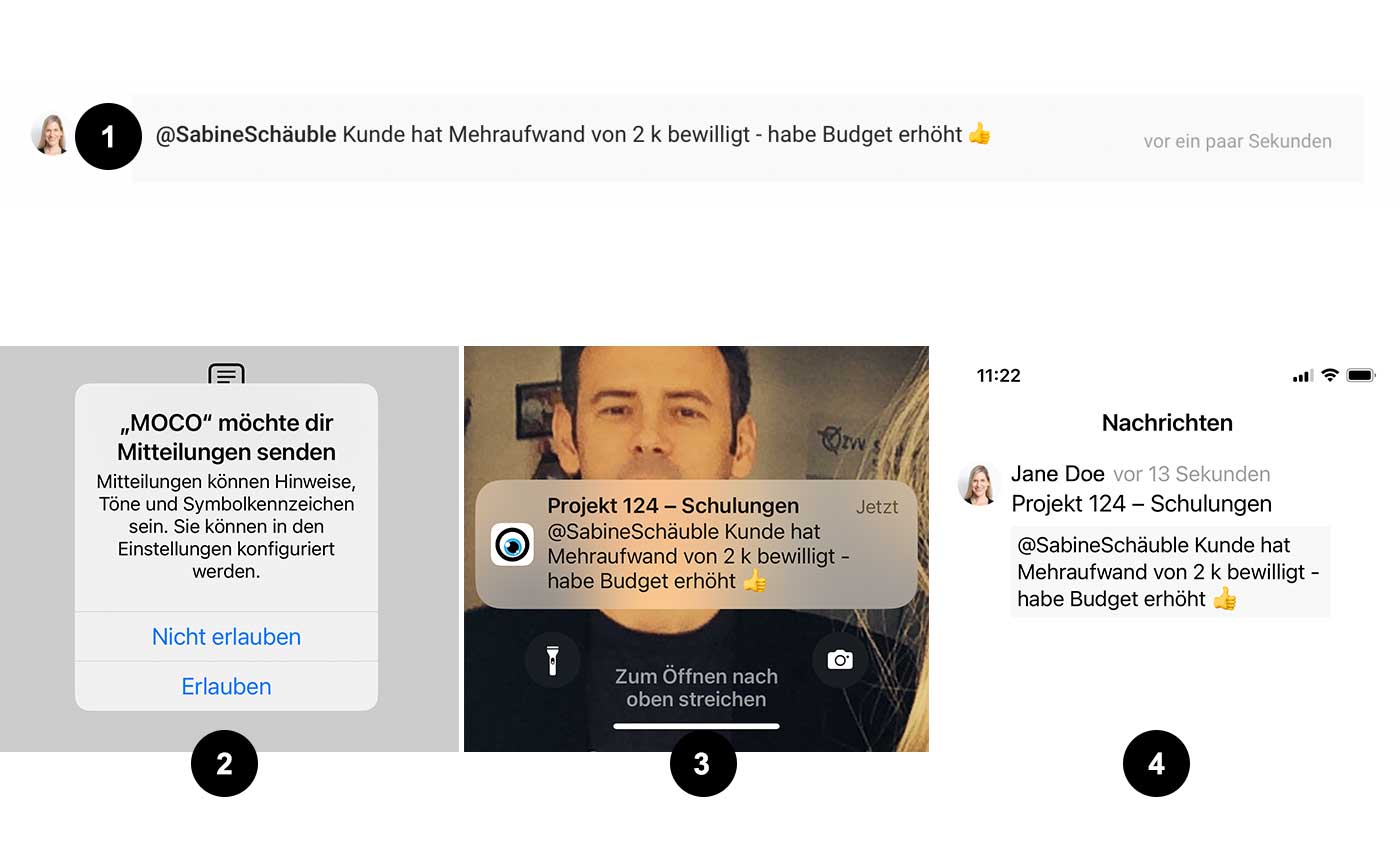
In your iPhone app, you can access new, archived, and flagged messages. Simply select the speech bubble icon in the menu bar at the bottom. By enabling push notifications (confirm the automatic prompt "MOCO would like to send you notifications"), MOCO will send messages directly to your display. As with other apps, tapping on the push notification opens the app itself.
 (English image not yet available)
(1) Someone addresses you
(2) You allow MOCO to send push notifications (optional)
(3) Messages are then sent directly to your display
(4) Messages are also always accessible in the app under the speech bubble icon
You can swipe right to flag messages and swipe left to archive them.
Note
Messages that could spam you, such as overdue invoices, are not sent as push notifications. The following messages are sent directly as push notifications:
In your iPhone app, you can access new, archived, and flagged messages. Simply select the speech bubble icon in the menu bar at the bottom. By enabling push notifications (confirm the automatic prompt "MOCO would like to send you notifications"), MOCO will send messages directly to your display. As with other apps, tapping on the push notification opens the app itself.
(English image not yet available)(1) Someone addresses you
(2) You allow MOCO to send push notifications (optional)
(3) Messages are then sent directly to your display
(4) Messages are also always accessible in the app under the speech bubble icon
You can swipe right to flag messages and swipe left to archive them.
Note
Messages that could spam you, such as overdue invoices, are not sent as push notifications. The following messages are sent directly as push notifications:
- Time entry shared
- Stopwatch automatically stopped
- Mention (see example)
- Lead overdue
- Lead responsibility transferred
- Issues with email or uploaded document
- OCR limit reached
- New personal expense claim
- Personal expenses approved
- New holiday request
- Holiday approved








