Alter News-Artikel!
» Hier geht's zur aktuellen Online-Hilfe
Article from
QR Invoices are Automatically Read.
Transition Period Ends Late September 2022
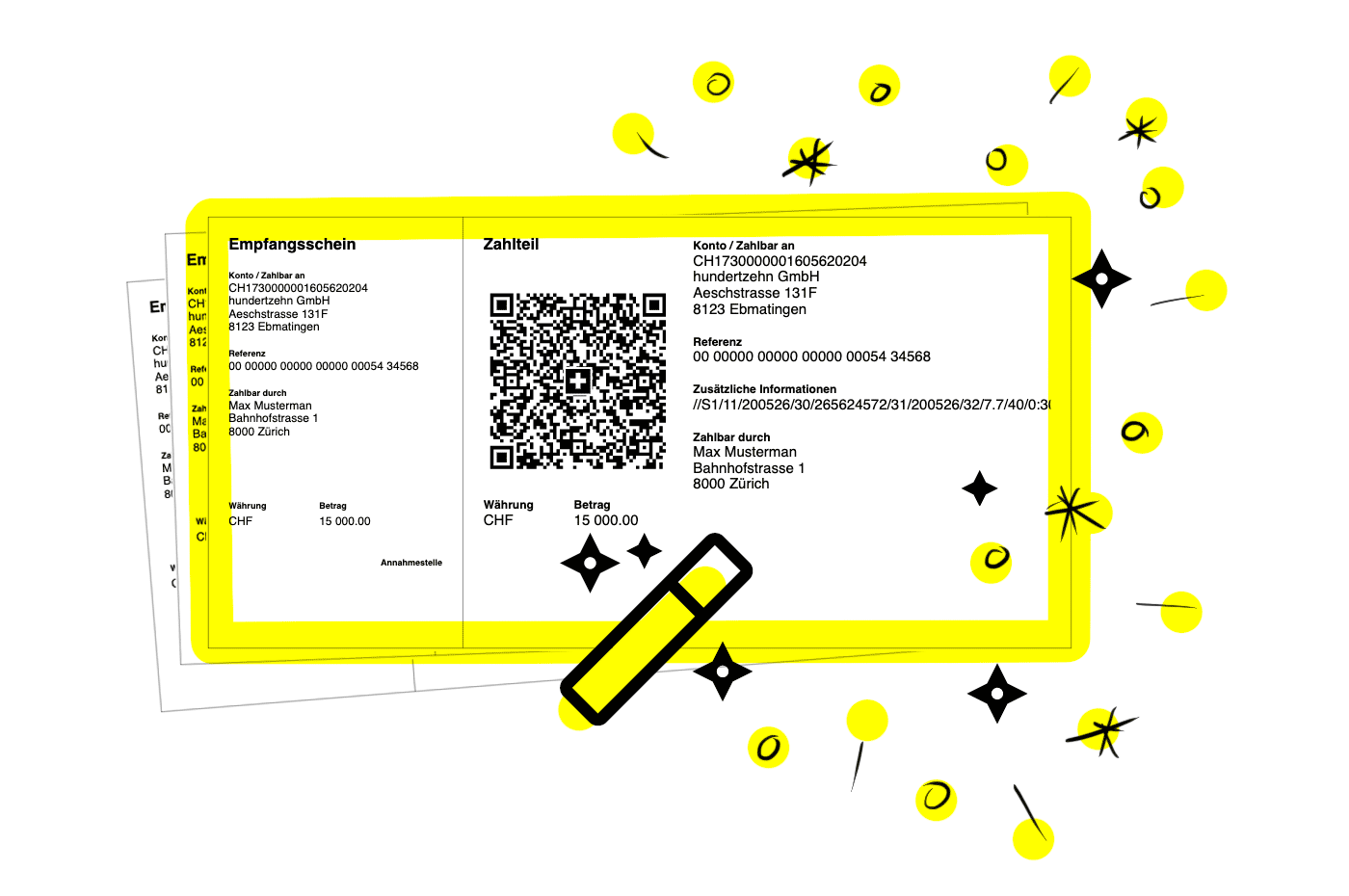
As part of the harmonisation in payment transactions (ISO 20022), Switzerland introduced the QR Invoice on 30 June 2020. During the transition period until the end of September 2022, both the old payment slips and the new QR Invoice are valid.
From 1 October 2022, orange and red payment slips will become invalid and will be rejected. Those who have not yet switched to QR Invoices should do so now.
 (English image not yet available)
From 1 October 2022, orange and red payment slips will become invalid and will be rejected. Those who have not yet switched to QR Invoices should do so now.
(English image not yet available) Switch to the QR Invoice Now
With a usual payment term of 30 days, it is ideal to stop sending invoices with old payment slips from the end of August. Since the QR Invoice has been available as an option in MOCO for some time, switch to the new standard as soon as possible.
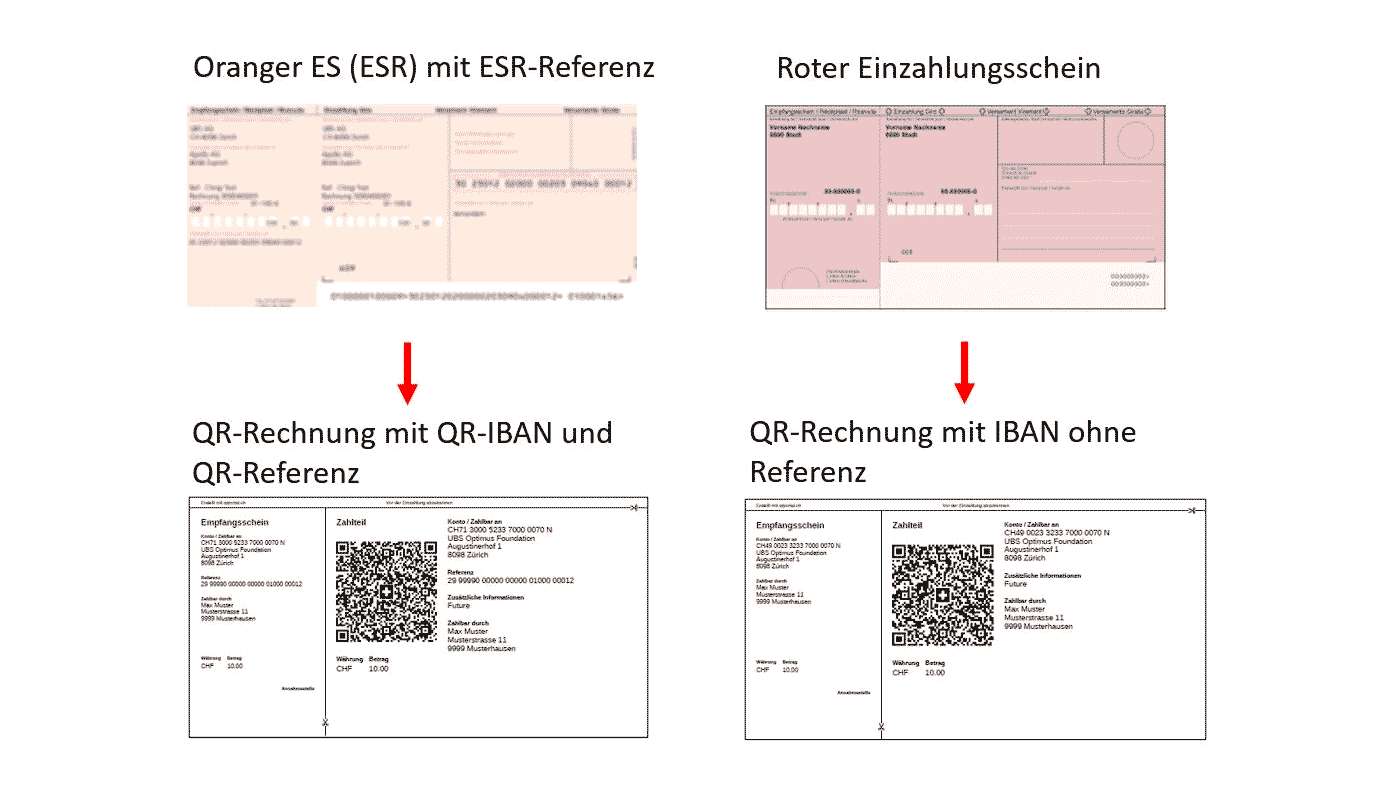
There are 2 types of QR Invoice to choose from when setting up
a) IBAN = Equivalent to the former red payment slip without a reference number.
b) QR-IBAN = Equivalent to the former orange payment slip with a reference number. You will receive the QR-IBAN from your bank.
 (English image not yet available)
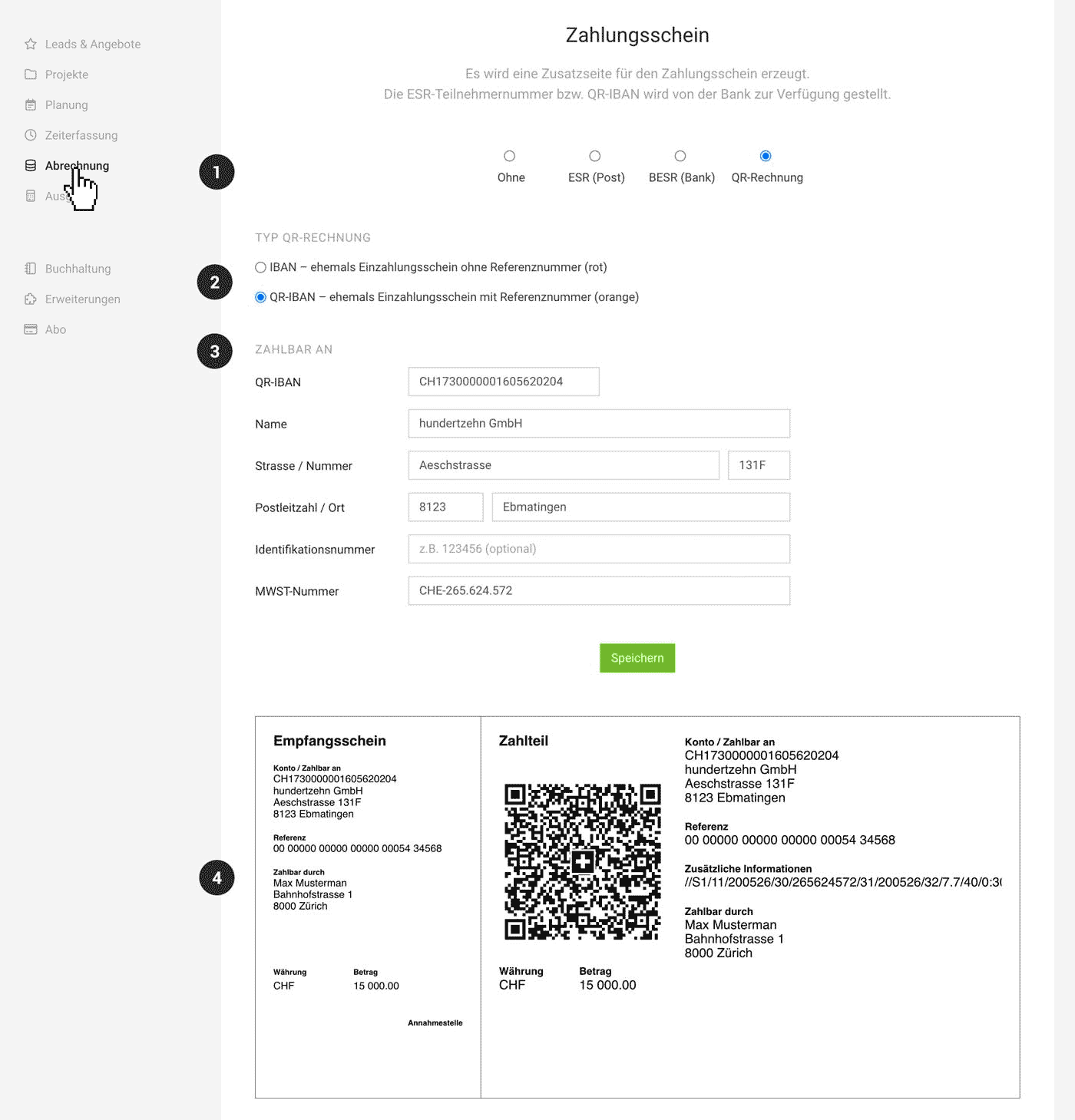
How to Activate the QR Invoice
Select your preferred type under "Invoicing" > "ESR/QR-Invoice" (1) in the settings and fill in the necessary fields (2). Below, you will see a preview of the QR Invoice payment section (3), which will then be automatically added to each invoice.
 (English image not yet available)
QR Invoices will not be created in these cases:
There are 2 types of QR Invoice to choose from when setting up
a) IBAN = Equivalent to the former red payment slip without a reference number.
b) QR-IBAN = Equivalent to the former orange payment slip with a reference number. You will receive the QR-IBAN from your bank.
(English image not yet available)How to Activate the QR Invoice
Select your preferred type under "Invoicing" > "ESR/QR-Invoice" (1) in the settings and fill in the necessary fields (2). Below, you will see a preview of the QR Invoice payment section (3), which will then be automatically added to each invoice.
(English image not yet available)QR Invoices will not be created in these cases:
- If the invoice is still a draft.
- If the invoice is not issued in CHF.
- If the invoice recipient's address is not in Switzerland or Liechtenstein.
- If the invoice recipient's address is incomplete or incorrect.
QR Incoming Invoices are Automatically Read
All Swiss and Liechtenstein accounts have been automatically recognising the contents of incoming QR Invoices for several months. The reading is independent of the automatic text recognition (OCR option).








