Alter News-Artikel!
» Hier geht's zur aktuellen Online-Hilfe
Article from
Quick Wins: Time Corrections with Date & Other Enhancements.
 (English image not yet available)
Personal
Time Corrections with Date
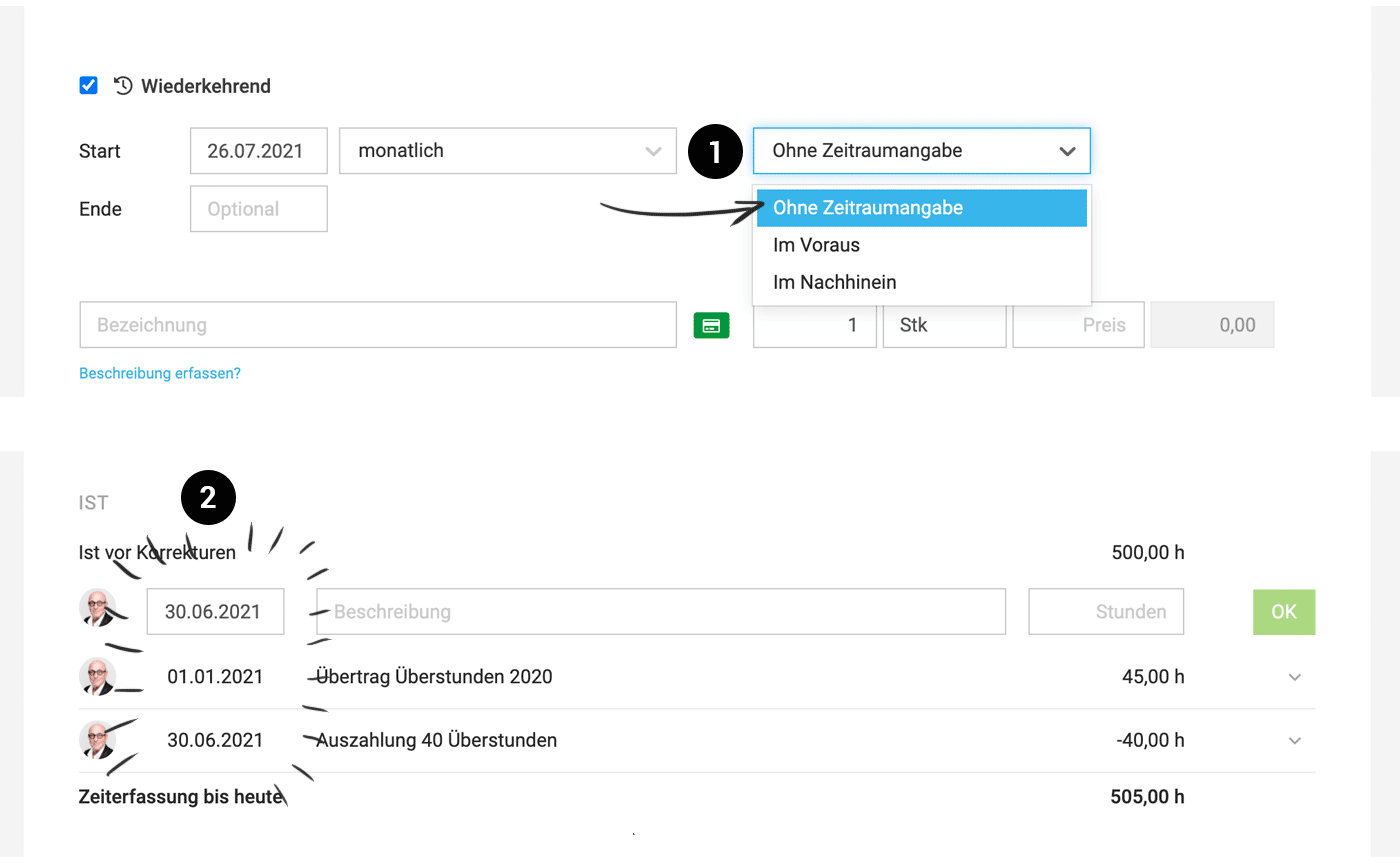
Previously, time corrections in the time account could only be recorded against the annual balance. With the new date feature (2), corrections now impact daily evaluations and are assigned to the corresponding month in the Excel export.
Previously, time corrections in the time account could only be recorded against the annual balance. With the new date feature (2), corrections now impact daily evaluations and are assigned to the corresponding month in the Excel export.
& Other Enhancements
Recurring Additional Service without Time Period
In addition to "in advance" & "retrospectively", you can now select "no time period specified" (1). This affects the display on the invoice (no bracket with time period) as well as the automatically set period of the invoice.
In addition to "in advance" & "retrospectively", you can now select "no time period specified" (1). This affects the display on the invoice (no bracket with time period) as well as the automatically set period of the invoice.
Additional Option for Payment Recording
We recommend recording payments on the "Invoicing" > "Payments" page, where all outstanding invoices are offered and easily found. If you prefer navigating the main invoice list, there is now a new option (besides "record payment" in the dropdown on the right or the payment recording at the top right in the invoice detail view) to record the payment by clicking on the status icon in the list. This option was already available for incoming invoices and is now consistent.
We recommend recording payments on the "Invoicing" > "Payments" page, where all outstanding invoices are offered and easily found. If you prefer navigating the main invoice list, there is now a new option (besides "record payment" in the dropdown on the right or the payment recording at the top right in the invoice detail view) to record the payment by clicking on the status icon in the list. This option was already available for incoming invoices and is now consistent.
Extension of SMTP Settings
Port 465 is now supported, making the use of your own mail server even more flexible.
Display of Leave Requests
Leave requests are now also graphically displayed in the profile list with status.
Optional Lead Volume
Entering the "Estimated Volume" for a lead is now optional.
Port 465 is now supported, making the use of your own mail server even more flexible.
Display of Leave Requests
Leave requests are now also graphically displayed in the profile list with status.
Optional Lead Volume
Entering the "Estimated Volume" for a lead is now optional.








