Alter News-Artikel!
» Hier geht's zur aktuellen Online-Hilfe
Article from
Quick Wins: Automatic Email Forwarding, Total for Bulk Payments & More.
 (English image not yet available)
Expenditures
Automatic Email Forwarding (1)
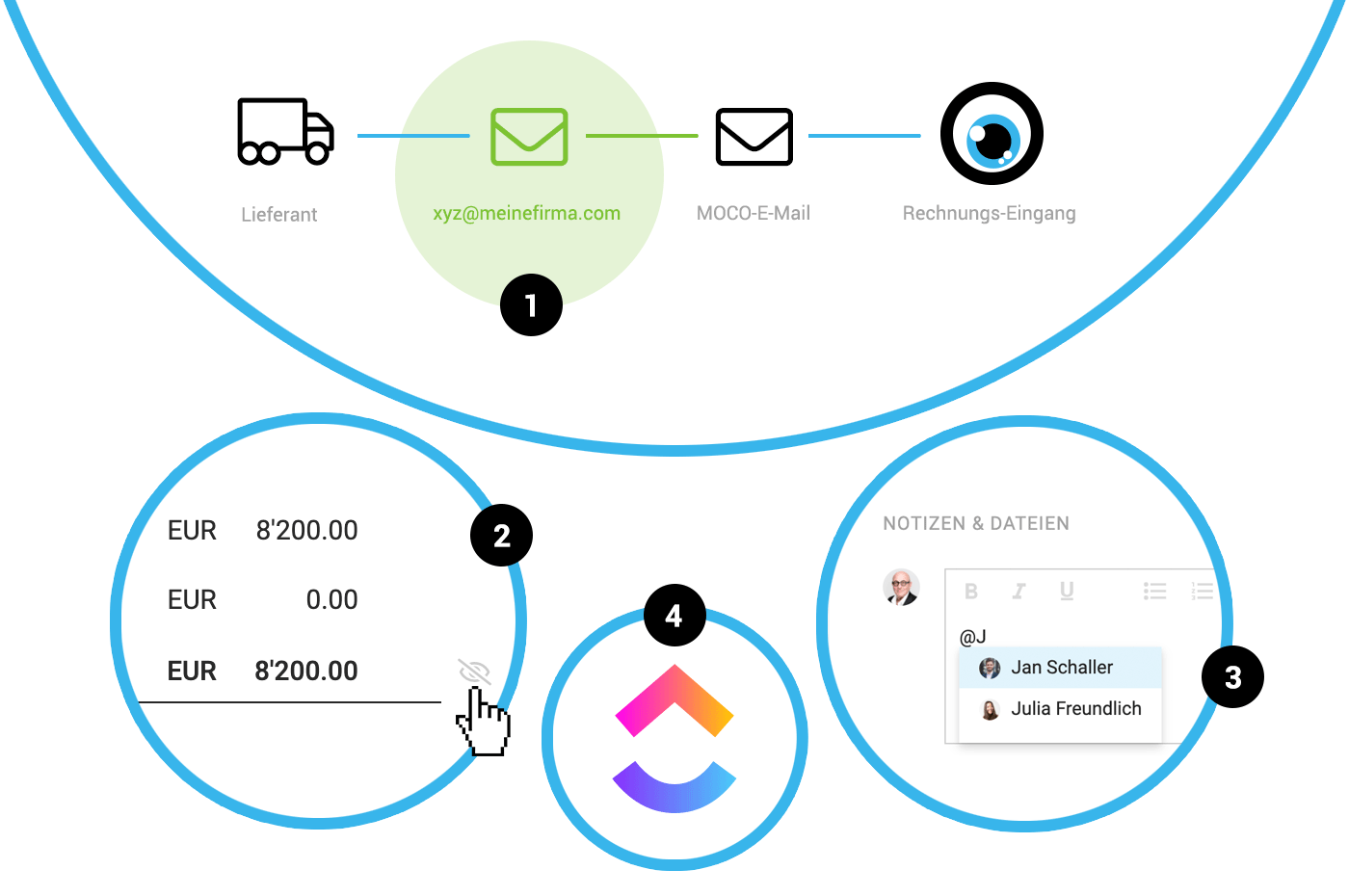
Initially, it wasn't possible "out-of-the-box," but now it works: Automatically forwarding from a dedicated email address communicated to suppliers, such as invoiceentry@mycompany.com, to the somewhat cryptic MOCO email. This way, these invoices automatically land in the Invoice Entry!
Info on Archiving
The information on who completed or archived an expenditure and when is now also recorded under "Notes & Files."
Initially, it wasn't possible "out-of-the-box," but now it works: Automatically forwarding from a dedicated email address communicated to suppliers, such as invoiceentry@mycompany.com, to the somewhat cryptic MOCO email. This way, these invoices automatically land in the Invoice Entry!
Info on Archiving
The information on who completed or archived an expenditure and when is now also recorded under "Notes & Files."
Personal Expenses
Client Display on Personal Expense Reports
On the submitted personal expense report, the client is displayed alongside the project name when a position is assigned.
Comments Now Possible on Personal Expense Reports (3)
The mention function can be used on personal expense reports. All notes/messages are simultaneously displayed under "Expenditures" on the personal expense report and mirrored in the personal profile. This allows any uncertainties to be clarified and tracked through notifications on the personal expense report.
Negative Amounts Can Be Recorded for Personal Expenses
Noticed overcharged or mistakenly invoiced amounts only after payment? Negative personal expenses allow for a pragmatic correction.
On the submitted personal expense report, the client is displayed alongside the project name when a position is assigned.
Comments Now Possible on Personal Expense Reports (3)
The mention function can be used on personal expense reports. All notes/messages are simultaneously displayed under "Expenditures" on the personal expense report and mirrored in the personal profile. This allows any uncertainties to be clarified and tracked through notifications on the personal expense report.
Negative Amounts Can Be Recorded for Personal Expenses
Noticed overcharged or mistakenly invoiced amounts only after payment? Negative personal expenses allow for a pragmatic correction.
Layout & Proposals
Use a Different Font Style for Headings
In the settings under "Layout" > "Font," a different font style or typeface can be set for the position heading. We can adjust the font size or color upon request.
Hide Total on Proposal (2)
If you want to hide the total on proposals despite listed positions—such as for recurring monthly amounts—you can hide it on the proposal. This is done using the eye icon, similar to the table header.
In the settings under "Layout" > "Font," a different font style or typeface can be set for the position heading. We can adjust the font size or color upon request.
Hide Total on Proposal (2)
If you want to hide the total on proposals despite listed positions—such as for recurring monthly amounts—you can hide it on the proposal. This is done using the eye icon, similar to the table header.
Invoices
Total Displayed for Bulk Payments
When marking multiple invoices to record a bulk payment or set them as "paid," the total is now displayed as information.
When marking multiple invoices to record a bulk payment or set them as "paid," the total is now displayed as information.
Browser Extension
ClickUp Now Supported (4)
With the MOCO extension, you can now also record times directly in ClickUp for MOCO. This new option was developed externally by Codeblick and is available to all MOCO users free of charge.








