Article from
People: Team Leads for Notifications and Approvals.
You can now optionally assign team leads for teams in MOCO. This means approvals and notifications go straight to the right person, without detours or extra clicks.
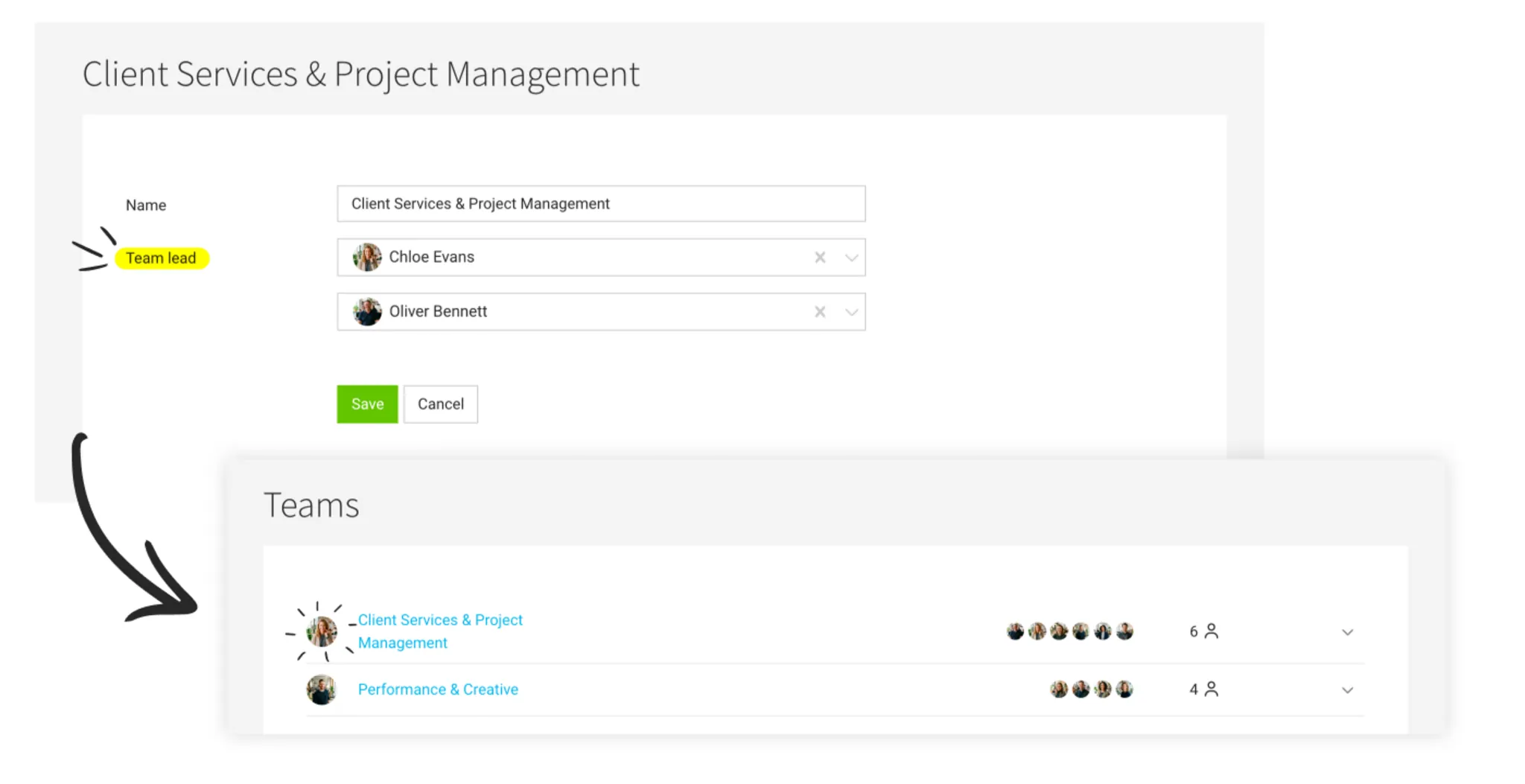
Under People > Teams, you can group people into teams. If needed, you can now define a first and second team lead for each team. If you don’t set a team lead, everything stays as before: notifications go to the account owner, and there is no preselection for approvals.
Approvals
For leave requests, personal expenses claims, and time tracking approvals, the team lead is preselected the first time. You can change the selection at any time – and MOCO remembers your choice for next time. If the team lead doesn’t have the required access rights, the selection remains empty.
Notifications
If a date in a dedicated field for people or teams becomes due, MOCO notifies both team leads instead of the account owner, as before.