Article from
Quick Wins September 2026.
Faster purchase approvals, smart time tracking tweaks, and more updates from recent weeks.
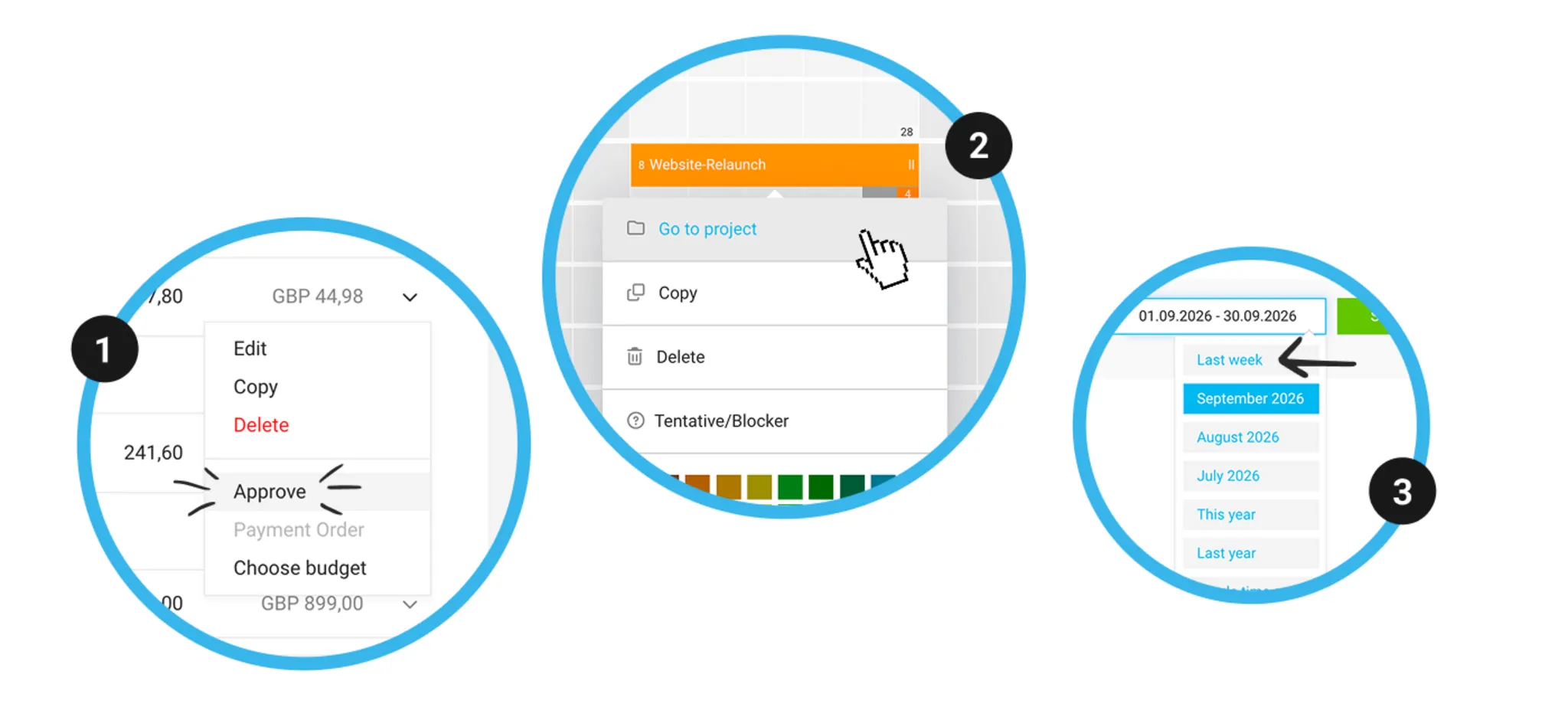
Approve purchases directly
Under Purchases > "Pending Approval", you now have the "Approve" option in the dropdown (1). This lets you approve purchases without having to open the detail page.
More on purchase approvals
More on purchase approvals
Calendar appointments: Project & service pre-filled
If you create a time entry from a recurring calendar appointment, MOCO now automatically suggests the project and service — based on your most recent time entry with the same activity description. You just need to confirm.
More on time tracking for calendar appointments
More on time tracking for calendar appointments
Delete a quote with online confirmation
Previously, you couldn’t delete a quote with online confirmation. Now the account owner can delete the entire quote — for example, to clean up test data or if new details need to be added to the quote after confirmation. When deleting, MOCO shows when the online confirmation was given and by whom.
More on online quote confirmation
More on online quote confirmation
Further improvements
- Right-click a planning entry to jump straight to the project or lead (2).
- In Time Tracking, you can now search not only by lead name, but also by the linked client — and find all leads for that client.
- In the project timesheet, the quick selection "Last Week" is now available (3) — in line with the client timesheet.
- Quotes & invoices: the title and description of an item are now always kept together, and no longer split by a page break.
- If an approval is granted, rejected, or the request is deleted, the related notification in your inbox is automatically archived (unless you have "flagged" it).