Article from
Set Letterhead Per Invoice.
Do you work with different letterheads for, for example, brands, locations, or clients? You can now select the letterhead directly in the invoice — and it will be saved there for sending later by email or printing.
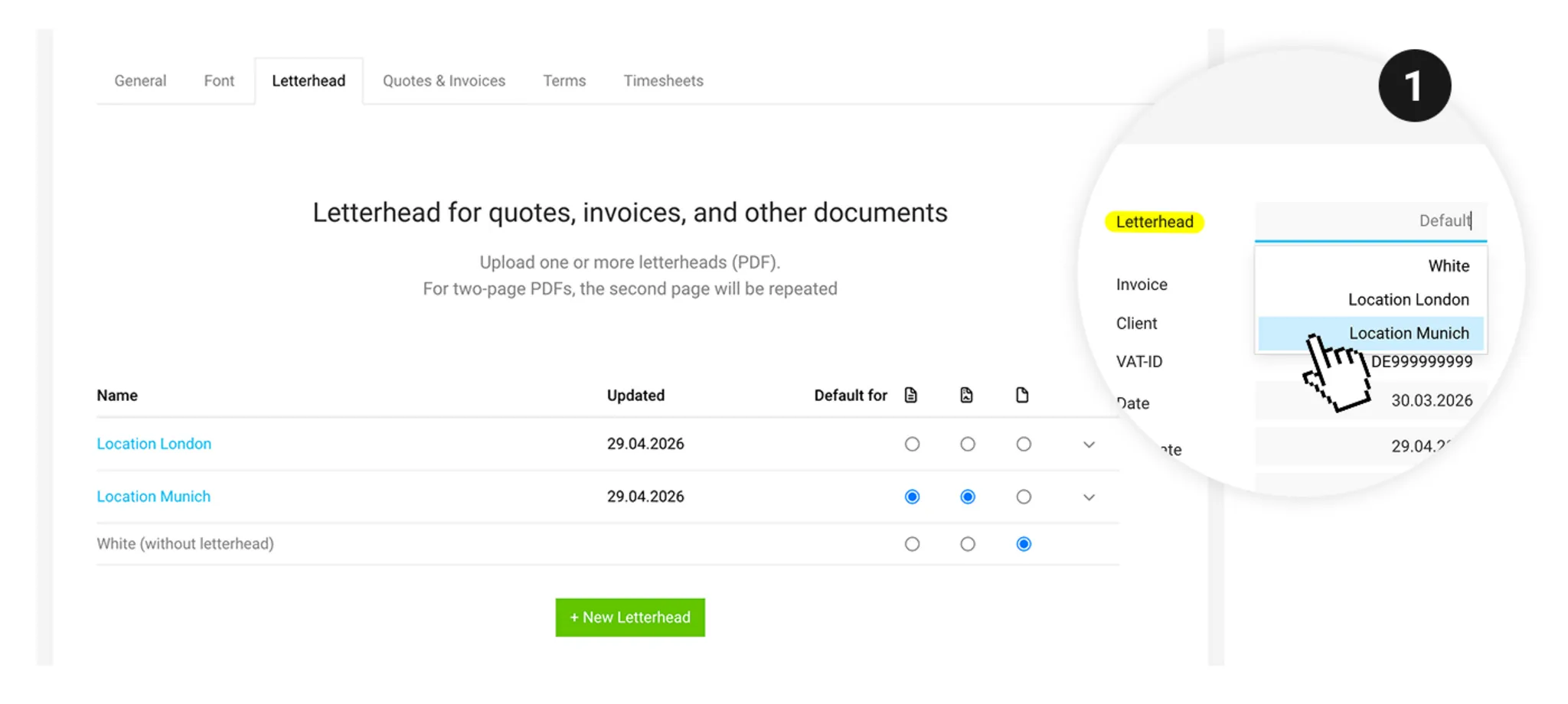
When you edit an invoice, you’ll now find the new “Letterhead” field in the info panel at the top right. If needed, you can choose a different letterhead instead of the default (1).
Your selection is saved with the invoice and applied when the PDF is generated. This means you can control exactly which invoice uses which letterhead — without having to think about it later when sending or printing.
Your selection is saved with the invoice and applied when the PDF is generated. This means you can control exactly which invoice uses which letterhead — without having to think about it later when sending or printing.
Payment Reminders
If you create a payment reminder for an invoice, the letterhead selected on the invoice will also be used for the reminder.








