Article from
Quick Wins January 2026.
New features and minor improvements – directly based on your practical feedback. This ensures MOCO supports you even better in your daily tasks.
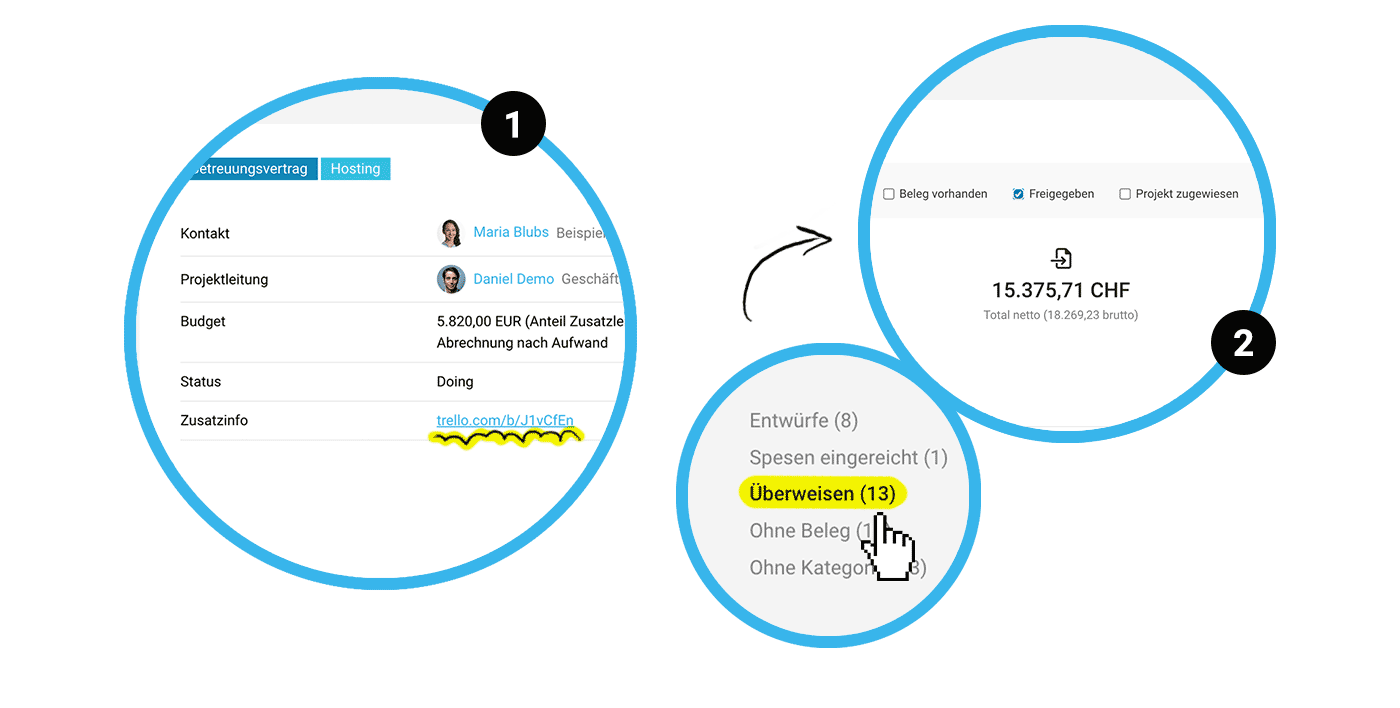 (English image not yet available)
Links in fields automatically hyperlinked
When you insert links in the Additional Info, Billing Info, or custom multi-line fields, they will now be automatically hyperlinked and clickable (1).
More about custom fields
More about custom fields
New "Approved" filter for Purchases
In Purchases, you can use the Smart Filter "Transfer" to review all purchases that need to be paid. If you use invoice approval, you can now filter by purchases that have already been approved with the new "Approved" filter (2).
More about purchase approval
More about purchase approval
Attach PDF Timesheet in ZUGFeRD format
All invoice attachments in e-invoices (XRechnung & ZUGFeRD) are integrated into the XML data. To ease the transition to new e-invoice formats, you can now attach the MOCO Timesheet as a PDF in ZUGFeRD format (Settings > Billing > E-Invoice).
More about e-invoices
More about e-invoices
Mini-update for the iPhone App
In the MOCO iOS App, you can conveniently not only capture to-dos on the go but also edit and add to them. Additionally, the menu with options to log out or switch accounts is now displayed on every page in the app.
More about the iPhone App
More about the iPhone App








