Article from
Quick Wins September 2025.
In recent weeks, as usual, several minor optimisations have been made to the software to make your workday easier. You might have already noticed some of them – here’s a brief overview:
E-Invoice: Neutral Email for BT-34
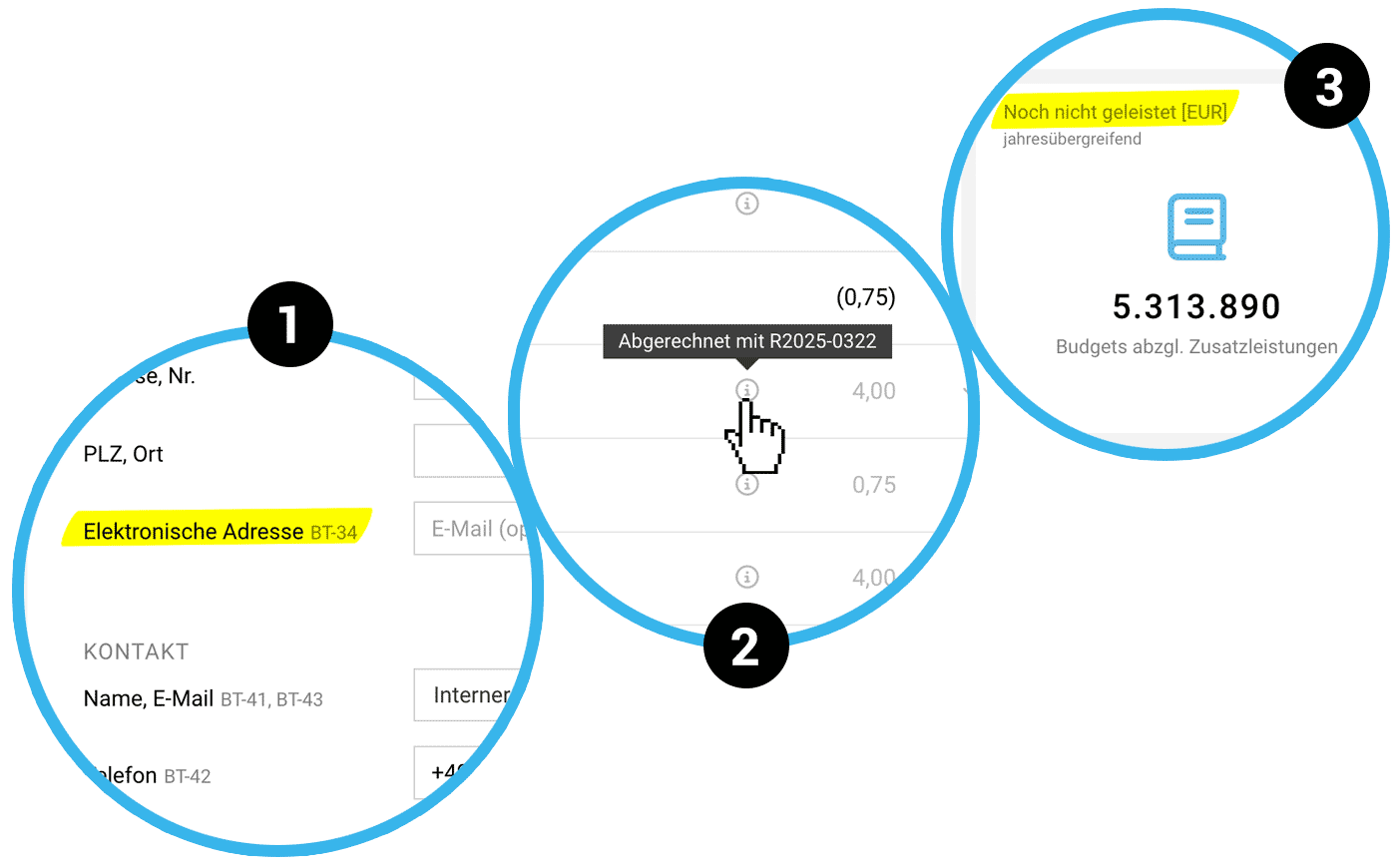
By default, the contact's email address is used as the "Electronic Address – BT34" for the E-Invoice. Now, you can override this by entering a different email address (1).
More on activating E-Invoice & settings
More on activating E-Invoice & settings
Images in the Service Catalogue
Images can now be stored in the catalogue and later inserted into the Proposal.
More about the catalogue
More about the catalogue
Undo Accounting Exports Anytime
Accounting exports in MOCO can usually only be deleted within 24 hours to prevent discrepancies between MOCO and the accounting tool. For added flexibility, account holders can now delete accounting exports even after 24 hours.
More on accounting export outgoing invoices
 (English image not yet available)
More on accounting export outgoing invoices
(English image not yet available)Invoicing Info in Timesheet Export
The XLS export under Projects > Timesheet and Reports > Time Tracking includes a new column with invoicing information that you otherwise see in the Timesheet (2). This indicates which Invoice the hours have been allocated to or if they have been marked as already invoiced.
More on time exports
More on time exports
Minor Optimisations
- Info on Attachment File Size
MOCO now shows you the file size of attachments – both in edit mode and below a saved Proposal or Invoice.
More on attachments - Small Change to Notification on Expenditure Assignment
When an Expenditure is assigned or a new Additional service is created from an Expenditure, you as the project manager will be notified. Each user can control the notification in their profile.
More on notification settings - Optimised Tiles
The naming of the two tiles "Work at hand" and "Project Budgets Remaining" has been changed to "Not yet performed" and "Not yet invoiced" (3). This aims to clarify which amounts are covered.
More on the business dashboard








