Services
Services | Hourly Rates | Internal Hourly Rates | Standard Additional Services / Items | Catalogue | Service CatalogueServices
Under "Services", you can predefine various settings related to services
- Standard services for time tracking
- Hourly rates for the previously defined standard services (can be defined differently per client)
- Internal hourly rates – used for profitability and cost calculations.
- Additional services – services that are independent of time tracking.
- Catalogue – individually configurable line items for quotes and invoices.
Standard Services for Time Tracking
Settings > Services > Services
Set up all your usual in-house services that you offer to clients, or that you track time against, as standard services for time tracking. You can also access these standard services in quotes and invoices via the service catalogue.
 (English image not yet available)
Set up all your usual in-house services that you offer to clients, or that you track time against, as standard services for time tracking. You can also access these standard services in quotes and invoices via the service catalogue.
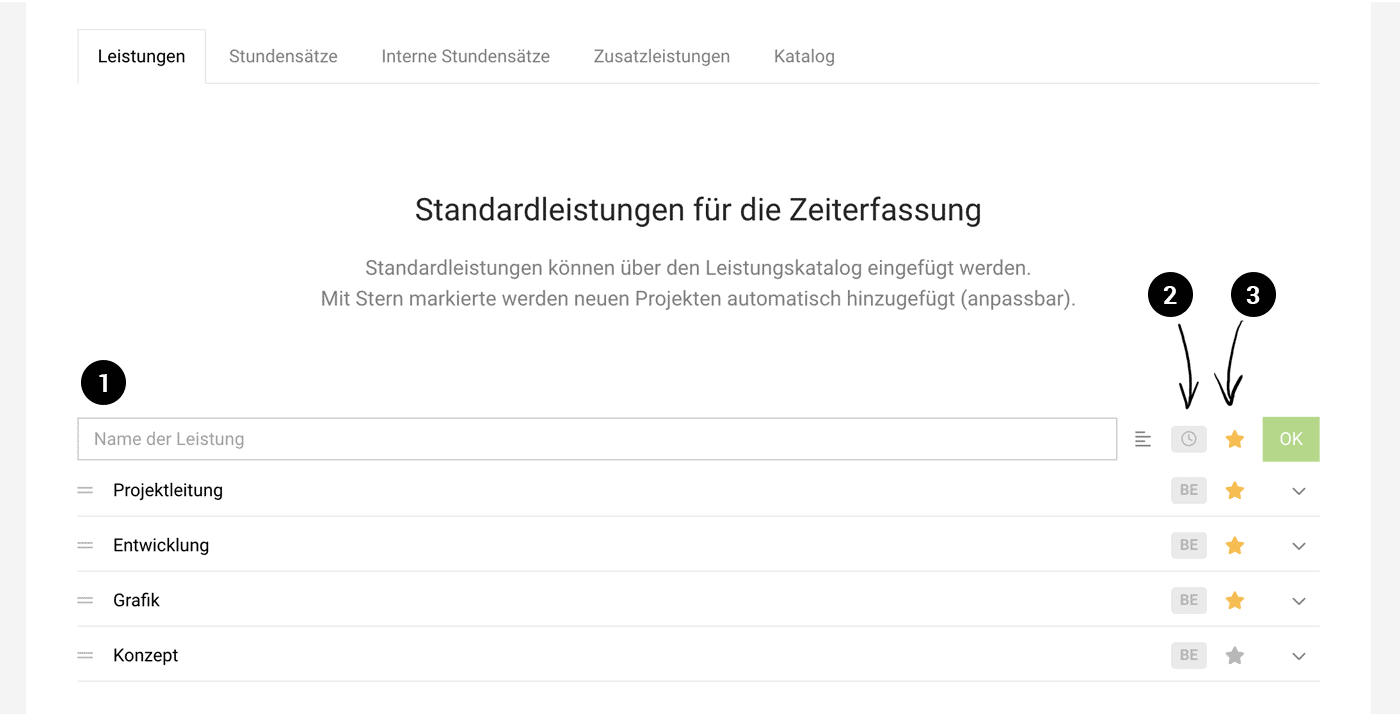
(English image not yet available)- Service name (1): This is selected for the project in time tracking. You can also add a description (click the icon to the right of the text field). You can change the order of services on the left using the drag handle.
- Category (2): By default, MOCO distinguishes between services and additional services. Enable categories if you want to categorise services individually – for example, for cost centres and revenue accounts.
- Favourite (3): Services you mark with a star are always added to newly created projects. Unstarred services can be added to a project as needed.
Hourly Rates
Settings > Services > Hourly Rates
This is where you set the default hourly rates for clients. You can override them for a specific client or project. If you add additional currencies to your account, you can also enter the default hourly rates here in those currencies.
This is where you set the default hourly rates for clients. You can override them for a specific client or project. If you add additional currencies to your account, you can also enter the default hourly rates here in those currencies.
Different Hourly Rates for a Client (Price List)
If a client’s hourly rates differ from the default hourly rates, go to the client and select "Edit" > "More Options" > "Different hourly rates for client". A new "Hourly Rates" tab will appear, where you can define the differences (your own price list).
 (English image not yet available)
(English image not yet available)Day Rates
In MOCO, effort is calculated in hours. Even so, you can create quotes with day rates (predefined via the catalogue). When you transfer them to a project, MOCO automatically converts them into hourly rates – and you can use a basic setting to choose whether you generally want hours to be converted into days for Billing.
Internal Hourly Rates
Settings > Services > Internal Hourly Rates
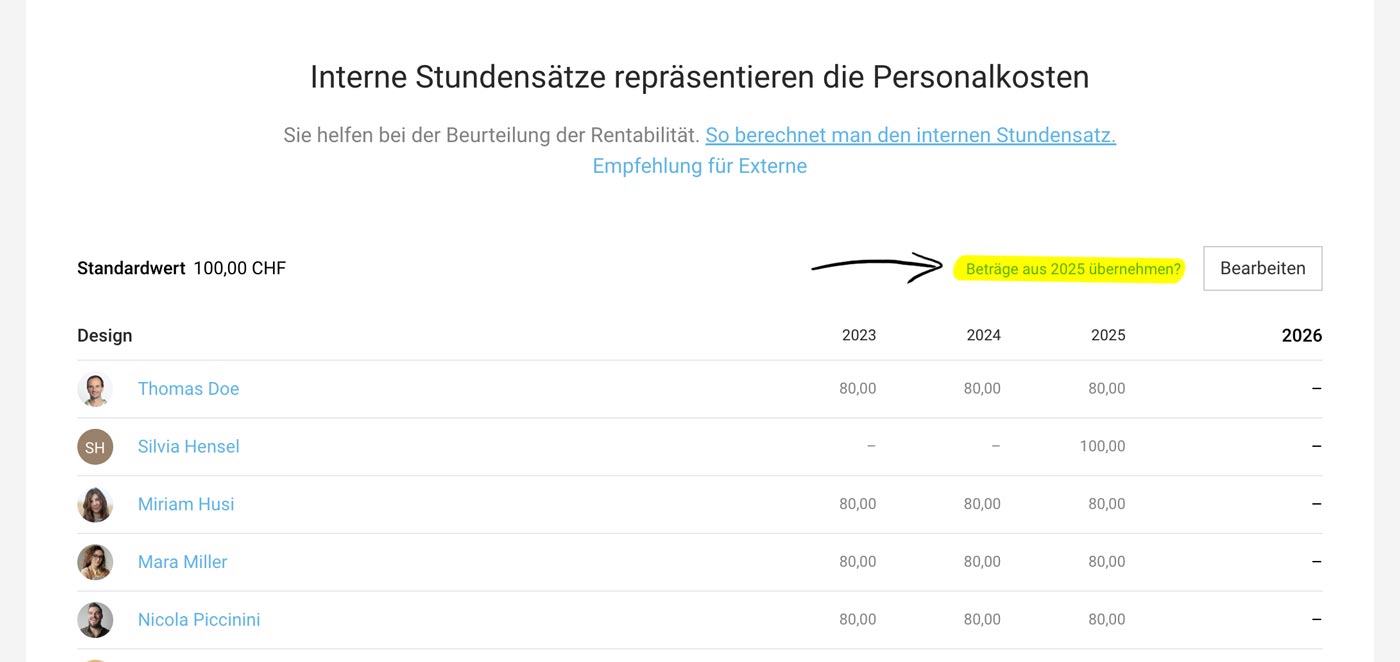
The internal hourly rate shows roughly what the person costs the business per hour. You can manage it per person and year in the "Internal Hourly Rates" tab. The saved default value is automatically applied to all newly added employees and is also used for quote calculations (both can be adjusted).
If needed, you can use the transfer link to manually carry over all rates from the previous year into the selected year (see image).
 (English image not yet available)
The internal hourly rate shows roughly what the person costs the business per hour. You can manage it per person and year in the "Internal Hourly Rates" tab. The saved default value is automatically applied to all newly added employees and is also used for quote calculations (both can be adjusted).
If needed, you can use the transfer link to manually carry over all rates from the previous year into the selected year (see image).
(English image not yet available)How to calculate the internal hourly rate
Alongside the more compact overview below, you’ll find more detailed information and an example calculation in this article: read the article here.
Calculation basis: Total costs ÷ 1,272 productive working hours
Total costs: annual salary (including 13th month, assumed bonus, etc.), employer’s social security contributions, and other overheads that increase per employee (administration, workplace costs, facilities costs, office supplies, coffee & drinks). Working hours 1,272 (average value assuming 75% productivity on a 100% contract).
Standard Additional Services / Items
Settings > Services > Additional Services
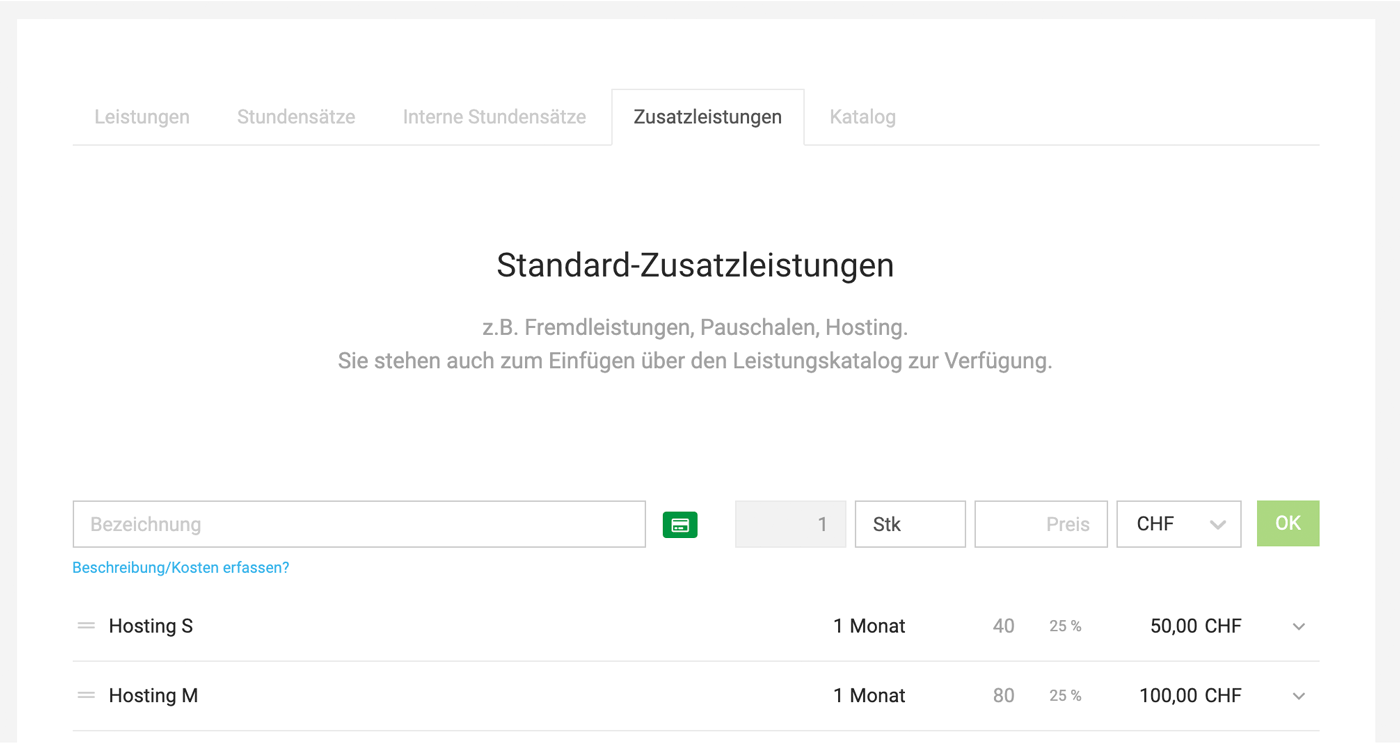
Here you can predefine standard additional services (e.g. third-party services, fixed fees, percentage-based incidental costs, etc.).
You can use them to:
- Insert them into quotes and invoices via the service catalogue
- Add them to a project under "Additional Services"
- Use/insert them when compiling catalogue entries
Service Categories
You can define categories, select them via the icon, and use them to analyse income (category, cost centre, revenue account). Enable Categories -> Assign Categories.
 (English image not yet available)
Catalogue
Settings > Services > Catalogue
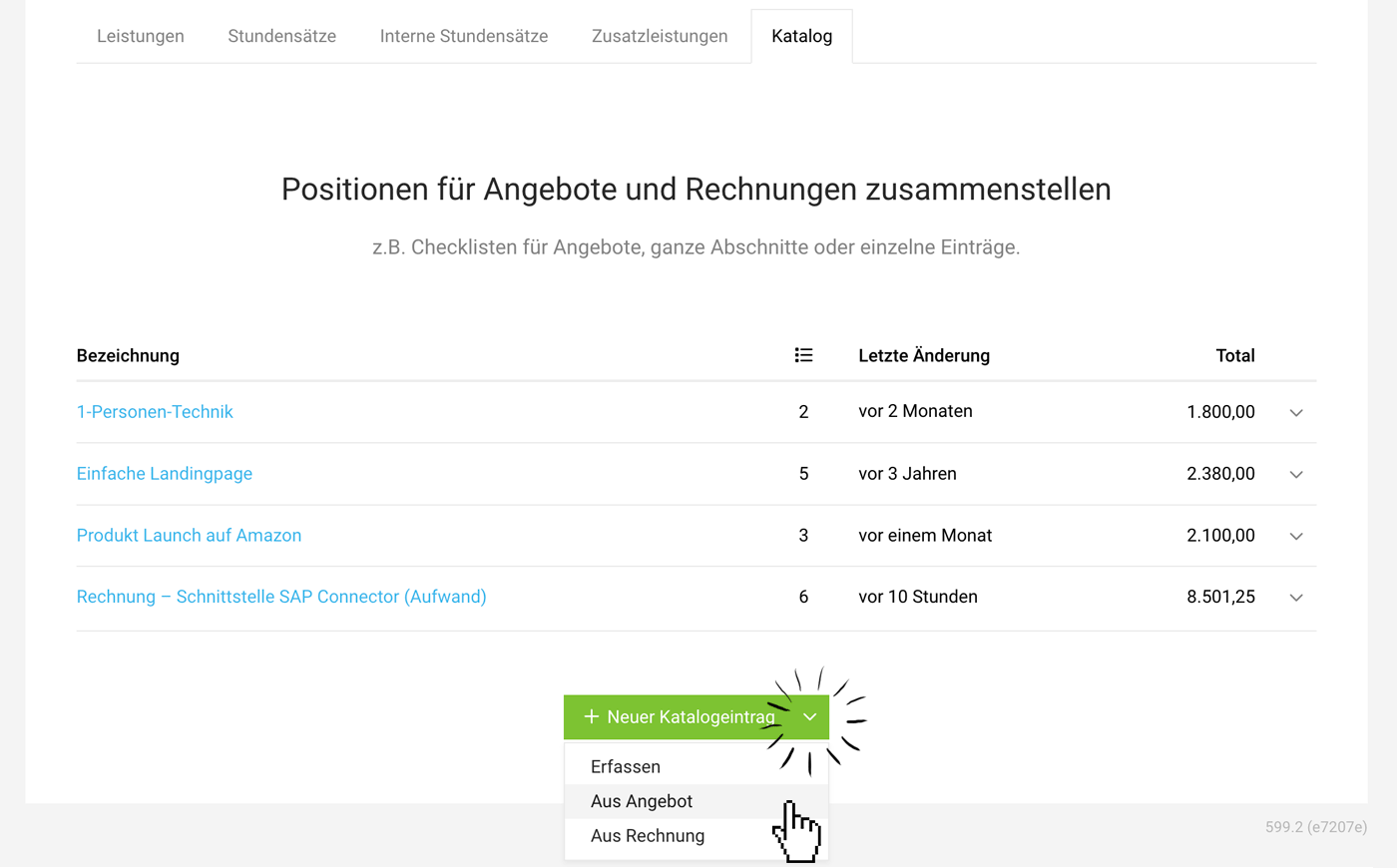
The Catalogue lets you predefine any line-item sections for a Quote or an Invoice.
 (English image not yet available)
Example uses:
- Complete sample quotes
- Blocks of line items
- Text descriptions
- Individual services
- Images
Saving Quotes and Invoices as an entry
Select a Quote or an Invoice if you want to save its line items as a catalogue entry. Use the dropdown option (see image).
Opening the service catalogue from a catalogue entry
Opening the service catalogue from a catalogue entry
You can also insert a catalogue entry into another catalogue entry, or add predefined standard services or standard additional services.
Tip: Create “quote checklists” for different project types. If you store all the line items that matter for a project in one entry and add them to a Quote later, you can quickly run through and check which items are needed and which are not. The big advantage is that colleagues who need to create quotes are far less likely to forget items. In practice, “small extras”, such as hosting, are often left off a Quote.
Service Catalogue
The Service Catalogue lets you access all predefined standard services and catalogue items in quotes and invoices (1).
Use the navigation (2) to switch between predefined standard services, standard additional services, and custom catalogue items (see above).
If you create a quote for a client with different hourly rates saved, those rates are shown automatically when you select the standard services.
If you create a quote for a client with different hourly rates saved, those rates are shown automatically when you select the standard services.
 (English image not yet available)







