Article from
Android App: Review Expenditures and Scan Receipts.
With this Android release, just like the iOS app, you can keep an eye on both your personal expenses and company expenditures: Access the expenditure inbox and scan receipts.
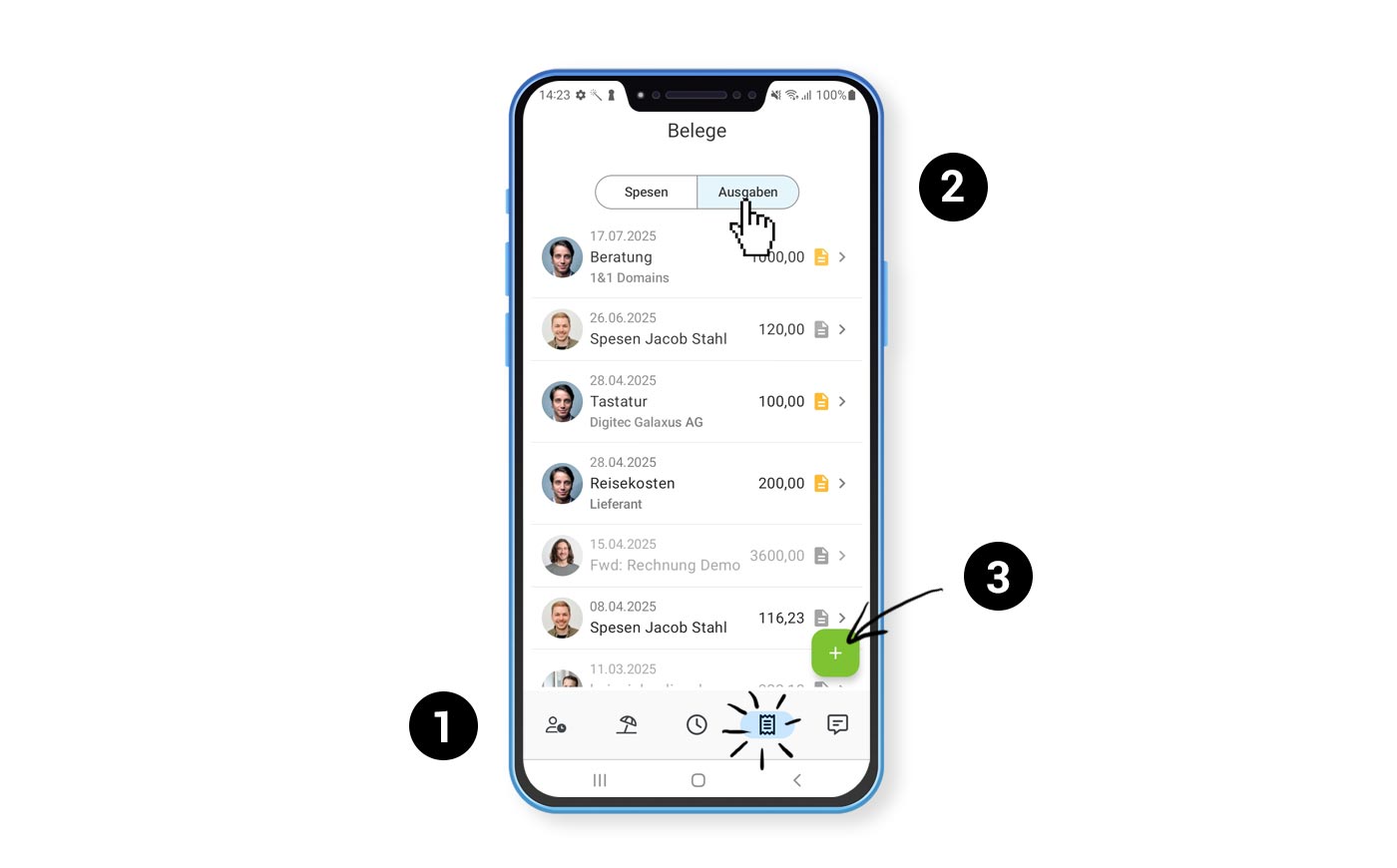 (English image not yet available)
Install the app on your Android phone, select the receipt icon (1), choose "Expenditures" (2), and scan your paper receipts using the "+" (3). The expenditures will be recorded as a draft as usual. Later at your desk, you or the responsible person can complete the expenditure with all details.
To be able to record expenditures, you need restricted or full access rights to expenditures. You will then see all expenditures in the inbox, with notes on whether receipts are missing or payment deadlines have been exceeded.
PS: Have you noticed? You can now also submit and view leave requests via your smartphone!








