Absences
Enter Absences | Overview of the Whole Company | Leave Request Can Override PlanningEnter Absences
Enter Absence Days
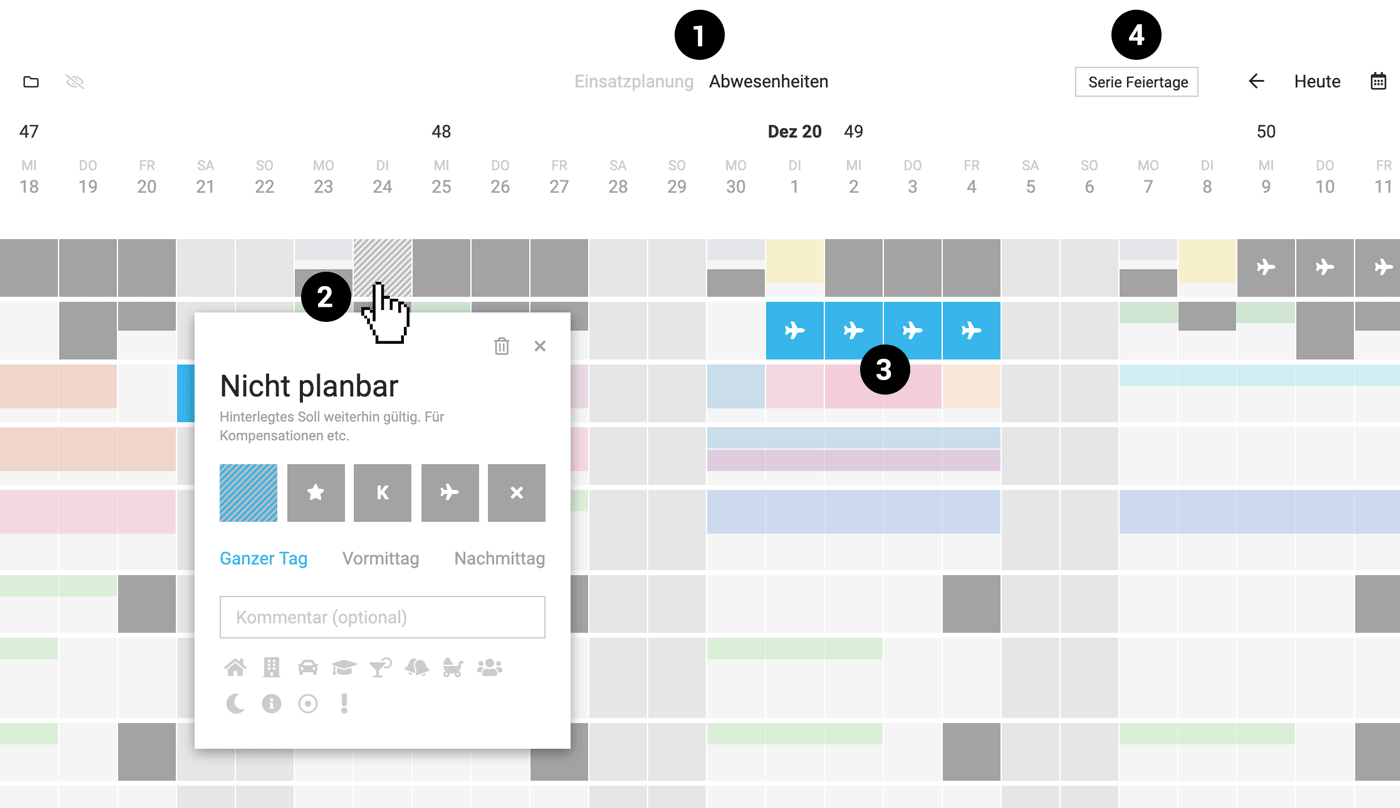
With the relevant permissions, you can enter absences in Planning under "Absences" (1). After clicking on the day, select the type of absence (2). Using absence requests (shown in blue (3)) is optional.
Annual Entry of Public Holidays
At the top right, via "Public Holiday Series" (4), public holidays can be entered for the whole company, entire teams, or individual people.
With the relevant permissions, you can enter absences in Planning under "Absences" (1). After clicking on the day, select the type of absence (2). Using absence requests (shown in blue (3)) is optional.
Annual Entry of Public Holidays
At the top right, via "Public Holiday Series" (4), public holidays can be entered for the whole company, entire teams, or individual people.
 (English image not yet available)
Overview of the Whole Company
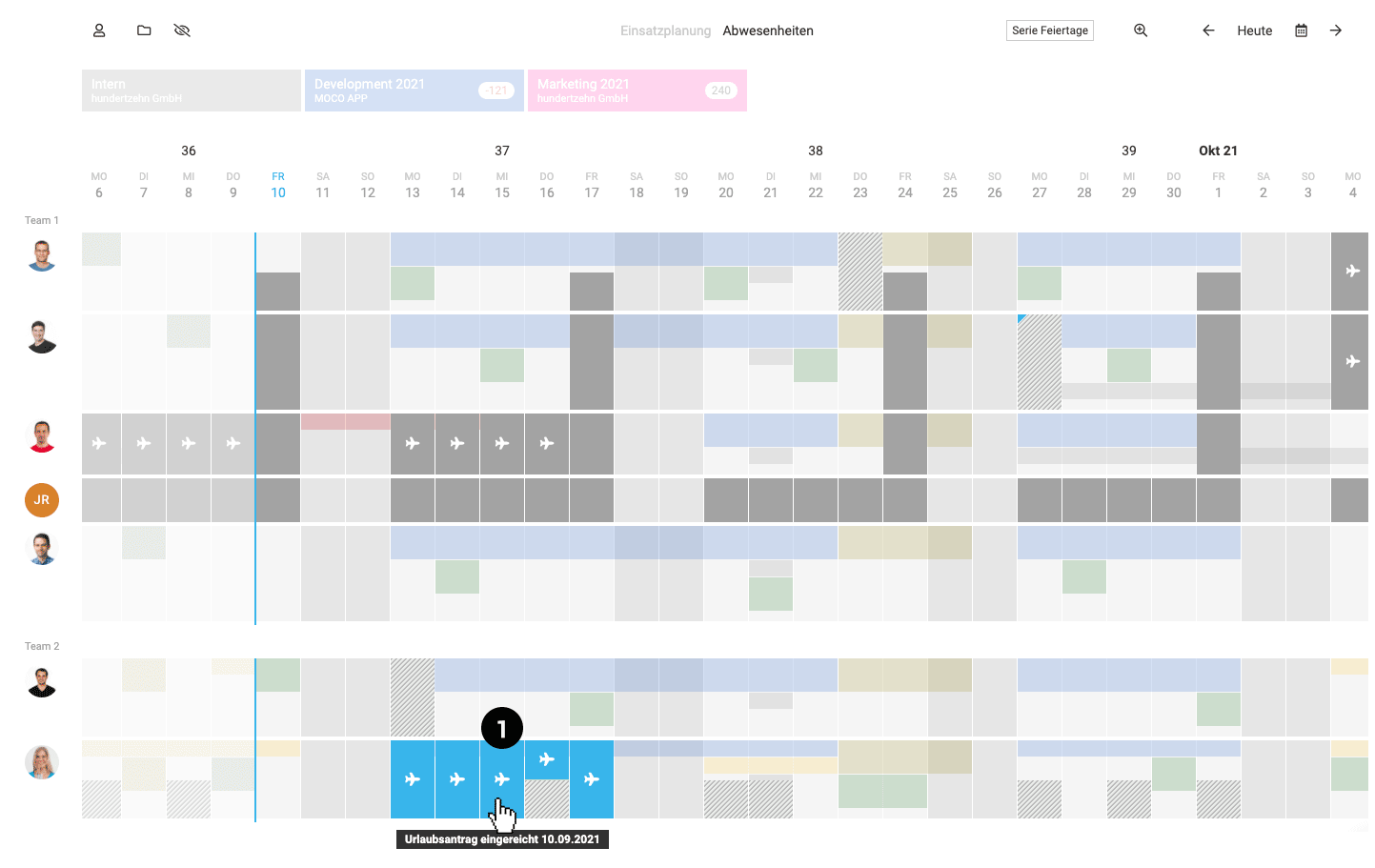
In Planning under "Absences", you get a clear overview of who is away at the same time.
 (English image not yet available)
If you use Leave Requests, any pending requests are highlighted in blue (1).
(English image not yet available)If you use Leave Requests, any pending requests are highlighted in blue (1).
Leave Request Can Override Planning
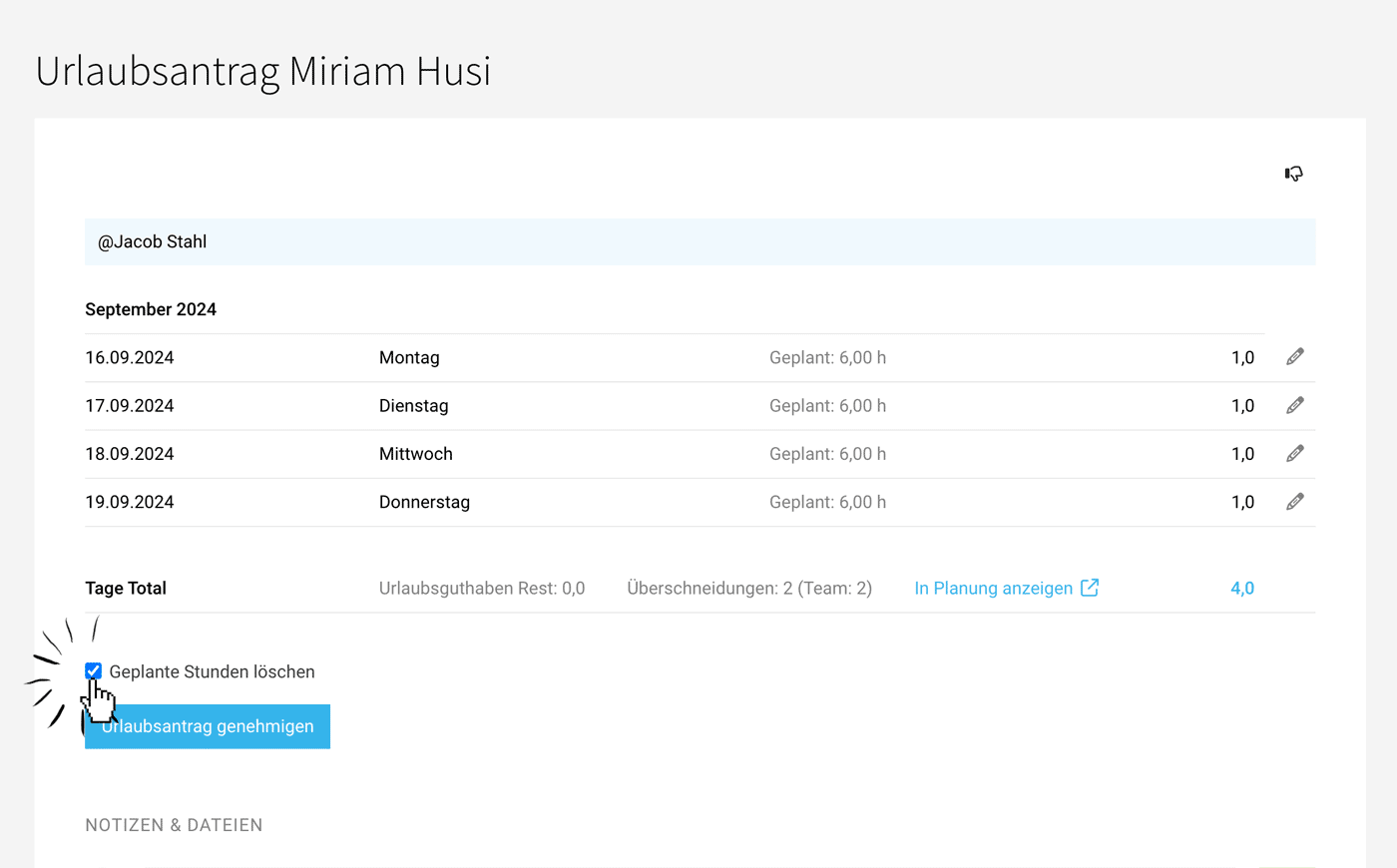
In MOCO, the Leave Request shows how many hours on the submitted days are scheduled for projects. You can use the link to jump straight to Planning, review it, and decide whether approving the leave request should delete the affected hours. To do this, select "Delete Scheduled Hours".
 (English image not yet available)
(English image not yet available)







