Alter News-Artikel!
» Hier geht's zur aktuellen Online-Hilfe
Article from
Boost Productivity with Numerous Small Enhancements.
We regularly make small UX adjustments to ensure your work is as simple and pleasant as possible. Even minor changes can have a significant impact, enhancing productivity in daily operations.
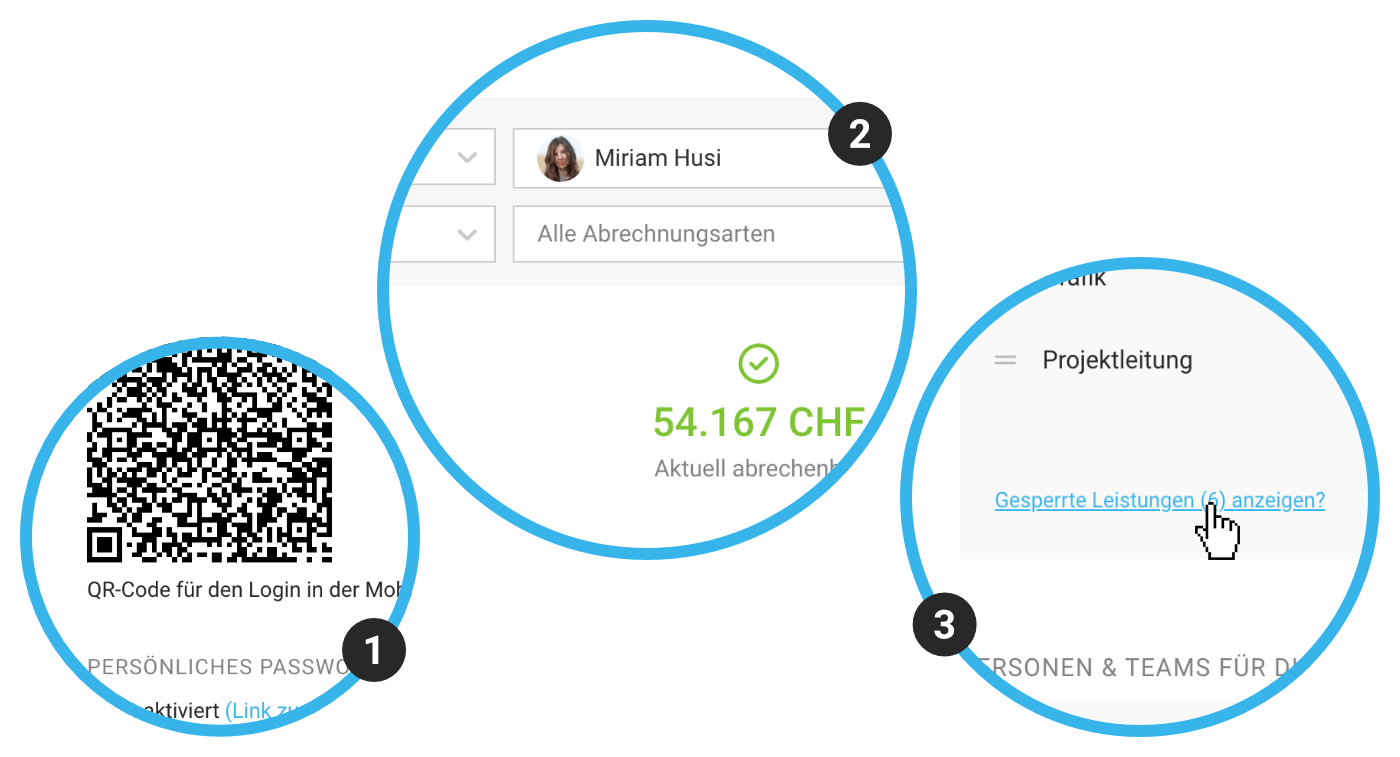 (English image not yet available)
Login on iOS and Android via QR Code (1)
In your profile under Integration, you'll find your personal QR code for logging into the mobile app (iOS and Android). Install the app, scan the code, and easily update forgotten time entries on the go, check important budget messages, and - Sneak Peek! - soon plan holidays!
Optimising Your Invoicing List (2)
- Enhanced Filter under "Invoicing" > "Billable"
- Using the "Q" keyboard shortcut now allows you to filter by your projects under "Invoicing" > "Billable".
Hide Locked Services/Persons (3)
In projects, more than four locked services (or persons) are now hidden to help you maintain clarity. If access is needed, the locked items are just a click away.
Company Address Suggestions Included in Subscription
Automatic filling of company addresses via Google Places (Settings > Extensions > Google Places) no longer requires a separate setup. MOCO handles it for you.
Learn more about the Google Places extension
Learn more about the Google Places extension
UI Adjustments
- Inactive elements are now consistently colour-reset, making them more distinct from active entries.
- With a few small tweaks in alignment, labels, and translations, MOCO can be operated even faster.
- The inline tabs now stand out better from the surrounding text with a new layout.
More Clarity
- The full invoice address is now displayed with the Girocode (in the "Payable by" field).
- The tooltip regarding overdue payment on an invoice now shows important context information about the grace period (the reminder) and the original "Payable by" date.
- In the report tooltip for billability to the year, "up to today" has been added to clarify that the figures include today for calculation.
- In lists where labels can be assigned, the small grey bar now displays the tooltip "Assign label".
- Find support even faster if there's an issue or uncertainty with two-factor authentication (2FA): Through the revised help article – directly linked at the 2FA prompt.








