Alter News-Artikel!
» Hier geht's zur aktuellen Online-Hilfe
Article from
Edit Exported Expenditures Retrospectively.
Want to adjust an expenditure already exported to accounting? It's now easier than ever, and changes remain traceable.
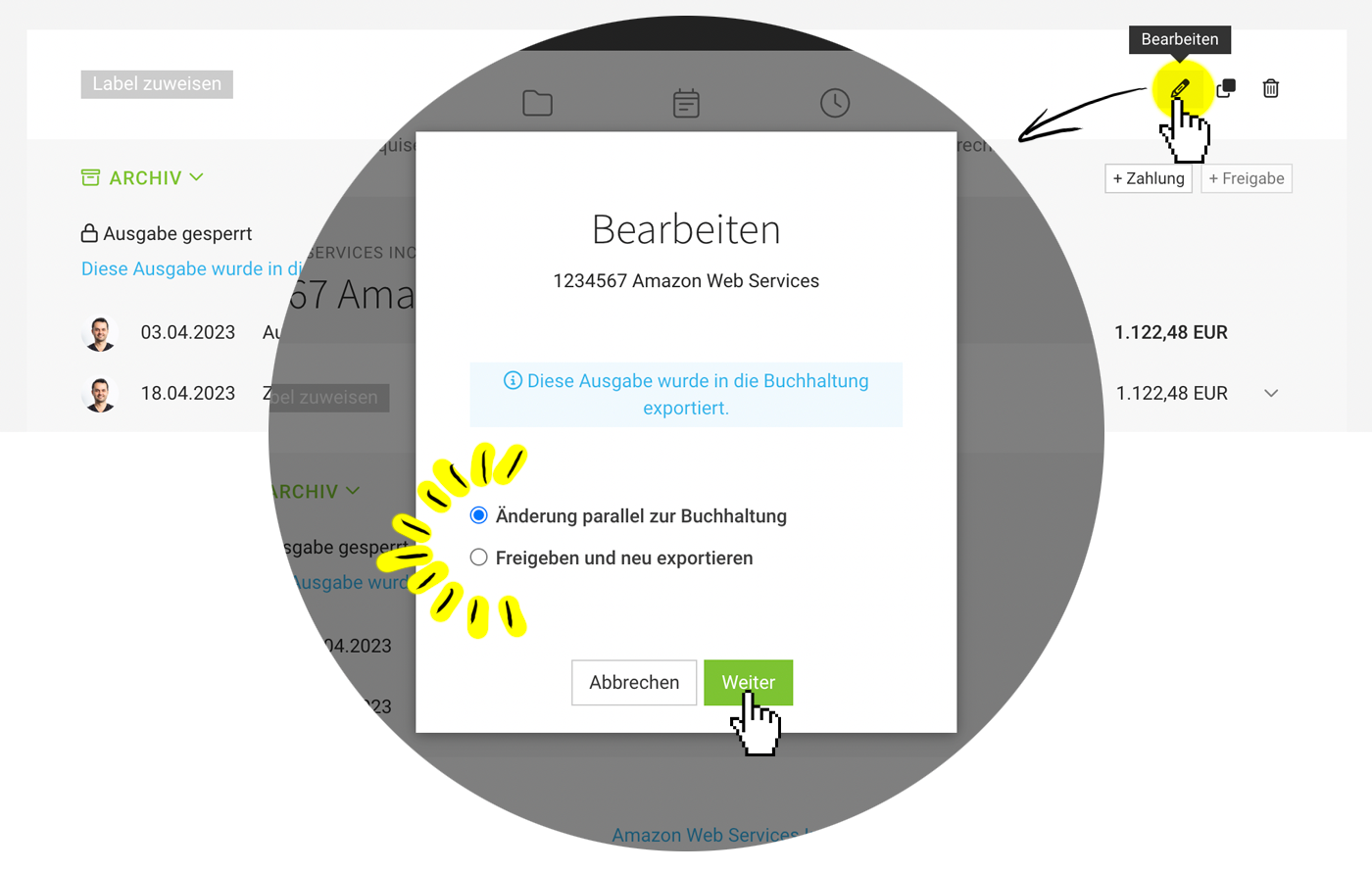 (English image not yet available)
Click "Edit" on the expenditure (see illustration) and choose whether to make an adjustment parallel to accounting or to release and re-export (or delete) the expenditure. Once changes are saved, they are recorded in the change log, and a note is created indicating who released and modified the expenditure.
If expenditures should be exported after editing but NOT transmitted: In the export dialog, uncheck the box for DUO transmission:
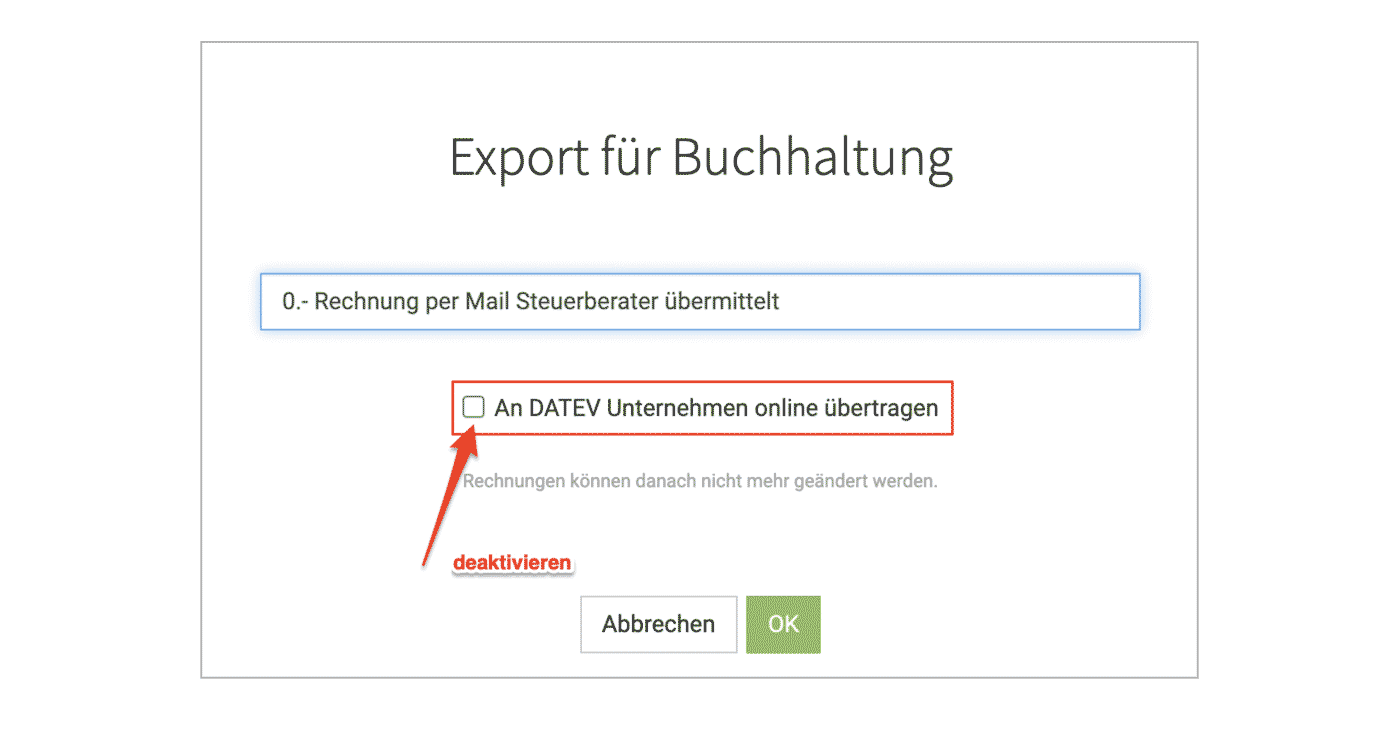 (English image not yet available)
» All information on accounting export of incoming invoices








