Alter News-Artikel!
» Hier geht's zur aktuellen Online-Hilfe
Article from
Time Tracking with Favourites.
Do you find yourself logging time on the same projects or services almost daily, often with the same task description? Then you'll love this new feature: You can now mark a specific entry as a favourite for easy reuse.
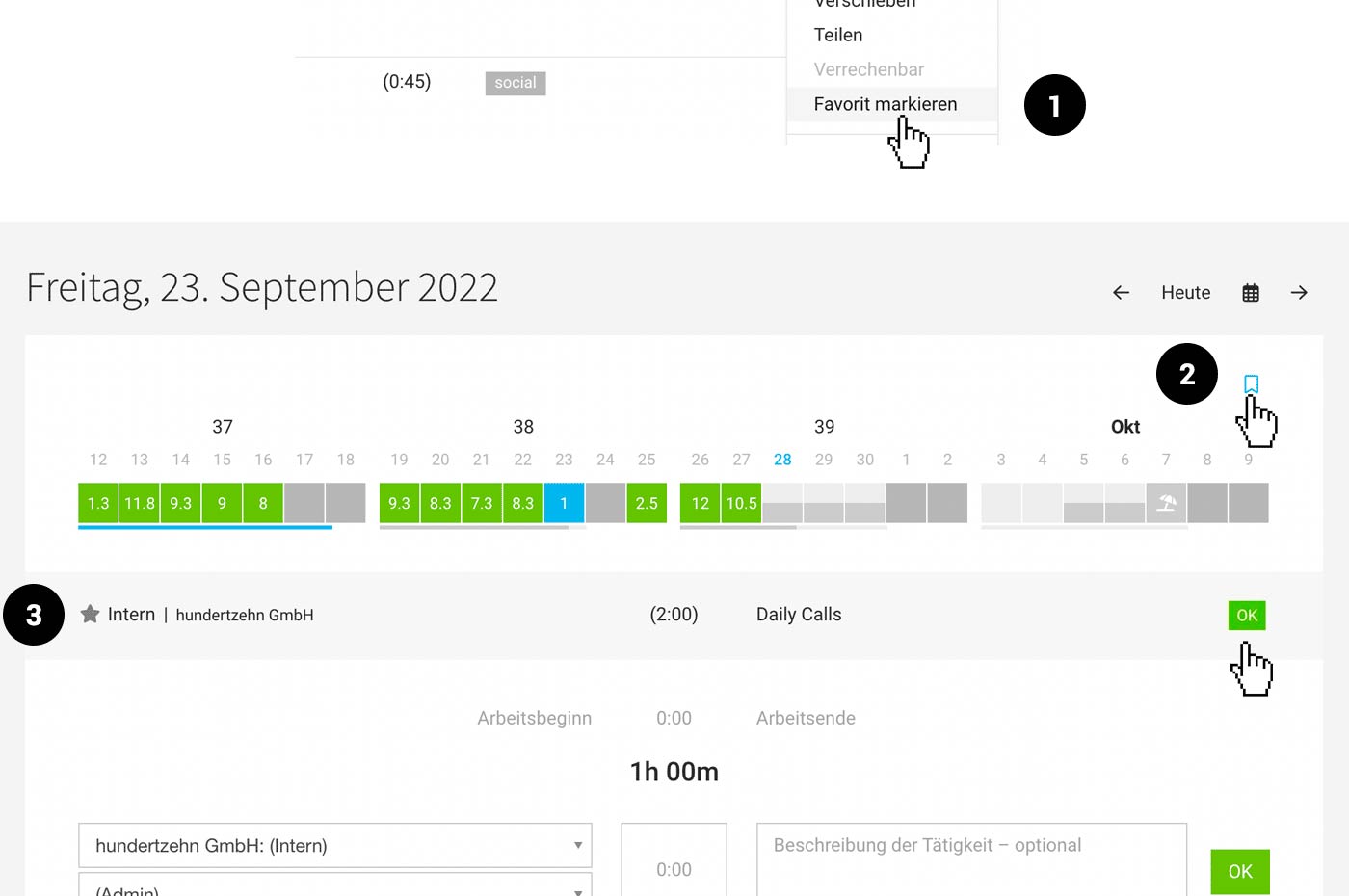 (English image not yet available)
1. Mark an entry as a favourite
2. Access suggestions (Click on the "bookmark icon" or use the keyboard shortcut "B")
3. Confirm the entry with "OK" on mouseover or start the stopwatch directly from the point.
If you no longer need the favourite, deselect it using the star icon (3).
If you like this, you'll probably also enjoy Time Tracking on Planned Entries and Time Tracking on Calendar Appointments.








