Alter News-Artikel!
» Hier geht's zur aktuellen Online-Hilfe
Article from
Time Tracking with Calendar Appointments
You can now display appointments from an external calendar in your time tracking – use them for guidance or create time entries from them.
 (English image not yet available)
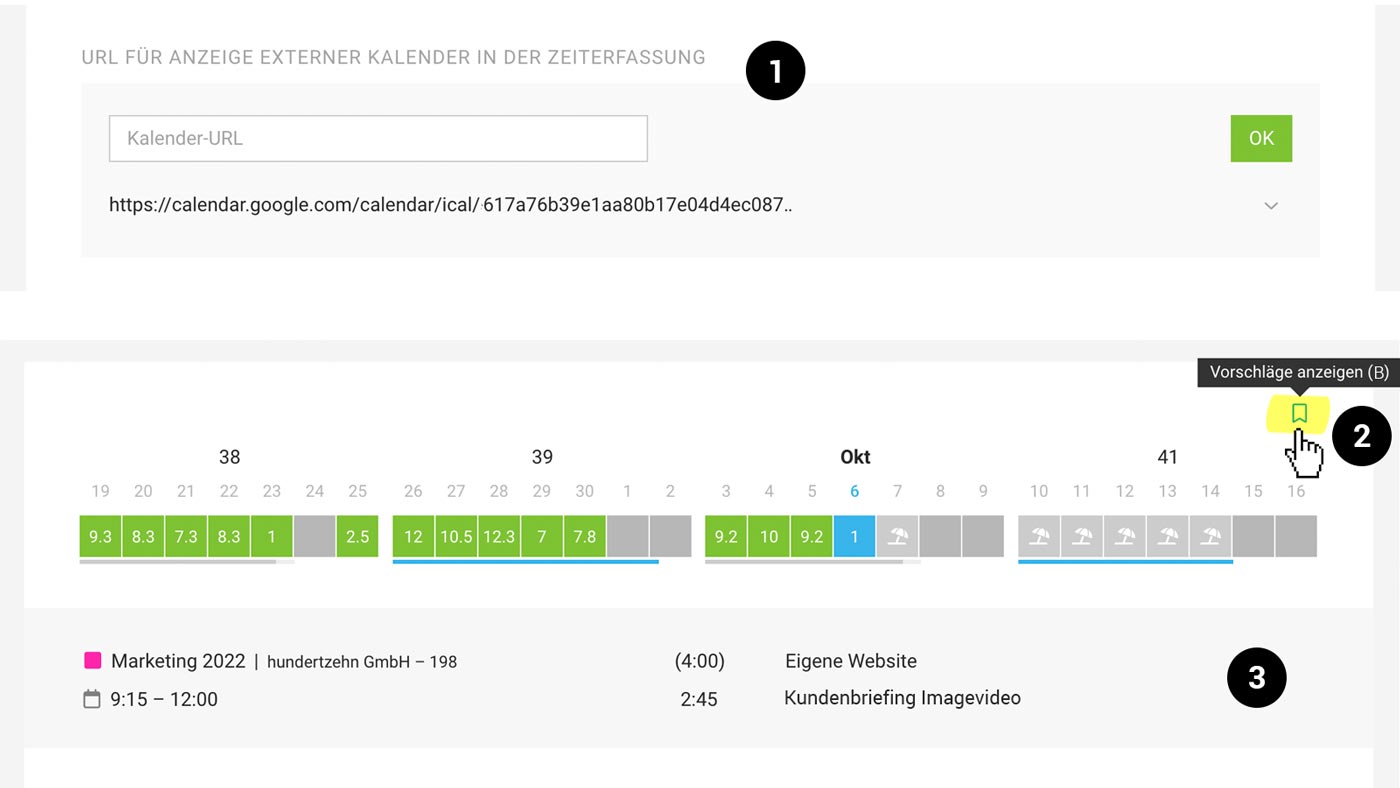
1. Enter the URL of an external calendar in iCal format (.ics) under "Integrations" in your profile.
2. Display appointments using the bookmark icon at the top right. For a quicker way, use the keyboard shortcut "B".
3. The appointments will then appear in the grey-shaded area of the time tracking, and you can directly create an entry from them by hovering over with the mouse.
Important: Use the private address (screenshot from Google Calendar):
 (English image not yet available)
» Assistance with Calendar Integration
The display of project planning and use of favourites can complement the overall view of the day.
(English image not yet available)1. Enter the URL of an external calendar in iCal format (.ics) under "Integrations" in your profile.
2. Display appointments using the bookmark icon at the top right. For a quicker way, use the keyboard shortcut "B".
3. The appointments will then appear in the grey-shaded area of the time tracking, and you can directly create an entry from them by hovering over with the mouse.
Important: Use the private address (screenshot from Google Calendar):
(English image not yet available)» Assistance with Calendar Integration
The display of project planning and use of favourites can complement the overall view of the day.








