Alter News-Artikel!
» Hier geht's zur aktuellen Online-Hilfe
Article from
Time Tracking from Planned Entries.
You can now view planned projects (1) in the time tracking section and benefit in the following ways:
- Use as a guide for rough daily planning
- Direct time tracking on the correct projects
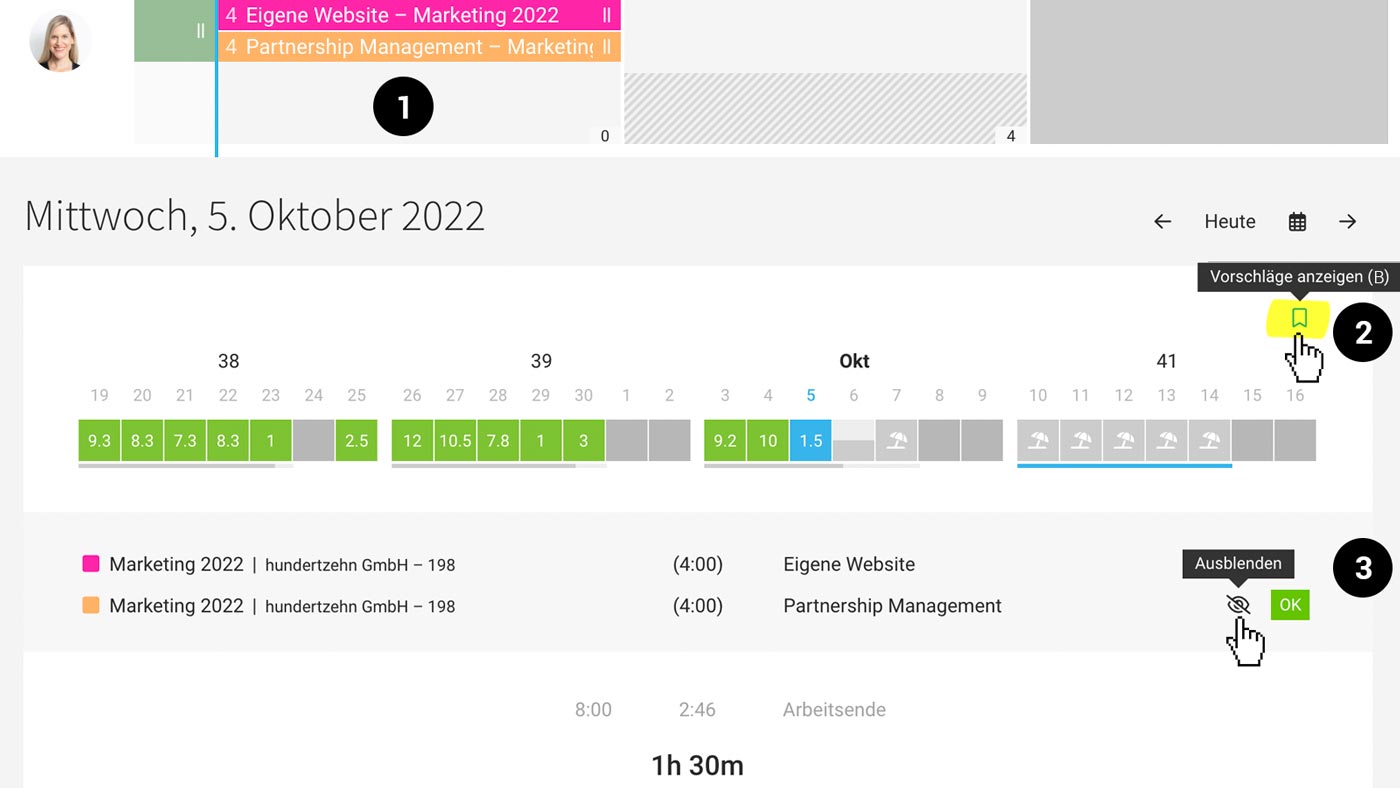 (English image not yet available)
To do this, click on Suggestions (2) at the top right or use the keyboard shortcut "B". You can create or dismiss the time entry specifically using "OK" (3). Any title texts and notes in the entry will be adopted as a suggestion for the activity description.
Looking for a simple option to plan your team for the coming days/weeks? While MOCO is distinct from a professional task management & collaboration tool, these options might suffice depending on your needs.








