Alter News-Artikel!
» Hier geht's zur aktuellen Online-Hilfe
Article from
Holiday Requests: Detailed Info, Edit, Communicate.
 (English image not yet available)
Request Detail Page
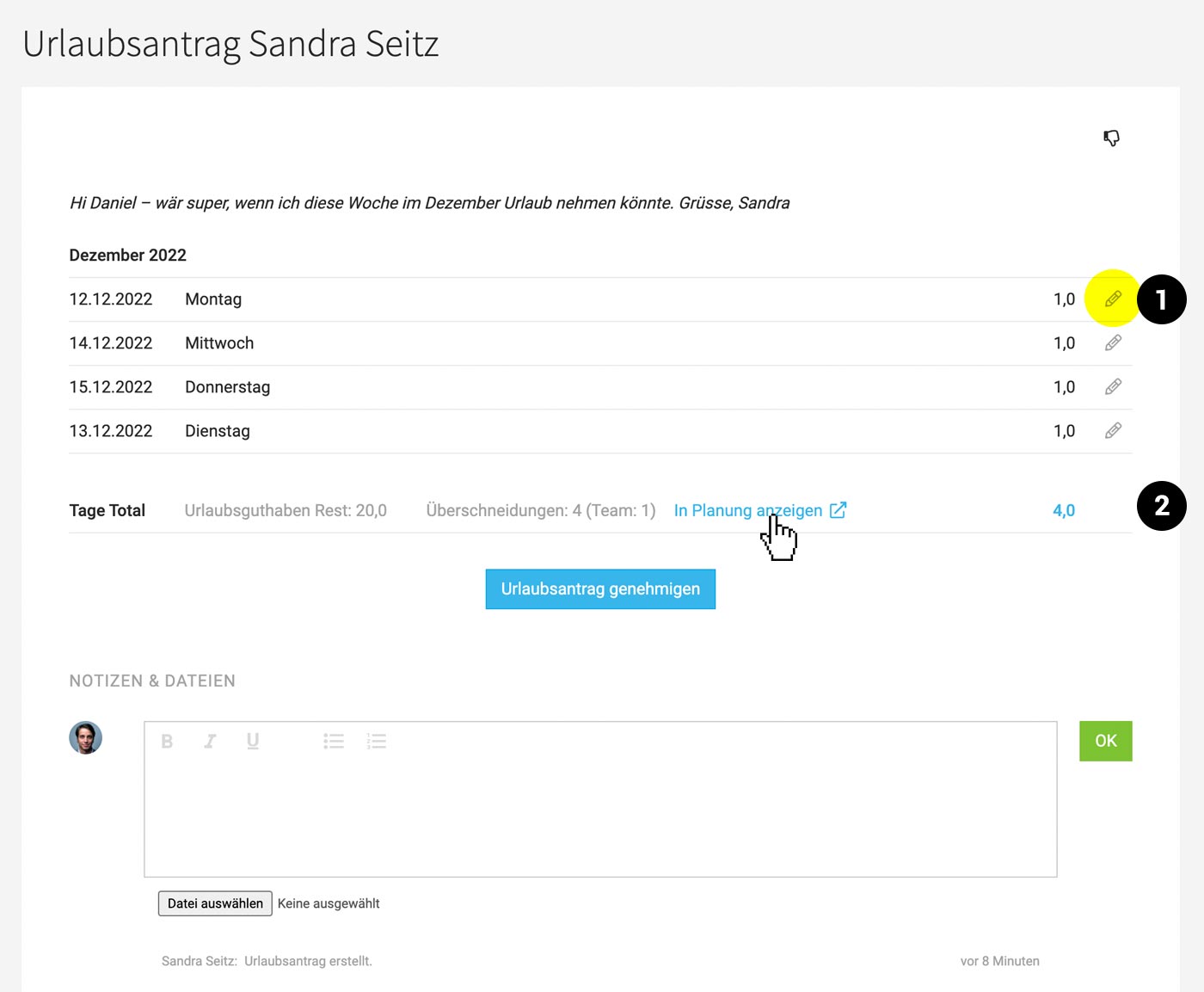
For the listed request, you can access detailed information via "Edit" (right in the dropdown).
- All days are listed individually (1)
- The remaining holiday balance is displayed for your information (2)
- The "Notes & Files" section records the history.
- A more complex holiday request can also be approved here after reviewing further information.
In the profile, the person who submitted the request has the same detailed view (Dropdown "Details").
Checking for Overlaps
The link to planning (2) allows you to jump directly to this period to see any overlaps with other people's absences.
Modifying Holiday Requests
Before acceptance or after approval, a person responsible for personnel can delete individual days (1) on the detailed view.
The link to planning (2) allows you to jump directly to this period to see any overlaps with other people's absences.
Modifying Holiday Requests
Before acceptance or after approval, a person responsible for personnel can delete individual days (1) on the detailed view.
- delete
- replace with another absence (e.g., illness)
Traceability of Changes
If individual days are deleted or replaced, MOCO records this under "Notes & Files". The person is also notified.
Communication via "Notes & Files"
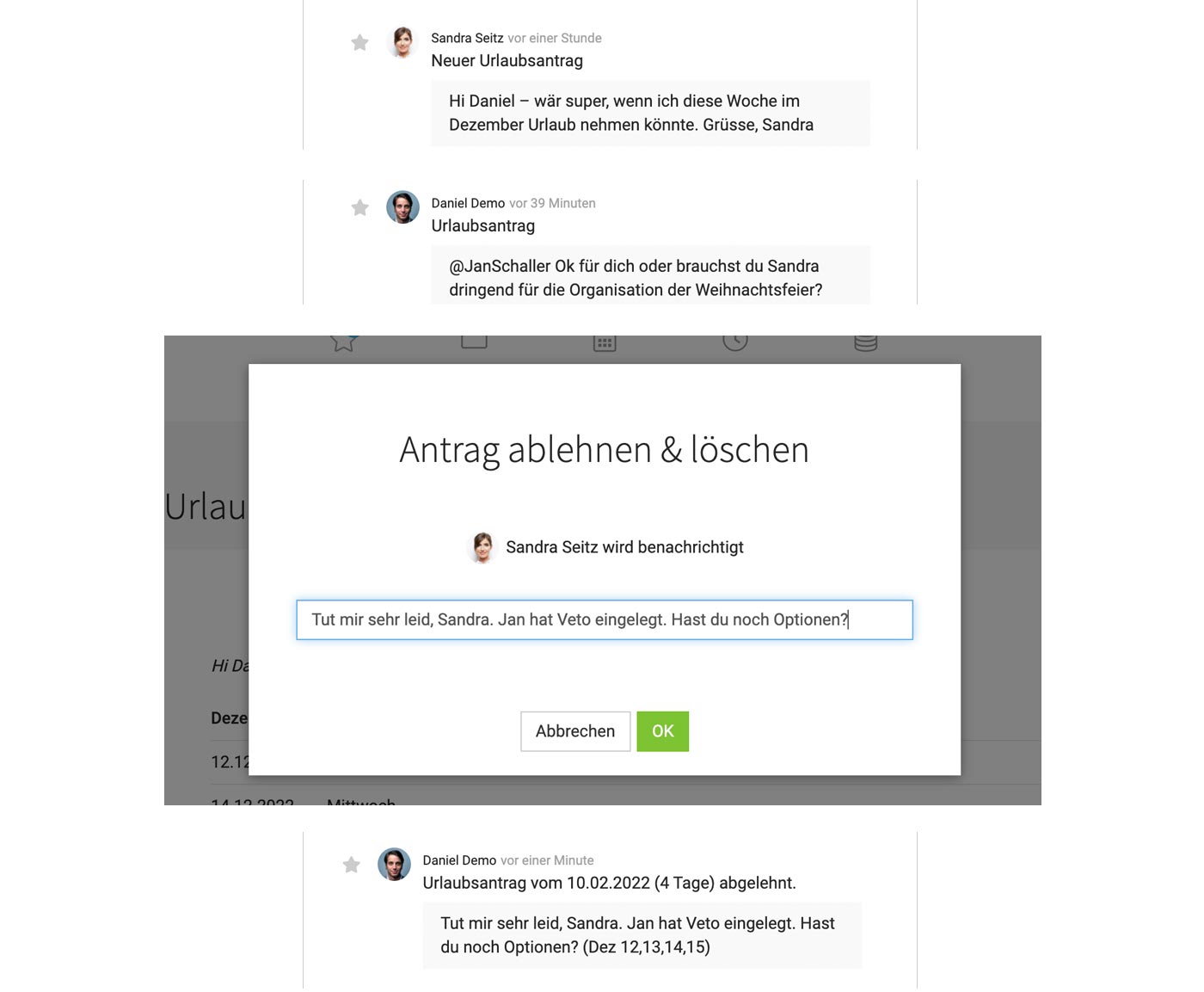
The new section allows communication with @name . For example, if a request needs to be changed.
 (English image not yet available)
Traceability of Rejections/Deletions
If individual days or an entire request are rejected or deleted, the person who submitted the request is notified. All affected days are displayed.
If individual days are deleted or replaced, MOCO records this under "Notes & Files". The person is also notified.
Communication via "Notes & Files"
The new section allows communication with @name . For example, if a request needs to be changed.
(English image not yet available)Traceability of Rejections/Deletions
If individual days or an entire request are rejected or deleted, the person who submitted the request is notified. All affected days are displayed.








