Alter News-Artikel!
» Hier geht's zur aktuellen Online-Hilfe
Article from
Bank Integration Now Available (DE & AT).
As an alternative to the previous automatic payment reconciliation via camt file, there is now the option of a direct bank integration.
 (English image not yet available)
Version 1 includes
- Limited to German and Austrian accounts
- Connection to 1 bank (one or more accounts within the contract can be selected)
- Incoming payments
Set up bank connection
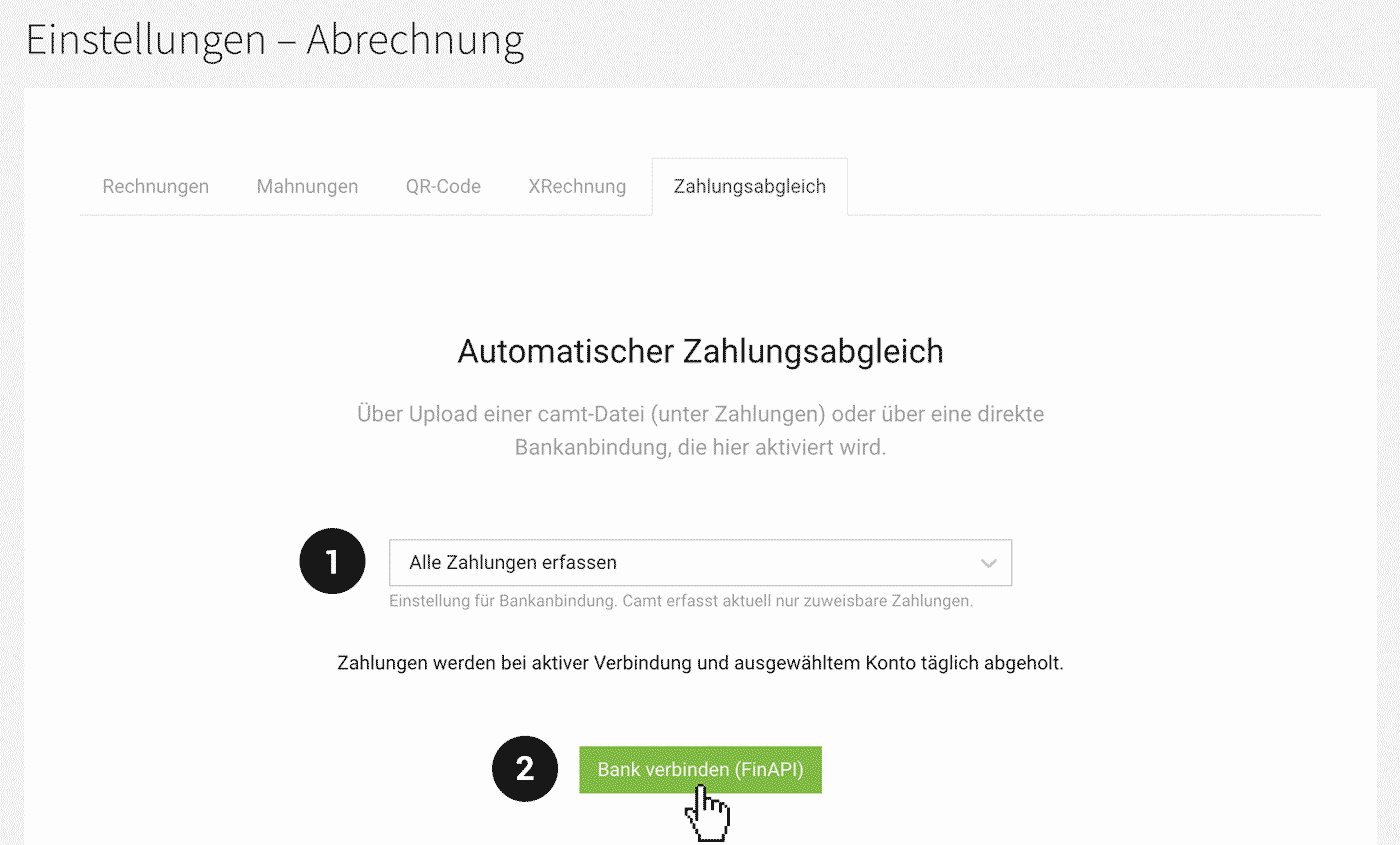
1. Go to settings under "Invoicing" > "Payment Reconciliation".
2. Choose whether to fetch all payments or only those that can be automatically assigned to an invoice (1).
3. Select "Connect Bank" (2) and remember to choose "Save PIN" during the connection to avoid frequent renewals. (However, the frequency of authentication ultimately depends on the bank)
4. After a successful connection via FinAPI, the bank and your accounts will be listed.
5. Don't forget to select accounts.
 (English image not yet available)
Automatic reconciliation four times daily
The automatic payment reconciliation occurs with an active bank connection and at least one selected account four times daily. You can view all payments under "Invoicing" > "Payments".
Payment purpose crucial for successful reconciliation
For a payment to be assigned to the corresponding invoice, the invoice number or purpose must match.
Payments that cannot be assigned to an invoice
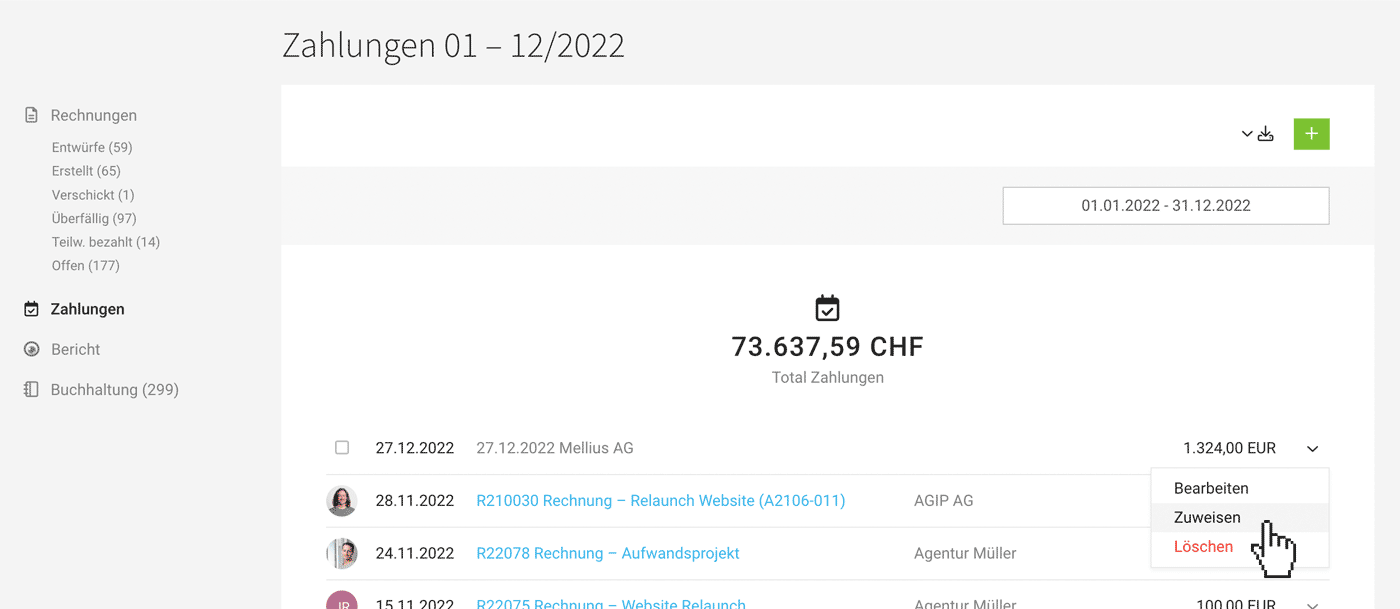
If you choose in the settings to fetch all payments, MOCO will also capture payments that cannot be assigned to an invoice. These are listed under "Invoicing" > "Payments" and can be assigned to invoices later if needed:
 (English image not yet available)
1. Go to settings under "Invoicing" > "Payment Reconciliation".
2. Choose whether to fetch all payments or only those that can be automatically assigned to an invoice (1).
3. Select "Connect Bank" (2) and remember to choose "Save PIN" during the connection to avoid frequent renewals. (However, the frequency of authentication ultimately depends on the bank)
4. After a successful connection via FinAPI, the bank and your accounts will be listed.
5. Don't forget to select accounts.
(English image not yet available)Automatic reconciliation four times daily
The automatic payment reconciliation occurs with an active bank connection and at least one selected account four times daily. You can view all payments under "Invoicing" > "Payments".
Payment purpose crucial for successful reconciliation
For a payment to be assigned to the corresponding invoice, the invoice number or purpose must match.
Payments that cannot be assigned to an invoice
If you choose in the settings to fetch all payments, MOCO will also capture payments that cannot be assigned to an invoice. These are listed under "Invoicing" > "Payments" and can be assigned to invoices later if needed:
(English image not yet available)







