Alter News-Artikel!
» Hier geht's zur aktuellen Online-Hilfe
Article from
All Notifications Now in MOCO.
The new notification feature elegantly consolidates the previous "pile of emails": Information on project progress, overdue invoices, holiday requests, personal expenses... and personal messages from colleagues are directly accessible in MOCO. Additionally, a summary can be ordered via email.
The Notifications Area
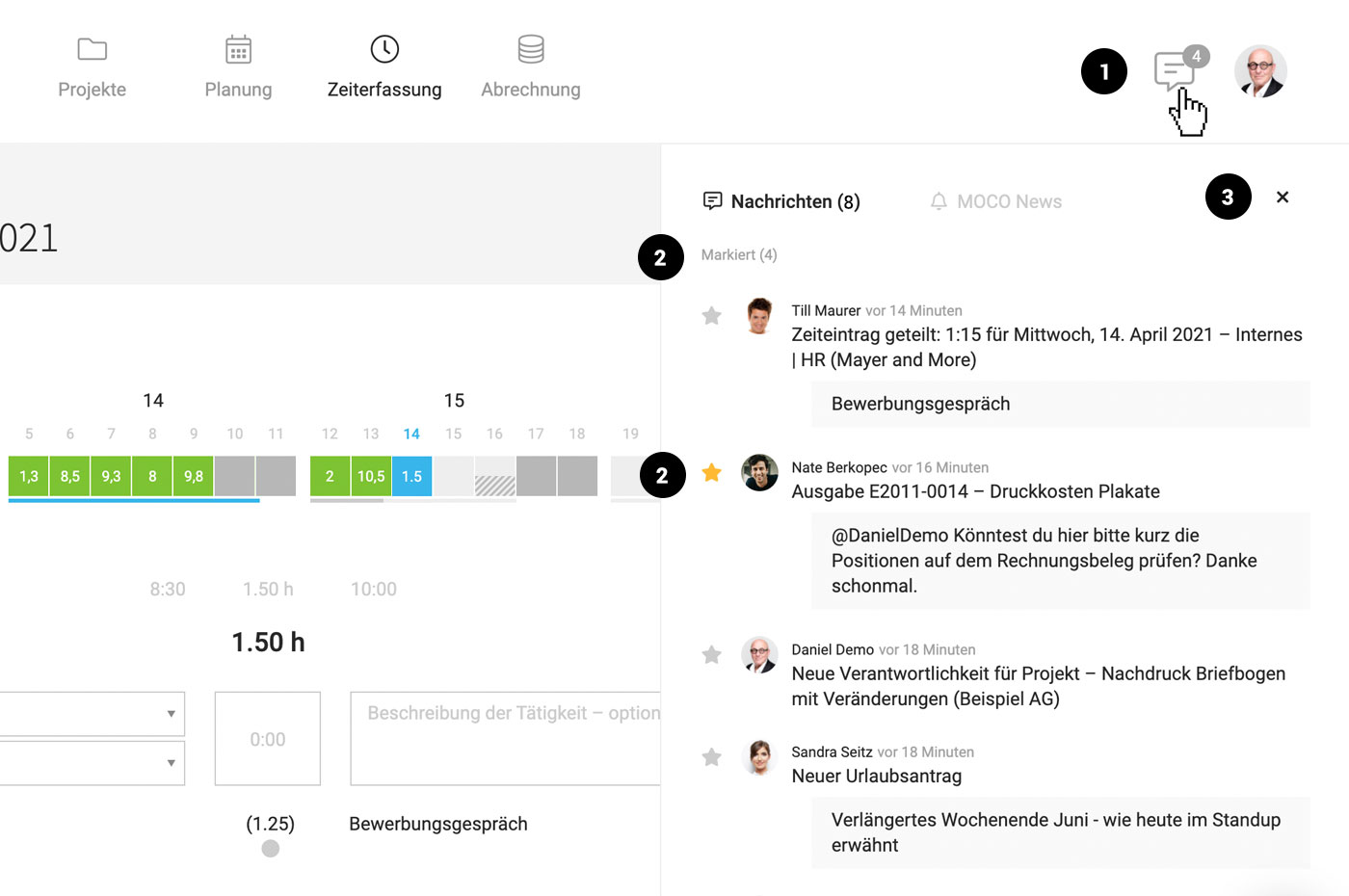
MOCO alerts you to new notifications and displays them upon click (or Shift + W) (1).
 (English image not yet available)
These notifications can be direct messages via @name or notifications from MOCO. Clicking on the notification takes you directly to the topic.
An overview of MOCO notifications:
(English image not yet available)These notifications can be direct messages via @name or notifications from MOCO. Clicking on the notification takes you directly to the topic.
An overview of MOCO notifications:
- Notice of due leads.
- Notice when responsibility for a lead is transferred to you.
- Info on project budget progress.
- Notice when project management is assigned to you.
- Notice when you are added to a project for time tracking.
- Info when a new personal expenses report is submitted.
- Confirmation upon approval of the personal expenses report.
- Info upon rejection of the personal expenses report.
- Info when a new holiday request is submitted.
- Confirmation upon approval of the holiday request.
- Notice of overdue invoices.
- Info when another person creates a time entry for you (via sharing).
- Info when the stopwatch is not stopped.
- NEW Overdue expenditure.
- NEW Notification for your own field of type "Date".
Mark Messages for Later Action
Messages are marked as read once opened. They can be starred and later filtered for review (2).
Shortcut / Keyboard Shortcut
Alternatively, use Shift + W to toggle the messages on and off (3).
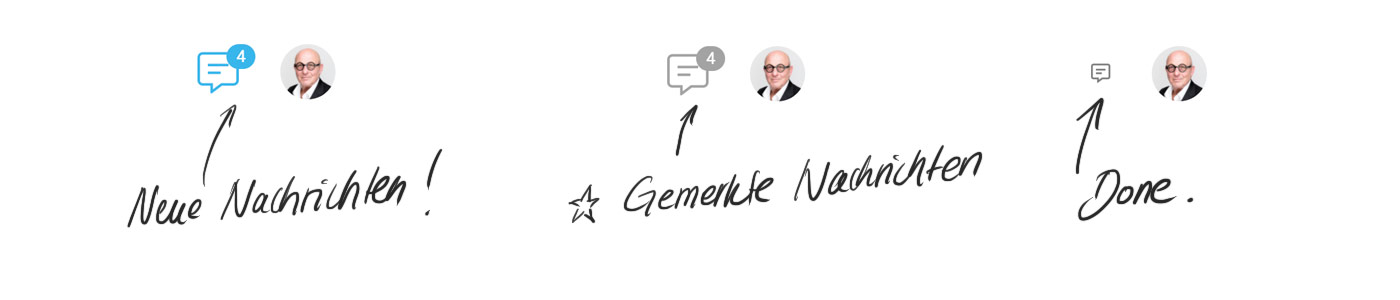
Notification Alert
 (English image not yet available)
Optional: Email
In the profile, each user can choose whether to receive an email summary or individual emails in addition to in-app notifications.
 (English image not yet available)
(English image not yet available)







