Alter News-Artikel!
» Hier geht's zur aktuellen Online-Hilfe
Article from
Customise Standard Terms, Reallocate Additional Services, Enhanced Search, and More.
Options for Proposals, Invoices, Emails
Customisable Salutations and Terms
The salutation fallbacks and MOCO standard terms like "Total" can now be individually customised. To do this, go to Settings "Layout" > "Labels".
With the new option to override labels, the client-definable "Markup" on the total net amount of a proposal or invoice can now be changed to something like Incidental Expenses Flat Rate.
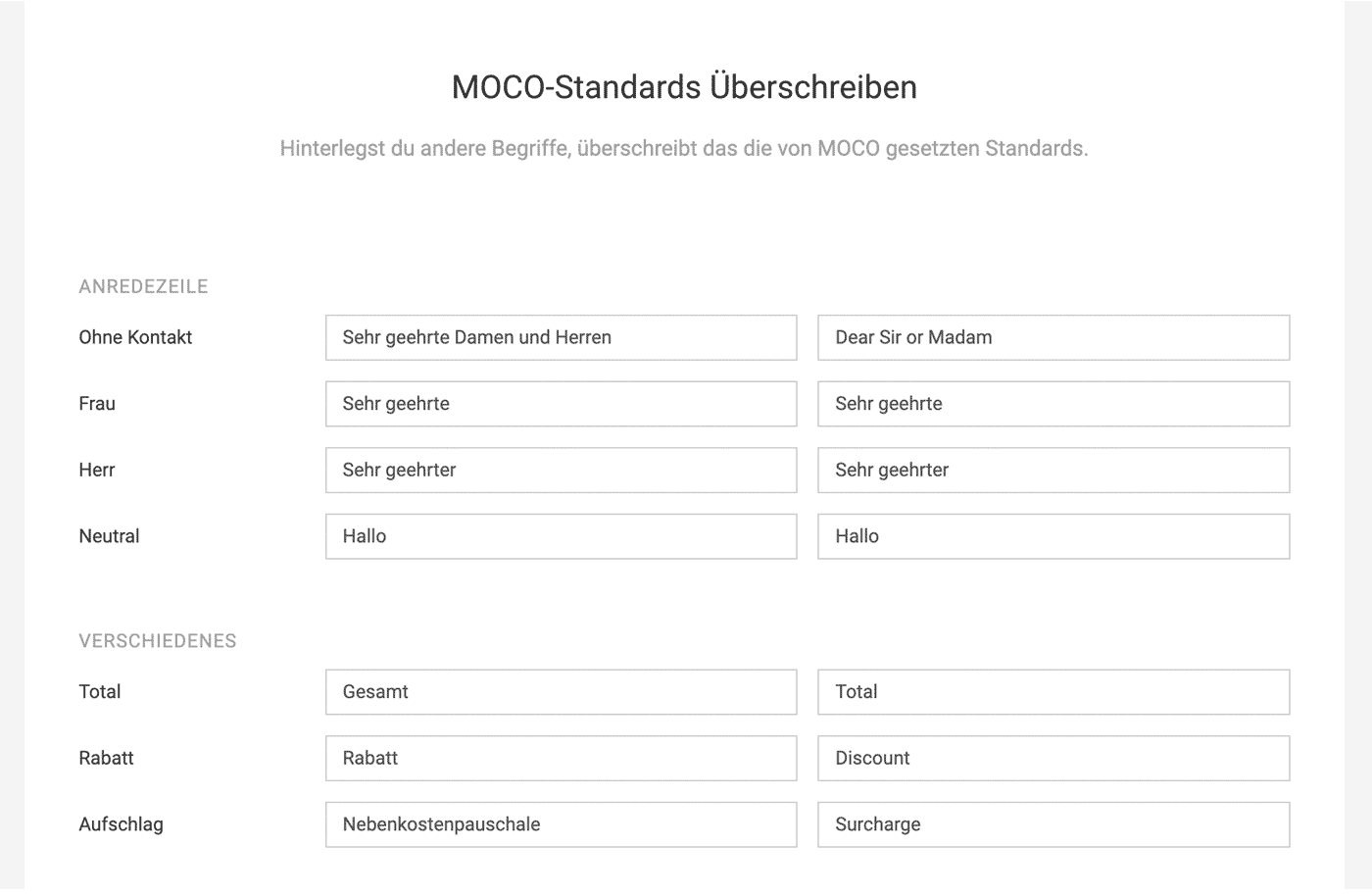 (English image not yet available)
Address Supplement for XInvoices
For XInvoices, there is a new optional field "Address Supplement" in the client details, providing more flexibility.
Manually Assign Payments
Recorded payments without a receipt (Invoicing > Payments > + > Payment without receipt) can be assigned to an invoice.
The salutation fallbacks and MOCO standard terms like "Total" can now be individually customised. To do this, go to Settings "Layout" > "Labels".
With the new option to override labels, the client-definable "Markup" on the total net amount of a proposal or invoice can now be changed to something like Incidental Expenses Flat Rate.
(English image not yet available)Address Supplement for XInvoices
For XInvoices, there is a new optional field "Address Supplement" in the client details, providing more flexibility.
Manually Assign Payments
Recorded payments without a receipt (Invoicing > Payments > + > Payment without receipt) can be assigned to an invoice.
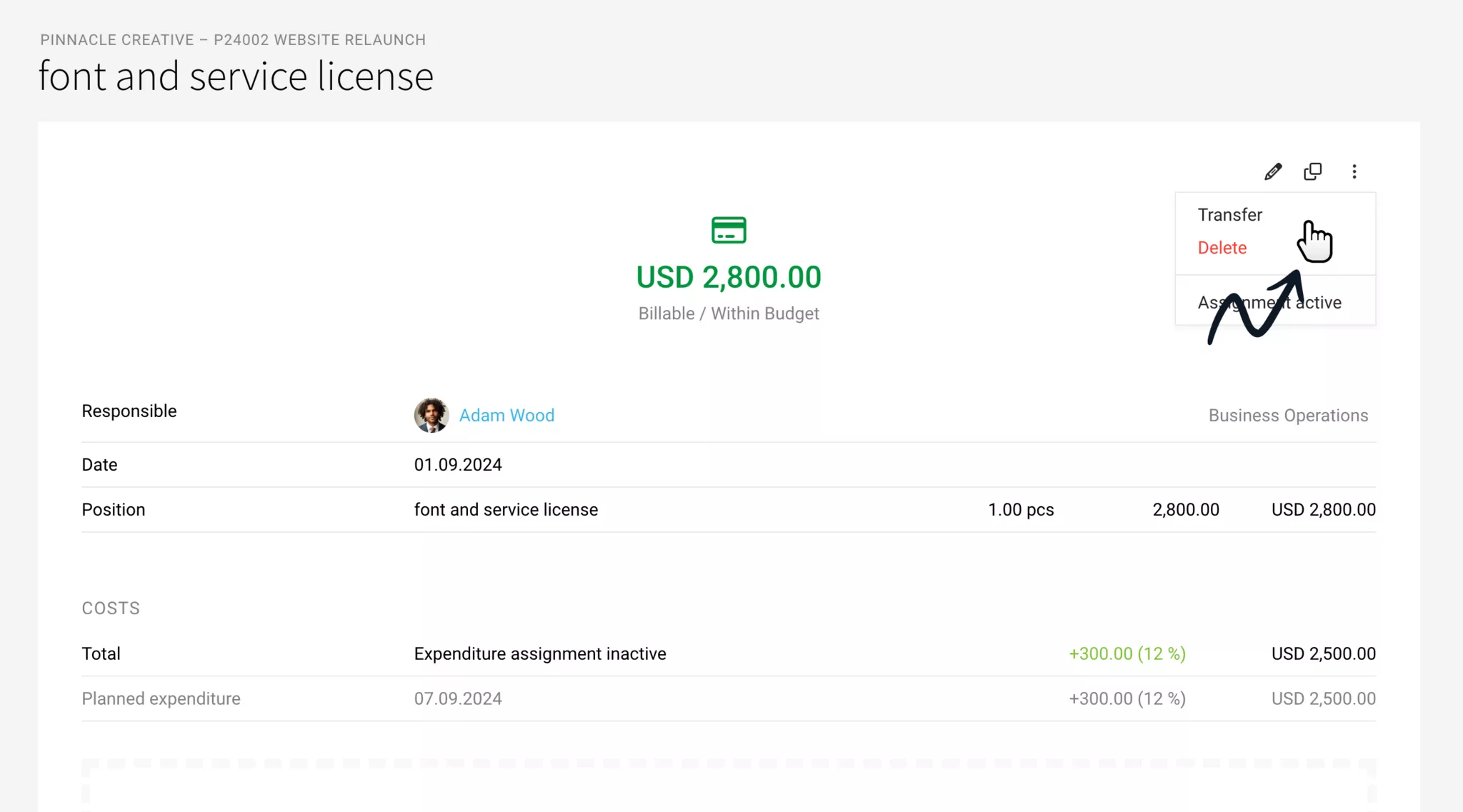
Reallocate Additional Services
Additional services can be reallocated to another project similar to hours, as long as they have not been invoiced. To do this, go to "Additional Services" in the project list on the right via the dropdown or select the action in the detail view at the top right:
Enhanced Search
Quickly Find a User Among Many
The global search (magnifying glass at the top right or "/" on the keyboard) can now be restricted to "Personnel". This is helpful with many users, similar names, and responsibilities.
Search by Project Groups
The search results have been expanded to include project groups. You can search by title, responsibility, and contents of custom fields.
Search by Phone Numbers
Contacts and companies can be found by entering the phone number. An addition to the new filter under "Contacts", which you can filter and search through (accessible with "F" or via the filter icon at the top right).
The global search (magnifying glass at the top right or "/" on the keyboard) can now be restricted to "Personnel". This is helpful with many users, similar names, and responsibilities.
Search by Project Groups
The search results have been expanded to include project groups. You can search by title, responsibility, and contents of custom fields.
Search by Phone Numbers
Contacts and companies can be found by entering the phone number. An addition to the new filter under "Contacts", which you can filter and search through (accessible with "F" or via the filter icon at the top right).
Miscellaneous
Focus on a Project in Planning Now Also with Alt+Click
Previously, clicking on the project in the project bar reduced the planning to this project – now it also works with click + holding the Alt key.
Quick Date Selection in Lead
For date selection for resubmission, MOCO now also offers quick selection options like "In a week" etc., similar to the list.
Incoming Invoices OCR Feedback Option
If an entry other than the position description is not well read, we welcome feedback via the blue feedback link.
Previously, clicking on the project in the project bar reduced the planning to this project – now it also works with click + holding the Alt key.
Quick Date Selection in Lead
For date selection for resubmission, MOCO now also offers quick selection options like "In a week" etc., similar to the list.
Incoming Invoices OCR Feedback Option
If an entry other than the position description is not well read, we welcome feedback via the blue feedback link.
API & Webhooks
- Additional services can be filtered in more detail
- Webhooks: Changes to tasks are now also available via webhooks.








