Article from
Leads: Manage Time Tracking More Flexibly.
Anyone enabled for time tracking in the sales project can now log time on all leads – or you can keep the previous restriction.
Enable Time Tracking on Leads
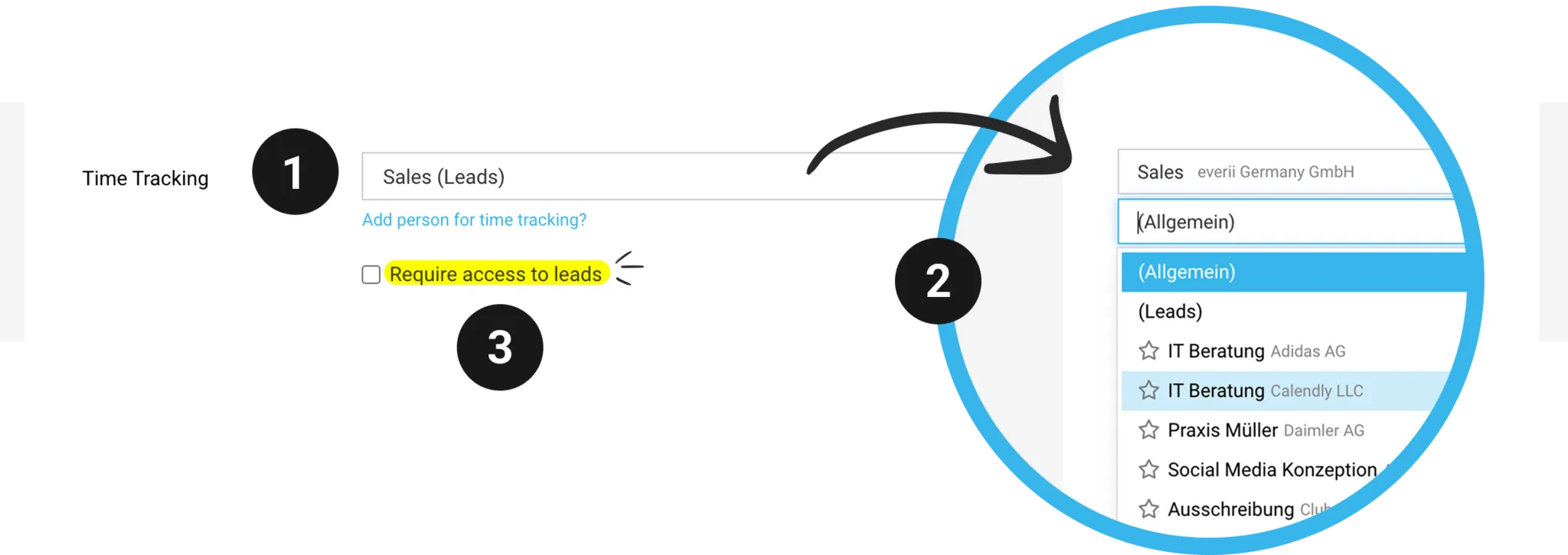
As before, under Settings > Leads & Quotes, you store a sales project for time tracking on leads (1). Once that’s done, everyone who is enabled for time tracking in the sales project can log time on all leads (2).
Require Access to Leads
If you’d rather link time tracking to lead access, you’ll find the new checkbox "Require Access to Leads" (3) in the settings. If you enable it, only people with full access to leads, or those set as the responsible person on the lead, can log time on a lead.
Nothing changes for existing customers: the checkbox is already enabled for you, so you automatically keep the previous restriction. If you want to open up time tracking for the whole team, you can disable the checkbox yourself at any time.