Article from
All To-Dos at a Glance.
With the new central view, you can see all to-dos at a glance and filter by area and responsibility, among other things.
In MOCO, to-dos are created directly on projects, leads, companies, etc. Your own list shows personal to-dos and anything assigned to you. But as, for example, a project manager or someone in sales, you will want to see more than that. For example:
- Which to-dos are still open in your projects?
- Who is assigned what?
- Are there any overdue or unassigned tasks?
The new central list gives you exactly this overview – across all to-dos in all areas.
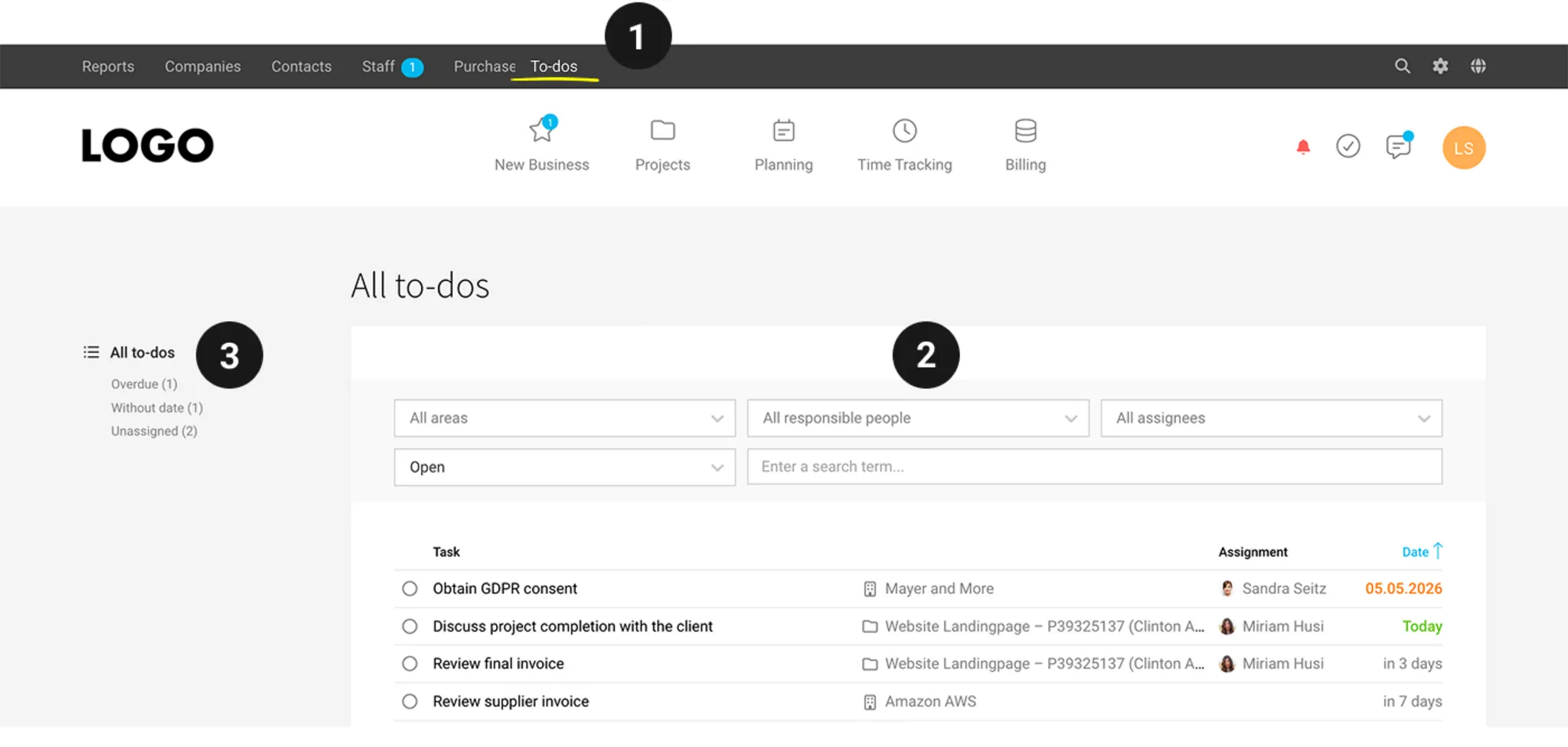
The new view is available via the "To-dos" menu item (1). By default, it shows all to-dos you have access to. Use the various filters to narrow down the view further.
The new view is available via the "To-dos" menu item (1). By default, it shows all to-dos you have access to. Use the various filters to narrow down the view further.
What I’m Responsible For
Using the "Responsible" filter (2) – or the Q shortcut – you can limit the list to items where you are set as the responsible person. This lets you see all open to-dos in your projects, leads, companies, etc. – regardless of who they are assigned to.
Filter: Area & Assignment
Ideal for team leads or your regular check-in: review all to-dos for a specific area, or filter by a specific person to see what is currently assigned to them.
Smart Filters
Three Smart Filters (3) help you keep track:
- Overdue: All to-dos whose due date has passed.
- No Date: To-dos that do not yet have a date assigned.
- Unassigned: To-dos that are not yet assigned to anyone.
Combine the Smart Filters with the other filters – for example, all overdue to-dos in your projects, or all unassigned to-dos in open leads.








