Article from
Quick Wins: Annual Leave Balance with One Click & Planning Enhancements.
With targeted optimisations for leave balance and planning, the end of 2024 is sure to feel even better for you! :)
 (English image not yet available)
Set Annual Leave Balance for 2025 with One Click
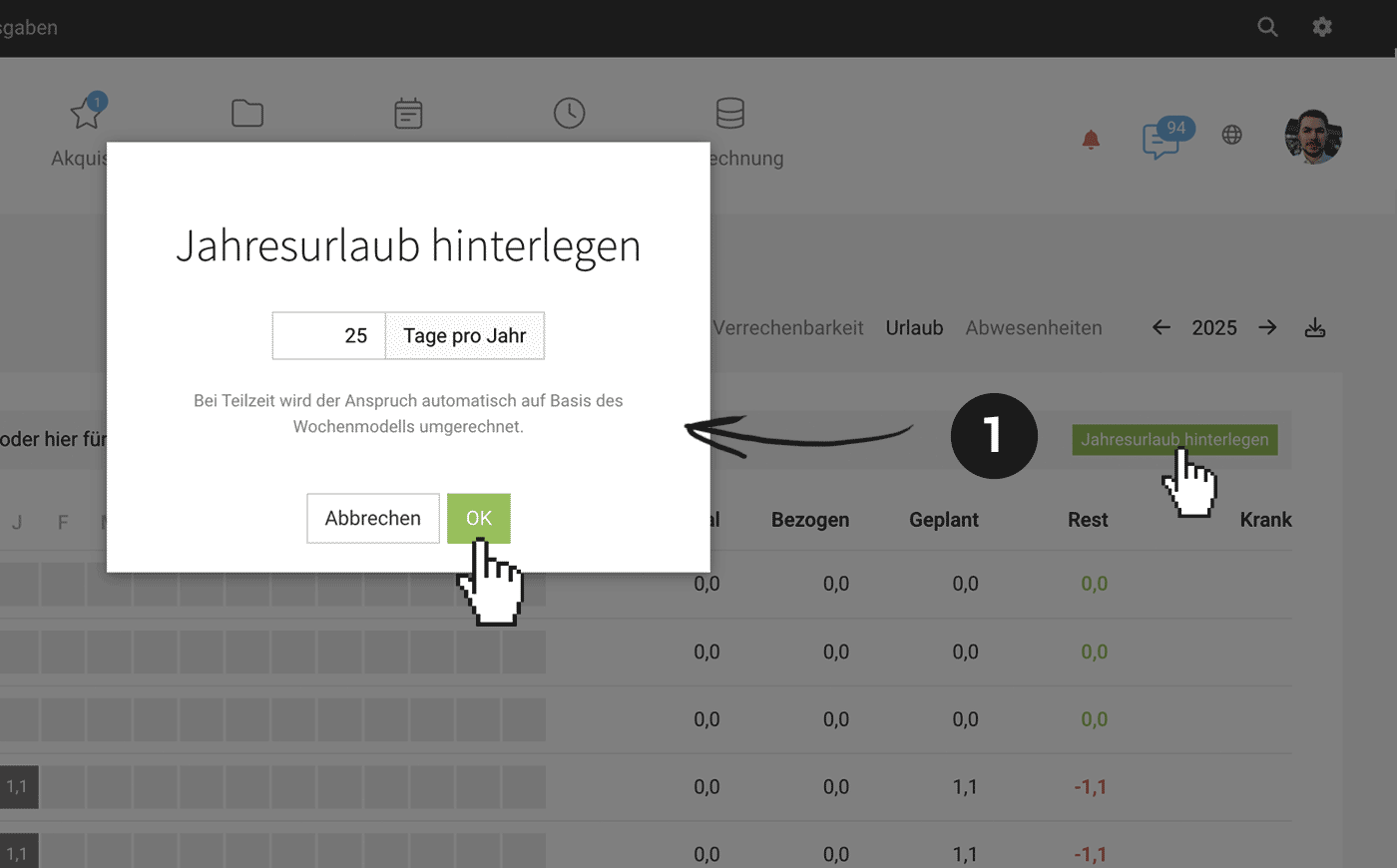
Under Reports > Personnel > Leave, you can now set the annual leave balance for 2025 for all employees at once. Switch to the new year 2025 in the top right corner and click on the green "Set Annual Leave" button (1).
Leave Balance for Part-Time Employees
MOCO automatically calculates the leave entitlement for part-time employees based on the weekly model and sets the corresponding leave balance.
Planning Enhancements
Select to Skip Absences Retrospectively
When planning a project over a longer period, absences can be excluded – now this can also be selected retrospectively for entries.
Recurring Entries Skip Absences
When you create a series, absences are automatically skipped.
Amounts for Planned Hours
In the project report and other areas where MOCO displays planned time, you can now also view the amount via the tooltip next to the hours.
Further Links
- Checklist Year-End 2024 > 2025








