Alter News-Artikel!
» Hier geht's zur aktuellen Online-Hilfe
Article from
Planning: Skip Absences and Override Planned Hours with Leave
GameChanger for Rough Planning: When planning over several weeks or months, you can skip all absences with a single click. Additionally, upon approval of a leave request, any planned hours can be removed from MOCO.
Skip Absences
If you're planning a project beyond a week, you can skip all full-day absences. Instead of a continuous block, a series will be recorded. Select the "Skip Absences" icon when entering the record.
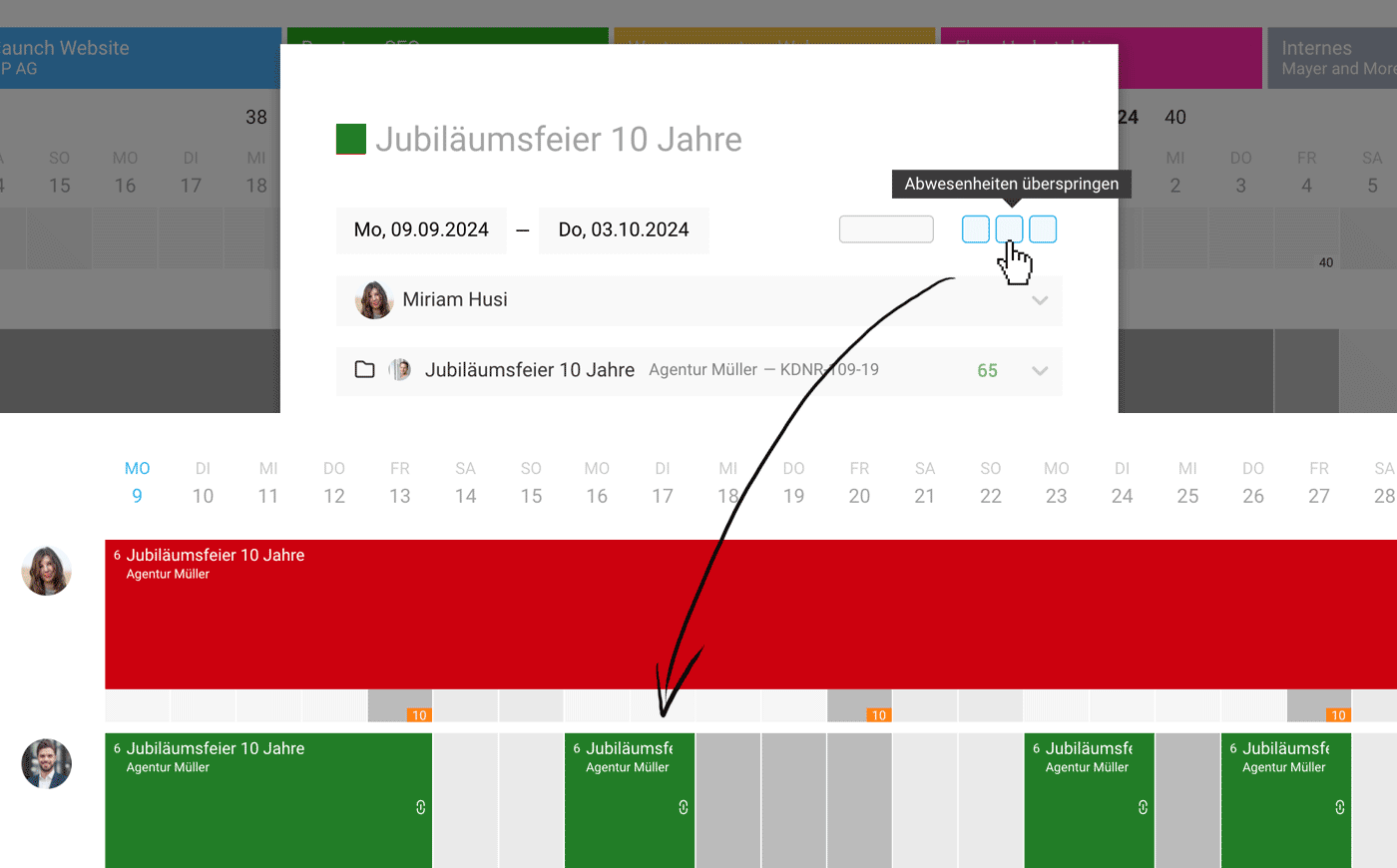 (English image not yet available)
(English image not yet available)Leave Can Remove Planned Hours
MOCO now shows in the leave request how many hours are planned with projects on the submitted leave days. You can directly switch to the planning via the link, review it, and decide whether to delete the affected hours upon approving the leave request. Select "Delete Planned Hours" to do so.
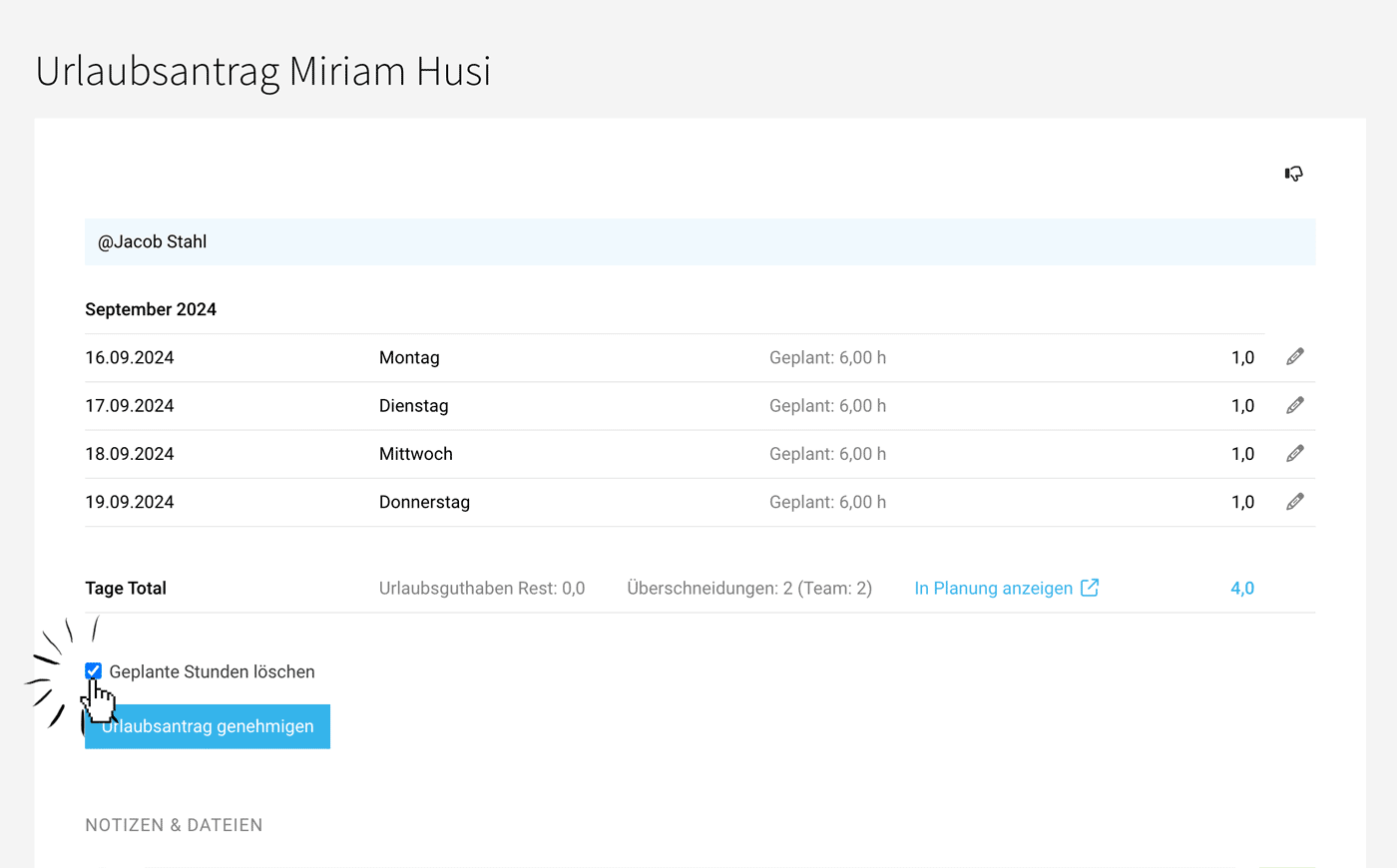 (English image not yet available)
(English image not yet available)







