Article from
Connect Another Bank to MOCO.
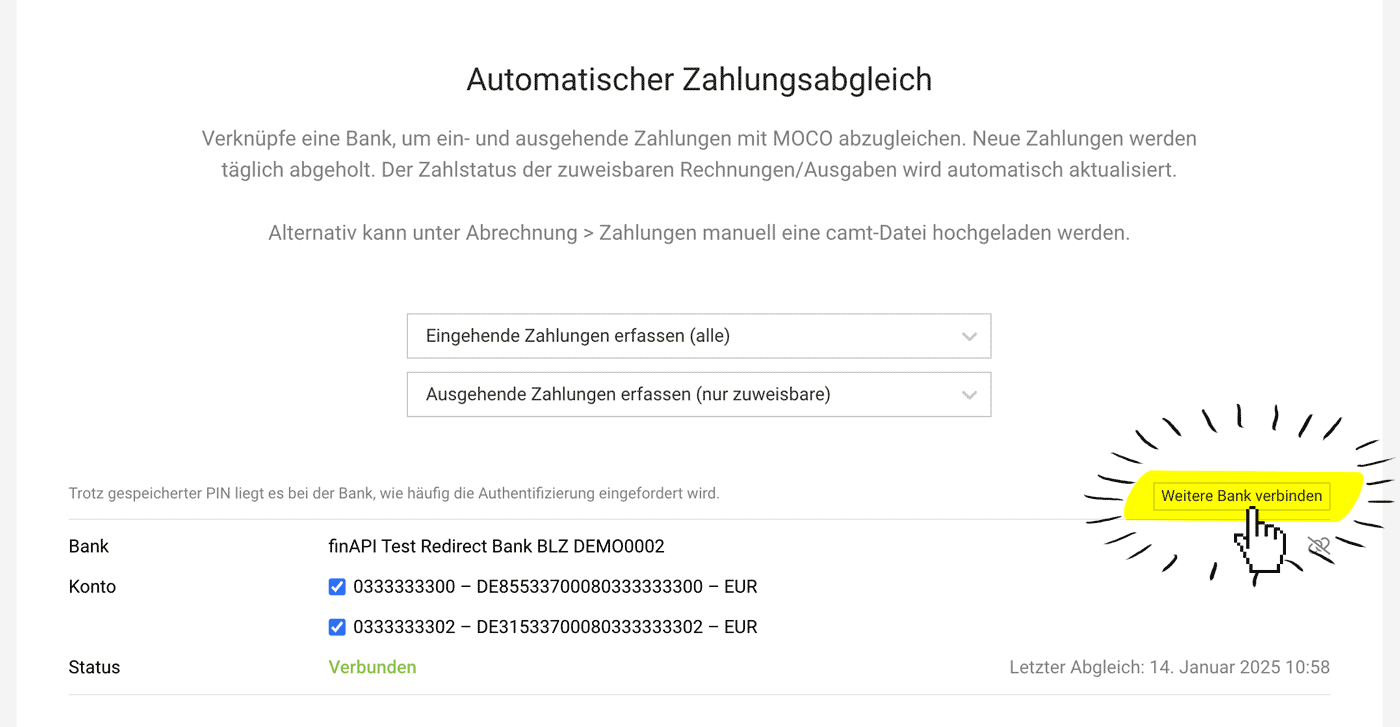
With the bank connection and automatic payment matching, you can retrieve and match incoming and outgoing payments from your bank account. If needed, you can now connect a second bank.
 (English image not yet available)
Connect Another Bank
From now on, you can connect a second bank via finAPI under Settings > Account > Payment Matching.
You can then see which bank account the payment came from via a tooltip and in the comment on the Invoice or Purchase.
You can then see which bank account the payment came from via a tooltip and in the comment on the Invoice or Purchase.
Exception: Switzerland
Unfortunately, finAPI does not cover Swiss banks, which is why payment matching for Swiss accounts will continue to work via camt for the time being.
Connect Multiple Banks
If you subscribe to Unlimited , you can connect as many banks as you like.
Unfortunately, finAPI does not cover Swiss banks, which is why payment matching for Swiss accounts will continue to work via camt for the time being.
Connect Multiple Banks
If you subscribe to Unlimited , you can connect as many banks as you like.
Links
- Connect a Bank in Settings
- Bank Matching: Incoming Payments
- Bank Matching: Outgoing Payments
- finAPI Country Coverage








