Alter News-Artikel!
» Hier geht's zur aktuellen Online-Hilfe
Article from
Submit Holiday Requests – via iPhone.
You've had the holiday account in your pocket for a while. With the latest update, you can now submit holiday requests on the go.
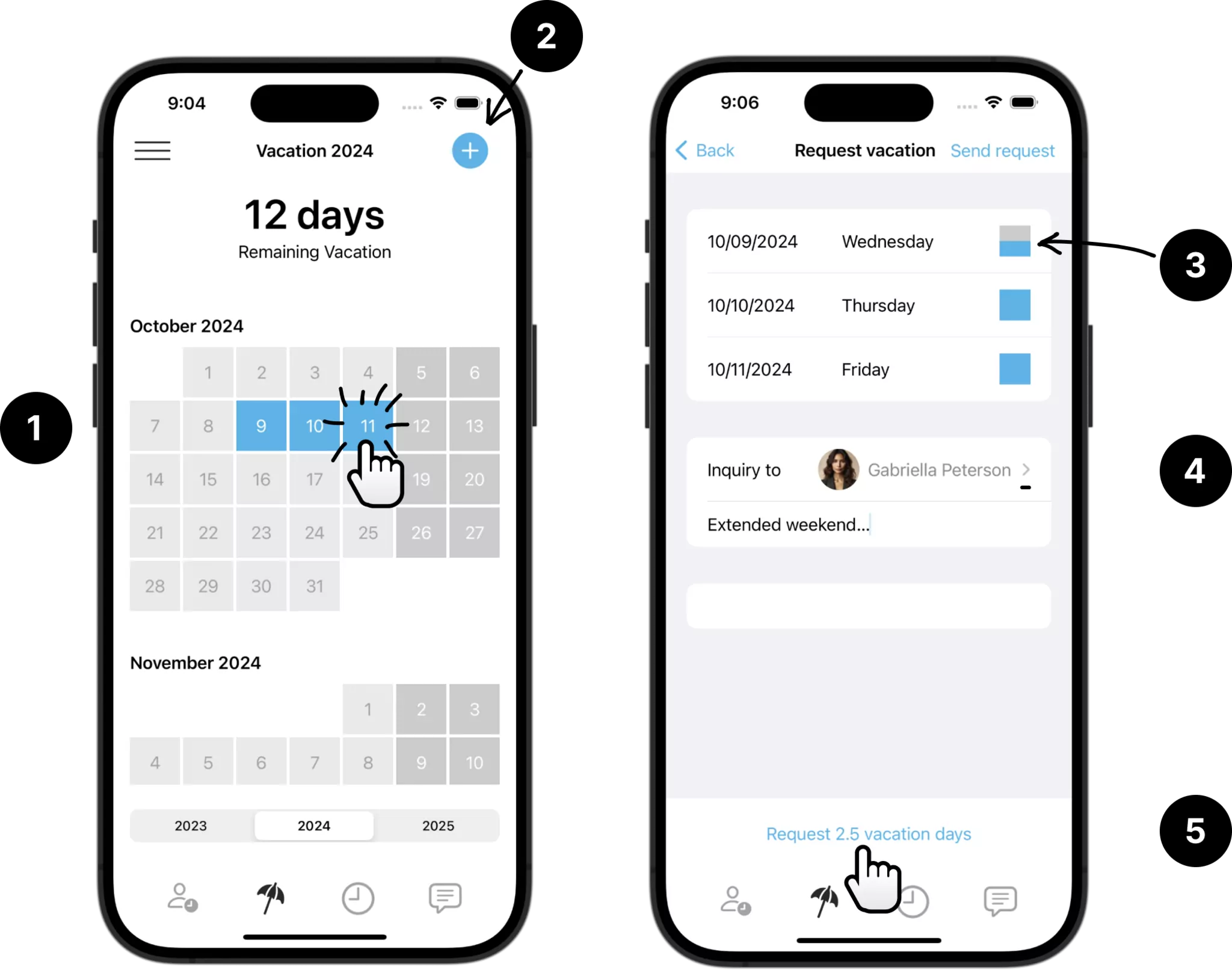
Requesting leave works almost exactly like in the WebApp (via the browser):
Simply click on the desired days in the holiday calendar (1), start a new request (2), adjust details such as half days (3), and fill in additional information (4) – then the request can be submitted (5).
With the list of all holiday requests, you can always see if a request has already been approved. Approved holiday days are also displayed in green in the annual overview as usual.
By the way: the new custom fields in holiday requests are also displayed in the iOS App!








