Alter News-Artikel!
» Hier geht's zur aktuellen Online-Hilfe
Article from
Global Search with New Features.
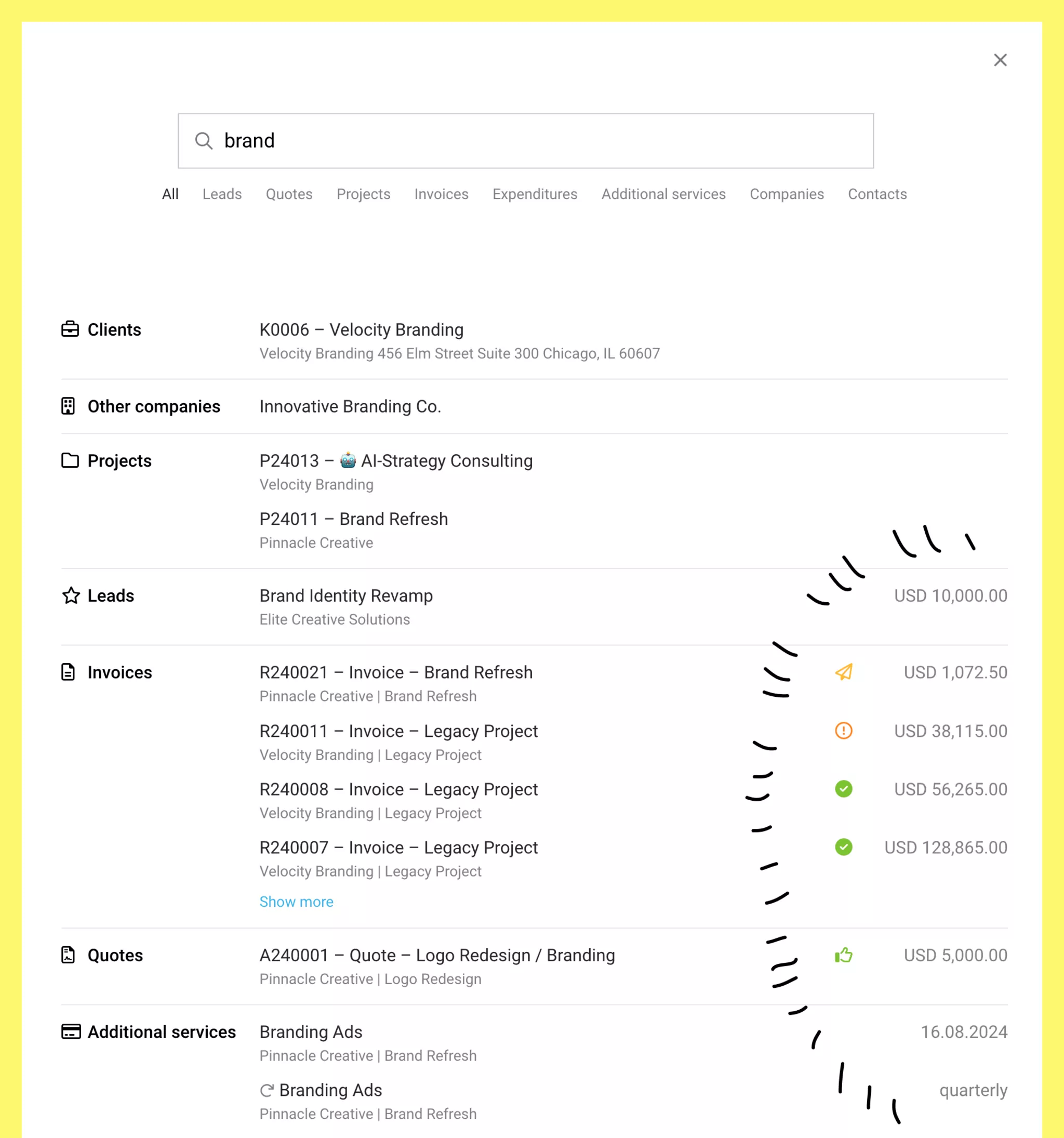
With the global search, you can quickly find projects, invoices, expenditures, and much more. As a significant added value, MOCO provides new key metrics.
Access Search as Usual with "/"
You can access the global search anytime either via the magnifying glass icon at the top right or conveniently with the shortcut "/" ("slash"; usually accessible via Shift + 7 on the keyboard) to quickly jump to, for example, a sought contact, client, or an expenditure.
The New Enhancements
You can now search by lead volume, proposal amount, invoice amount, and expenditure value, as well as the date of planned expenditures and additional services. Additionally, searching for a team name now also provides all associated persons as a result. The team is displayed alongside the person.
New Key Metrics at a Glance
- Lead: Lead volume
- Proposal: Status, proposal amount
- Invoice: Payment status, amount
- Expenditure: Payment status, amount
- Planned Expenditure: Date
- Recurring Additional Service: Recurrence period. You can also search for this (e.g., "quarterly" or "annually").
- Contact: Phone number
Minor Changes
- Team members' profile pictures are now displayed alongside their teams.
- The input field has been given a bit more width.
- Personnel can now be found using the "Contacts" filter.








