Alter News-Artikel!
» Hier geht's zur aktuellen Online-Hilfe
Article from
Predefine Invoice Contact
With the new update, you can now predefine the contact for invoicing. This is particularly useful for mass creation and the upcoming mass dispatch of invoices.
Select the contact in the project under "Invoicing" in the invoicing info:
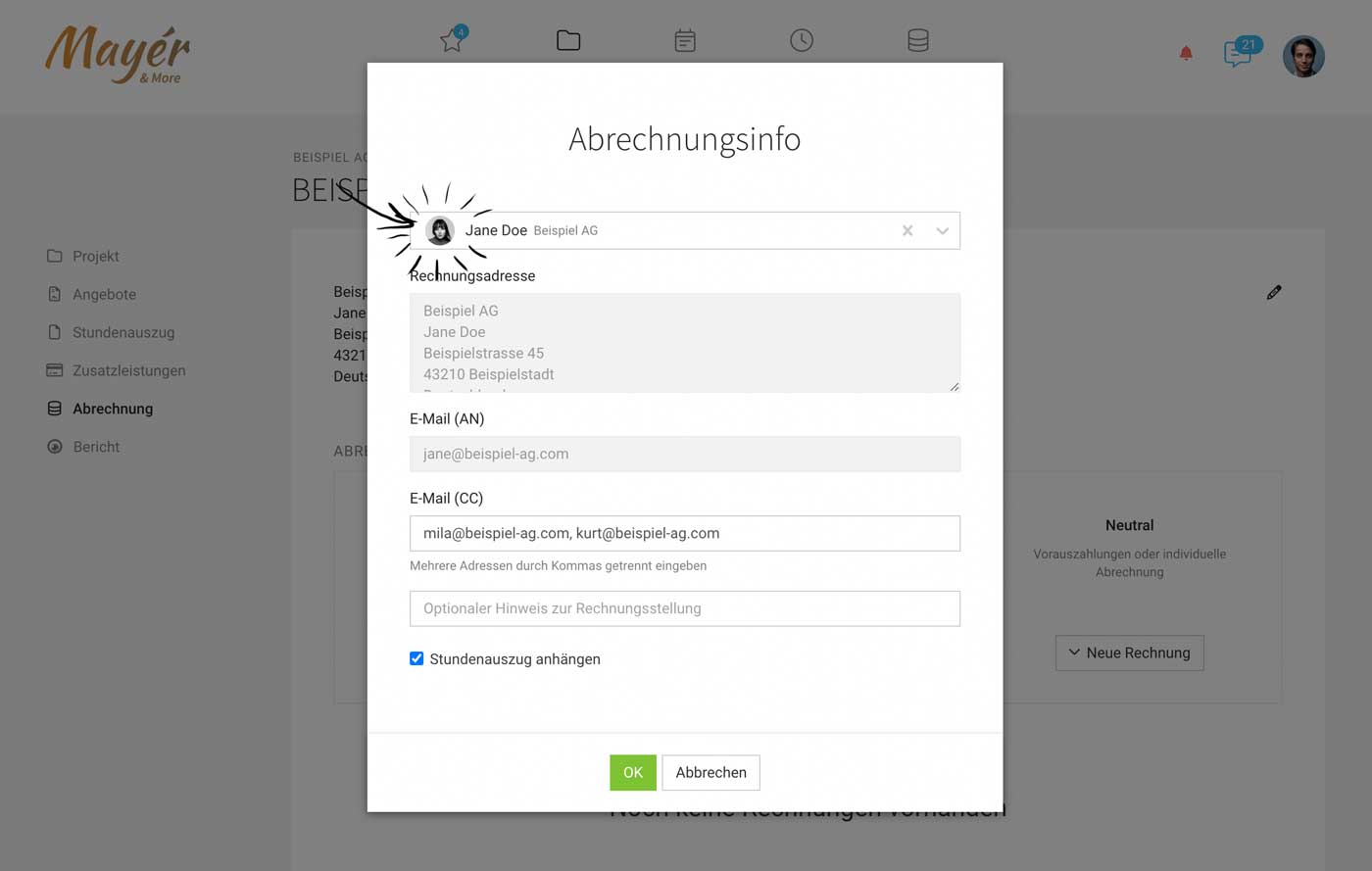 (English image not yet available)
What this selection does:
- The contact is automatically set for each new invoice (billing address and any used salutation line).
- When sending emails, the contact's email is automatically used, as well as the salutation line.
- If the contact's name should not appear in the address, disable this option at the company level.
Previously, the contact had to be manually set during invoicing.








