Alter News-Artikel!
» Hier geht's zur aktuellen Online-Hilfe
Article from
Expenditures Management Reloaded.
Various optimisations that enhance existing workflows and lay the foundation for the future development of planned expenditures. We've listed the visible ones for you here.
New Comprehensive List
The previously separate lists for drafts and personal expenses have been technically unified and seamlessly integrated into the main expenditures list. The major advantage is the overall overview. If you use the automatic reading, the total sums can be displayed directly. Filtering is also made easier. However, the smart filters "Personal expenses" and "Drafts" remain available for a one-click filter option.
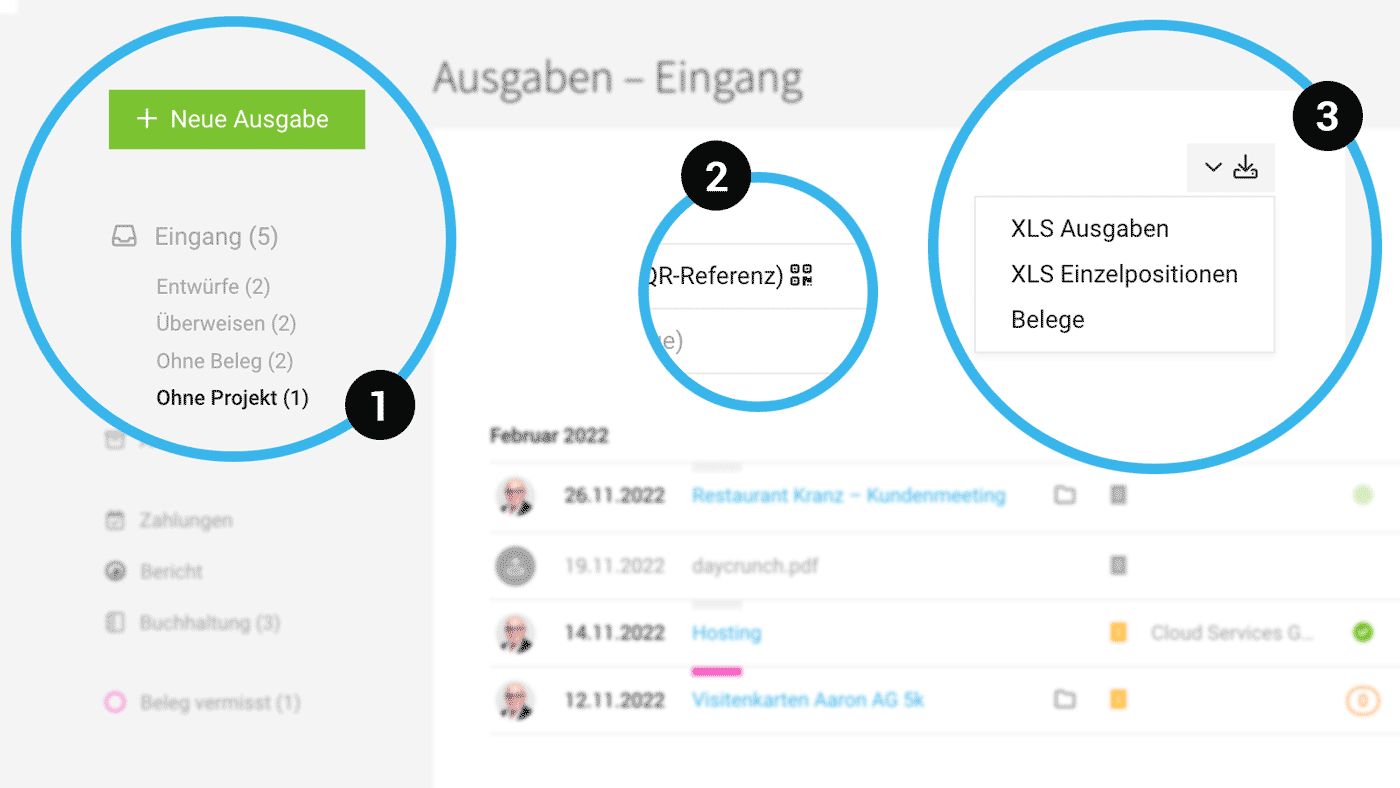
New Smart Filter "Without Project" (1)
The smart filter "Without Project" allows you to filter expenditures that are not assigned to any project with a single click.
 (English image not yet available)
Smart Filter "Transfer" Sorted by Due Date
When you filter for incoming invoices to be transferred (Smart Filter "Transfer"), MOCO now displays the list sorted by due date. The most urgent invoices are at the top.
Differentiated Expenditure Exports (3)
In the inbox and archive, there are now 2 Excel exports:
New Comprehensive List
The previously separate lists for drafts and personal expenses have been technically unified and seamlessly integrated into the main expenditures list. The major advantage is the overall overview. If you use the automatic reading, the total sums can be displayed directly. Filtering is also made easier. However, the smart filters "Personal expenses" and "Drafts" remain available for a one-click filter option.
New Smart Filter "Without Project" (1)
The smart filter "Without Project" allows you to filter expenditures that are not assigned to any project with a single click.
(English image not yet available)Smart Filter "Transfer" Sorted by Due Date
When you filter for incoming invoices to be transferred (Smart Filter "Transfer"), MOCO now displays the list sorted by due date. The most urgent invoices are at the top.
Differentiated Expenditure Exports (3)
In the inbox and archive, there are now 2 Excel exports:
- As before: Individual items (including details defined at the item level: project name, project number, category, expense account, net, tax, gross).
- New: Simple Expenditure Export, which is not broken down into items.
Expenditure Categories are Optional
A category can be chosen for each expenditure item. An expense account can be associated with the category. This preliminary account assignment is helpful for preparing bookkeeping but not mandatory. This makes the form simpler for recording expenditures.
QR Invoice Data Directly Accessible at Expenditure (2)
An icon next to the payment method shows the data contained in the QR code with a click.
A category can be chosen for each expenditure item. An expense account can be associated with the category. This preliminary account assignment is helpful for preparing bookkeeping but not mandatory. This makes the form simpler for recording expenditures.
QR Invoice Data Directly Accessible at Expenditure (2)
An icon next to the payment method shows the data contained in the QR code with a click.








