Alter News-Artikel!
» Hier geht's zur aktuellen Online-Hilfe
Article from
Batch Actions for Companies, Timesheet Directly Integrated, SKR 03 & SKR 04 Adoption & More.
 (English image not yet available)
Companies
Batch Actions for Labels and Responsible Person
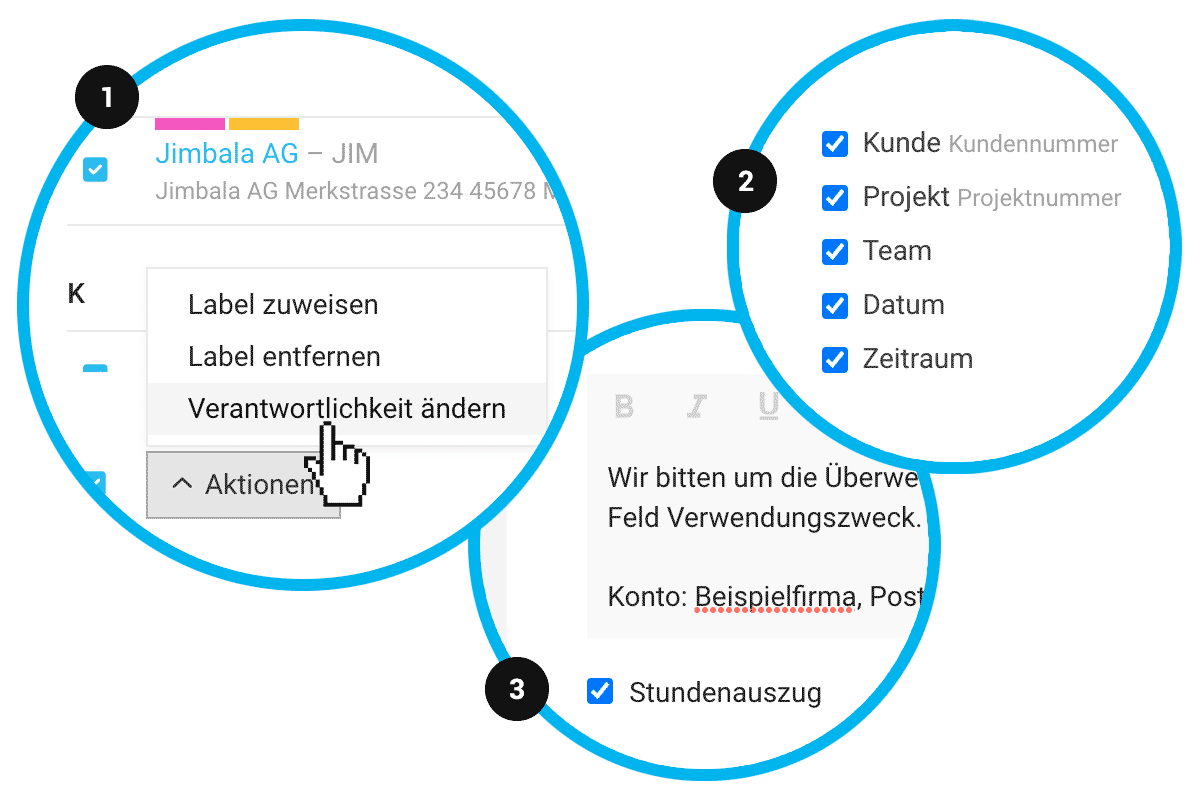
You can now select multiple companies at once to assign a label or change the responsible person (1).
You can now select multiple companies at once to assign a label or change the responsible person (1).
Invoices
Invoice Number as Part of the Invoice Reference
The QR invoice reference for new clients now includes the invoice number instead of an independent ID (excluding letters and special characters). Existing accounts should contact support for adjustments.
Advance and Final Invoices, as well as Cancelled and Reversed Invoices, are more visibly linked, ensuring clear reference from any page.
The QR invoice reference for new clients now includes the invoice number instead of an independent ID (excluding letters and special characters). Existing accounts should contact support for adjustments.
Advance and Final Invoices, as well as Cancelled and Reversed Invoices, are more visibly linked, ensuring clear reference from any page.
Timesheets
Info Block Display Fully Controllable
Under "Layout" settings, you can now control the display of all information in the info block (2).
Timesheet Directly Integrated into Invoice
Automatically generated timesheets can now be directly saved with the invoice document. Select the timesheet at the bottom of the invoice form, where receipts can also be chosen. If the selection was already made under "Invoicing" in the project, the timesheet will be automatically selected (3).
Under "Layout" settings, you can now control the display of all information in the info block (2).
Timesheet Directly Integrated into Invoice
Automatically generated timesheets can now be directly saved with the invoice document. Select the timesheet at the bottom of the invoice form, where receipts can also be chosen. If the selection was already made under "Invoicing" in the project, the timesheet will be automatically selected (3).
Accounting
SKR 03 and SKR 04 Directly Offered
The SKR 03 and SKR 04 accounts are directly offered for adoption in the expense accounts.
Management of Creditor and Debtor Accounts Also in Settings
Creditors and debtors can now also be managed in parallel under "Accounting" in the settings.
The SKR 03 and SKR 04 accounts are directly offered for adoption in the expense accounts.
Management of Creditor and Debtor Accounts Also in Settings
Creditors and debtors can now also be managed in parallel under "Accounting" in the settings.
Display of Payment Sender for Unassignable Payments
For incoming payments that do not match MOCO outgoing invoices, the payment sender information is displayed.
Miscellaneous
- Excel Export under "Planning" now also includes the "Hourly Rate" column
- API: The period for retainers is now available.
- API: Error messages generally improved








