Alter News-Artikel!
» Hier geht's zur aktuellen Online-Hilfe
Article from
Update on Retainer & Hourly Quota.
Project Report Enhanced
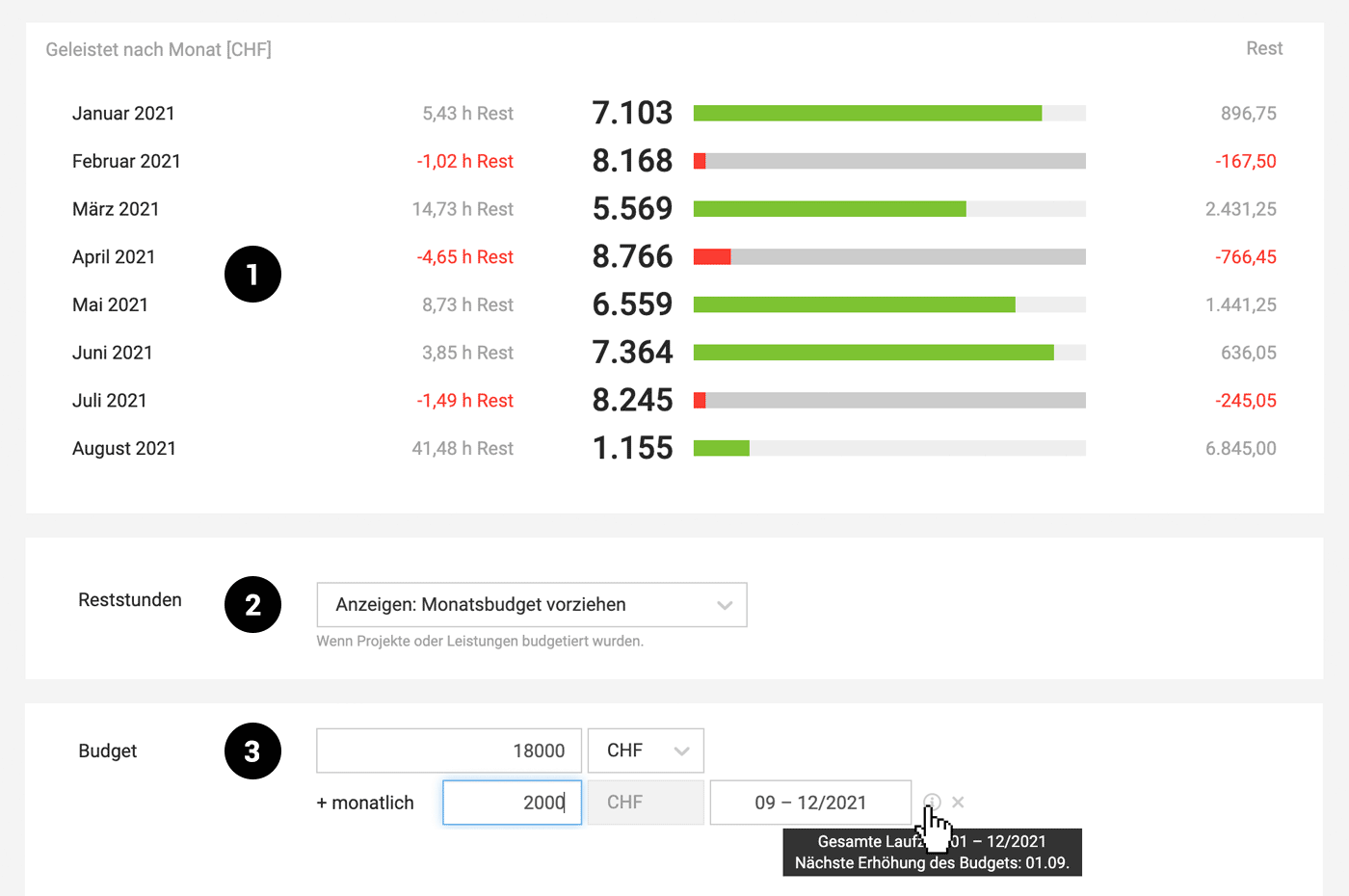
With a monthly budget, the project report is automatically supplemented with an additional report field: A monthly overview indicating budget, usage, and remaining balance (1).
All months within the set duration are displayed. If services are recorded outside the duration, MOCO shows these months additionally (without budget bars) in grey.
 (English image not yet available)
All months within the set duration are displayed. If services are recorded outside the duration, MOCO shows these months additionally (without budget bars) in grey.
(English image not yet available)Option: Display Remaining Hours by Month
Previously, the display of remaining hours in time tracking referred to the current project budget – thus, any buffers in retainers were also available. Now, you can alternatively choose in the settings (2) whether only the monthly budget should determine the display of remaining hours.
Selection & Display of Duration
- The duration is selected in the project form. After selection, the month is displayed from which the monthly budget is automatically added to the budget (in this case, the next increase is on 1st September). This makes it easier to understand the mechanism with the cumulative budget (budget + monthly budget until the end of the duration). The complete duration can be traced via the "i" on the right (see Figure 3).
- In the project detail view, the projected total project sum is additionally displayed (initial budget + monthly budget x number of future months). This total project sum is fully available for capacity planning!








