Alter News-Artikel!
» Hier geht's zur aktuellen Online-Hilfe
Article from
Automate Your Time Tracking.
For regular working hours, the new preset significantly simplifies time tracking. In case of deviations, manual adjustments can be made. For other preferences, automatic tracking via NFC/RFID tag is also an option.
Profile Preset
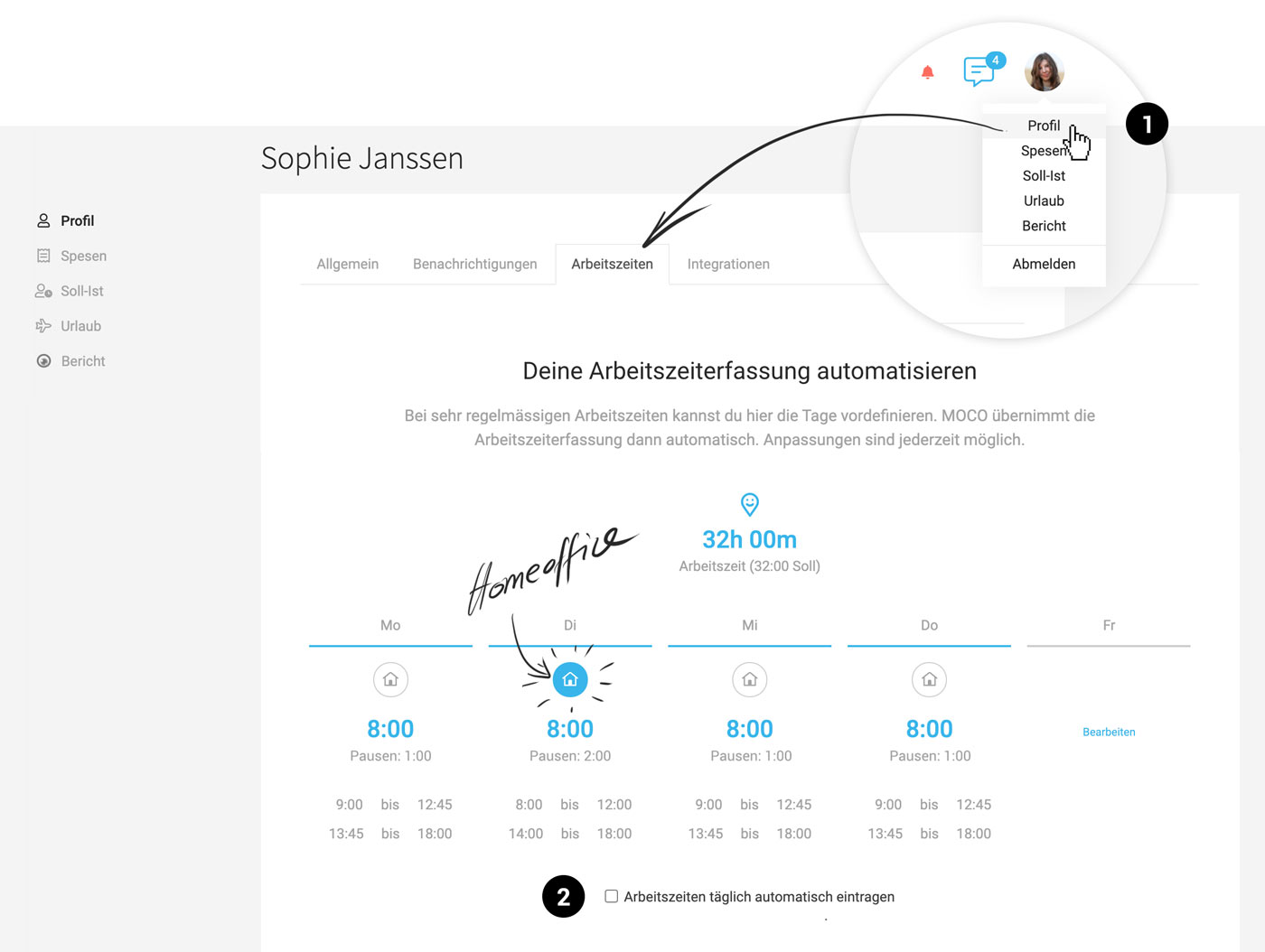
In the profile settings (1), under "Working Hours," you can automate daily time tracking.
 (English image not yet available)
MOCO Logs for You
MOCO offers predefined times through a blue link in the time tracking section. If you select the checkbox "Automatically log working hours daily" in the settings (2), it will be logged shortly after the start of the new day and will be ready to fill in with project hours when work begins.
Alternative Options
Besides this option to predefine regular working hours, there are also options like Check-In via NFC/RFID Tag, through localization or WiFi (set up for iPhone & AppleWatch), or a physical button controlled via Zapier.
Profile Preset
In the profile settings (1), under "Working Hours," you can automate daily time tracking.
(English image not yet available)MOCO Logs for You
MOCO offers predefined times through a blue link in the time tracking section. If you select the checkbox "Automatically log working hours daily" in the settings (2), it will be logged shortly after the start of the new day and will be ready to fill in with project hours when work begins.
Alternative Options
Besides this option to predefine regular working hours, there are also options like Check-In via NFC/RFID Tag, through localization or WiFi (set up for iPhone & AppleWatch), or a physical button controlled via Zapier.








