Alter News-Artikel!
» Hier geht's zur aktuellen Online-Hilfe
Article from
Updates on Expenditures.
Copy Expenditures
Incoming invoices can now be copied. This allows you to quickly record similar documents and make only specific adjustments.
More Filter Options for Expenditures (1)
The expenditure filter in the inbox and archive has been standardized and expanded to include
Incoming invoices can now be copied. This allows you to quickly record similar documents and make only specific adjustments.
More Filter Options for Expenditures (1)
The expenditure filter in the inbox and archive has been standardized and expanded to include
- Payment method
- Responsible person
- All expenditures/Approved personal expenses
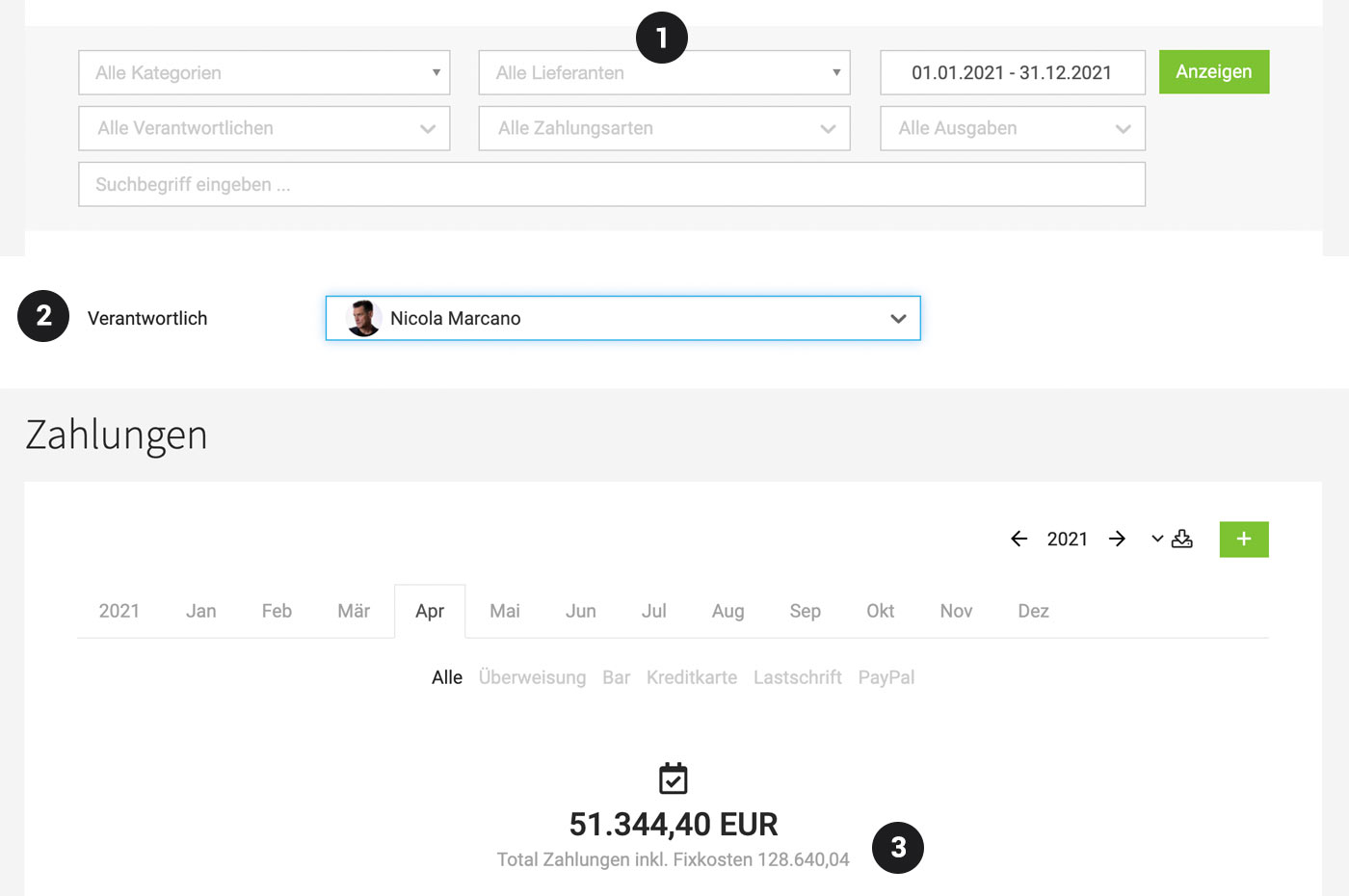 (English image not yet available)
As always, in the work list (in this case, the "inbox"), the filter can be accessed via "F" or the icon at the top right – in the archive, however, the filter is displayed by default and can be easily expanded for further options.
With the keyboard shortcut "Q", you can filter through all your expenditures.
Notification on Assignment of Responsibility (2)
When a person is assigned responsibility for an expenditure, they are notified. Notification options can be adjusted in the profile settings.
User Matching for Drafts
Recorded incoming invoices via batch upload or email (= drafts) are, if possible, directly assigned to a user.
Payments Enhanced (3)
Under "Payments", fixed costs are also displayed alongside the monthly total amounts.
Under "Payments", fixed costs are also displayed alongside the monthly total amounts.
More Flexible Creditors and Expense Accounts
In the accounting section of expenditures, the creditor account and expense account can be individually overwritten for each expenditure.
In the accounting section of expenditures, the creditor account and expense account can be individually overwritten for each expenditure.








