Alter News-Artikel!
» Hier geht's zur aktuellen Online-Hilfe
Article from
Internal Contact & Options for Contact Details on Proposals and Invoices.
Often, alongside the general letterhead sender contact information, you may want to provide a direct contact on an Invoice or Proposal. To prevent the info block from becoming too lengthy, and considering that an email address can be quite long, we recommend including the contact details in the closing text ("For inquiries..."). Exception: Layout 3 offers ample space in the second column of the info block. There are some exciting new features for automating contact information on documents:
Choosing the Internal Contact on Proposal/Invoice.
At the top right of the contact information, the contact can now be adjusted. By default, it previously referred to the person responsible for the project or lead.
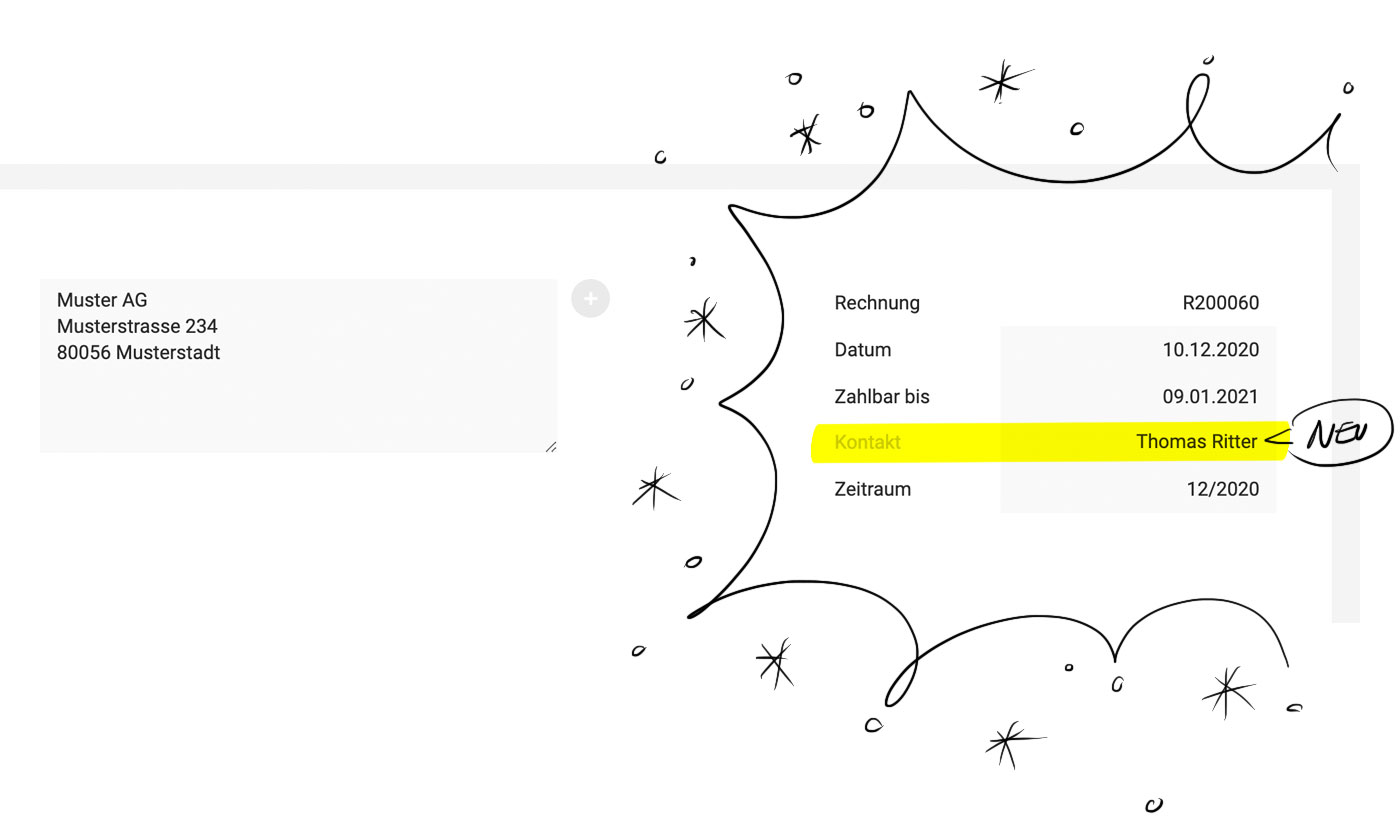 (English image not yet available)
Contact also on cross-project Invoice
Even for consolidated Client invoices and individual invoices, a contact can be selected at the top.
Display Email & Phone Number in the Info Block
The email and phone number of the chosen internal contact can now be displayed in the info block, with or without the name. The phone number alone is not offered, as it is not always available.
Display on the PDF
If enabled in the settings, the contact will be shown on the PDF.
Part of the Export
In the Excel export, the internal contact is included as a column.
(English image not yet available)Contact also on cross-project Invoice
Even for consolidated Client invoices and individual invoices, a contact can be selected at the top.
Display Email & Phone Number in the Info Block
The email and phone number of the chosen internal contact can now be displayed in the info block, with or without the name. The phone number alone is not offered, as it is not always available.
Display on the PDF
If enabled in the settings, the contact will be shown on the PDF.
Part of the Export
In the Excel export, the internal contact is included as a column.
New Variables for Contact Details
The selected internal contact determines the new variables, which can now be directly chosen when typing a curly brace "{".
- Internal Contact = First Name Last Name
- Internal Contact Email = Email
- Internal Contact Name, Email, Tel. = First Name Last Name, Email, Phone Number (if available) listed vertically
There is also an additional variable for the creator and current user
- Creator Name, Email, Tel.
- User Name, Email, Tel.








